AI agent for data protection officers
Personal Data Processing Inventory Agent
An accurate, current record of personal data processing
What it does
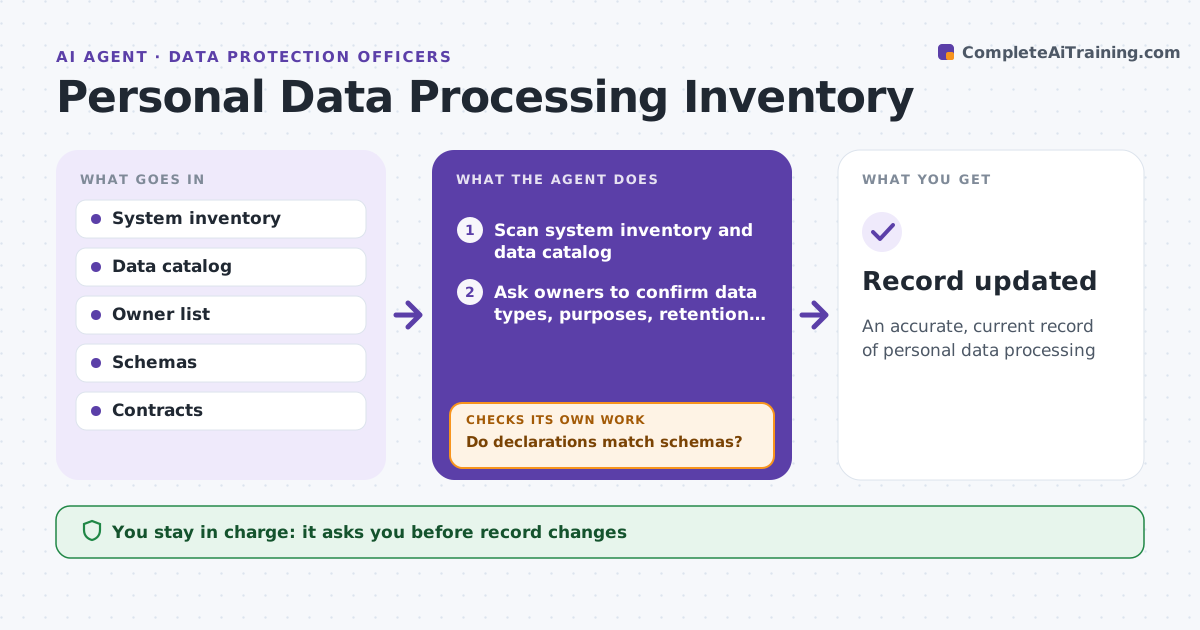
Privacy laws require a record of what personal data is held, where, why and for how long, but these records go stale as systems change. Each quarter this agent scans system inventories and data catalogs and asks each system owner to confirm data types, purposes, retention and sharing. It then checks the answers against the actual data schemas. If a system holds fields the owner did not declare, it asks the owner again and waits for an explanation. It flags missing legal bases, missing retention periods and vendors receiving data without a data processing agreement, and drafts actions with owners. Every data type needs a retention period. The data protection lead approves the updated record. Edge case: a new vendor receives customer data, so the agent checks for a data processing agreement before the record is approved.
How it works
Follow the arrows from top to bottom. The orange dashed arrow is the loop: when a check fails, the agent goes back and tries again.
Read the steps as a list
- Quarterly review
- Scan system inventory and data catalog
- Ask owners to confirm data types, purposes, retention and sharing
- Read actual data schemas for each system
- Do declarations match schemas?If not: ask owner about undeclared fields. Back to step 3.
- Flag missing legal basis, retention and vendor agreements
- Draft actions with owners and dates
- Data protection lead approves recordThe agent waits here for your OK.
- Record updated
How it decides
It compares owner declarations with schemas and flags gaps.
- Undeclared fields must be explained
- Vendors need agreements
- Retention required for each data type
Make it yours
Every agent is a starting point. You choose these settings for your own situation.
- Systems in scope
- Review frequency
- Register format
- Owners
What keeps you in control
It always asks you first
- Record changes
- Vendor actions
Hard limits
- Does not copy personal data
- Not legal advice
It stops when
- Done: record updated
- Stop: legal question
Set it up
We guide you through the set-up, step by step
Members get the full set-up guide for this agent. No technical skills needed: you copy, paste and upload.
- One set of instructions to paste into your AI, with the clicks for ChatGPT, Claude, Microsoft 365 Copilot, Gemini and Grok
- The agent then walks you through connecting your own data, one source at a time
- A downloadable copy with the flow chart, the rules and the full guide