AI agent for data architects
Data Flow Privacy Review Agent
Have every new feature's personal data flows mapped and checked before launch
What it does
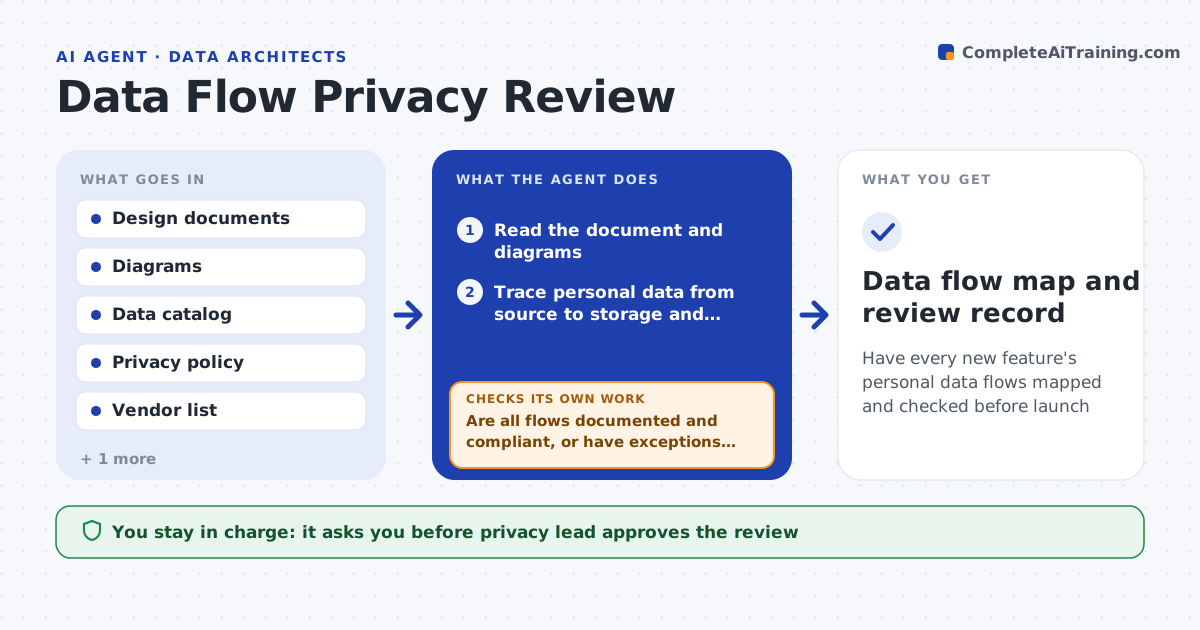
A new feature sends user emails to a third-party analytics service, and privacy finds out after launch. This agent reads the design documents and diagrams of a new feature and traces where personal data comes from, where it is stored, who or what receives it and how long it is kept. It checks each flow against the privacy policy, the approved vendor list, retention rules and data location limits. It asks the team questions about the gaps, such as which fields are sent. It updates the data flow map with the answers, and runs the checks again. The privacy lead approves the review. Edge case: a diagram shows a log service but not that logs contain emails, so the agent asks about the log fields.
How it works
Follow the arrows from top to bottom. The orange dashed arrow is the loop: when a check fails, the agent goes back and tries again.
Read the steps as a list
- Design document submitted
- Read the document and diagrams
- Trace personal data from source to storage and recipients
- Check each flow against policy, vendor list, retention and location rules
- List gaps and questions for the team
- Privacy lead approves the questions sent to the teamThe agent waits here for your OK.
- Send questions and read the answers
- Update the data flow map
- Are all flows documented and compliant, or have exceptions been recorded?If not: recheck with the new answers and ask the remaining questions. Back to step 3.
- Privacy lead approves the reviewThe agent waits here for your OK.
- Data flow map and review record
How it decides
It flags a flow when personal data goes to an unapproved recipient or location, is kept longer than the rule allows or has no stated purpose.
- Flag any flow to a vendor not on the approved list
- Flag personal data in logs, analytics and backups
- Flag storage outside the allowed regions
- Require a purpose and a retention period for each flow
Make it yours
Every agent is a starting point. You choose these settings for your own situation.
- Approved vendor list
- Retention rules
- Allowed regions
- Document templates
- Who is notified
What keeps you in control
It always asks you first
- Privacy lead approves the review
- Legal approves any new vendor
Hard limits
- Never approve a vendor itself
- Never copy personal data into the review record
It stops when
- Done: flows are documented and compliant or exceptions are approved
- Stop: a flow needs a legal decision
Set it up
We guide you through the set-up, step by step
Members get the full set-up guide for this agent. No technical skills needed: you copy, paste and upload.
- One set of instructions to paste into your AI, with the clicks for ChatGPT, Claude, Microsoft 365 Copilot, Gemini and Grok
- The agent then walks you through connecting your own data, one source at a time
- A downloadable copy with the flow chart, the rules and the full guide