AI agent for farmers
Pesticide Application Record and Re-entry Agent
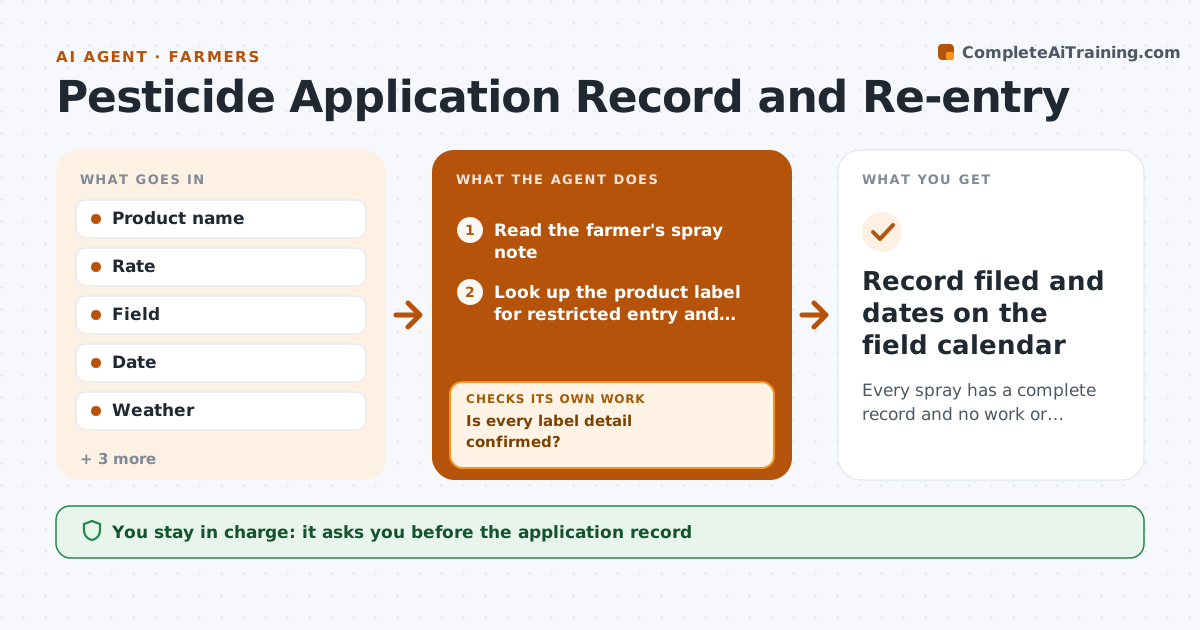
Every spray has a complete record and no work or harvest is planned inside a waiting period
What it does
After every spray, the farmer needs a complete record and the right waiting times, and mistakes here cost money and safety. This agent takes the product, rate, field and weather from the farmer's notes. It checks the label data for the restricted entry interval and pre-harvest interval and calculates the dates for that field. It then compares those dates with planned work, such as scouting, irrigation and harvest, and blocks plans that conflict. If a label detail is missing, it looks it up in the product label and flags it if it cannot confirm. It rechecks the schedule after any change. The farmer approves the record and any schedule changes. Edge case: a second spray on the same field resets nothing, but the agent applies the longer of the two intervals.
How it works
Follow the arrows from top to bottom. The orange dashed arrow is the loop: when a check fails, the agent goes back and tries again.
Read the steps as a list
- A spray is planned or completed
- Read the farmer's spray note
- Look up the product label for restricted entry and pre-harvest intervals
- Is every label detail confirmed?If not: search the label source again, and if still unclear mark the item for the farmer to confirm. Back to step 3.
- Calculate re-entry and pre-harvest dates for the field
- Compare the dates with planned field work and harvest
- Does any planned work fall inside a waiting period?If not: propose new dates for the work and recheck them against both intervals. Back to step 5.
- Draft the application record with weather
- Farmer approves the record and schedule changesThe agent waits here for your OK.
- Record filed and dates on the field calendar
How it decides
The agent uses the longer interval when products overlap and rejects any record missing a rate, field or date until it is filled.
- Use the longer interval when two products overlap
- Block work inside the restricted entry interval
- Mark any record missing rate, field or date as incomplete
- Flag wind or rain outside label limits
Make it yours
Every agent is a starting point. You choose these settings for your own situation.
- Which fields and products it tracks
- Weather limits it flags
- Calendar it writes to
- Record format for audits
What keeps you in control
It always asks you first
- The application record
- Any change to field or harvest dates
Hard limits
- Never state label rules it could not confirm
- Never change field plans without the farmer
It stops when
- Done: record approved and dates scheduled
- Stop: product label cannot be found
Set it up
We guide you through the set-up, step by step
Members get the full set-up guide for this agent. No technical skills needed: you copy, paste and upload.
- One set of instructions to paste into your AI, with the clicks for ChatGPT, Claude, Microsoft 365 Copilot, Gemini and Grok
- The agent then walks you through connecting your own data, one source at a time
- A downloadable copy with the flow chart, the rules and the full guide