AI agent for veterinarians
Pet Vaccine Reminder Agent
Keep pets current on preventive care
What it does
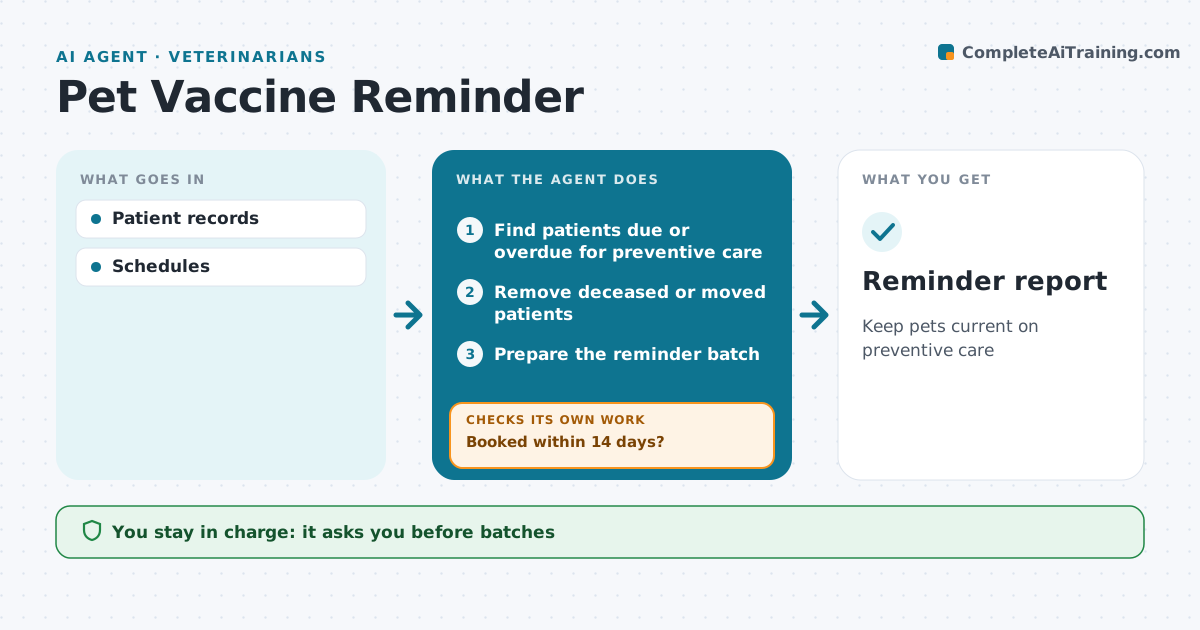
Vaccines, heartworm tests and dental checks keep pets healthy, but owners lose track of due dates. This agent finds patients due or overdue for preventive care and checks the record for deceased or moved pets, so no owner gets a painful message. It prepares a batch of reminders with booking links, and staff approve the batch before it goes out. It tracks who books within 14 days. For the rest, it prepares a second reminder by another channel and then builds a call list for the front desk. Puppies and kittens in a vaccine series get tighter reminders tied to the series dates. Edge case: a pet with a recorded vaccine reaction is flagged for the vet before any vaccine reminder is sent.
How it works
Follow the arrows from top to bottom. The orange dashed arrow is the loop: when a check fails, the agent goes back and tries again.
Read the steps as a list
- Weekly run
- Find patients due or overdue for preventive care
- Remove deceased or moved patients
- Prepare the reminder batch
- Staff approve the batchThe agent waits here for your OK.
- Send reminders
- Booked within 14 days?If not: prepare a second reminder by another channel. Back to step 4.
- Reminder report
How it decides
Due dates from records.
- Deceased excluded
- Series tighter
- Two reminders max
Make it yours
Every agent is a starting point. You choose these settings for your own situation.
- Timing
- Channels
- Items
- Templates
What keeps you in control
It always asks you first
- Batches
Hard limits
- No medical advice
It stops when
- Done: contacted
- Stop: opt-out
Set it up
We guide you through the set-up, step by step
Members get the full set-up guide for this agent. No technical skills needed: you copy, paste and upload.
- One set of instructions to paste into your AI, with the clicks for ChatGPT, Claude, Microsoft 365 Copilot, Gemini and Grok
- The agent then walks you through connecting your own data, one source at a time
- A downloadable copy with the flow chart, the rules and the full guide