AI agent for pharmacists
Pharmacy Audit Readiness Agent
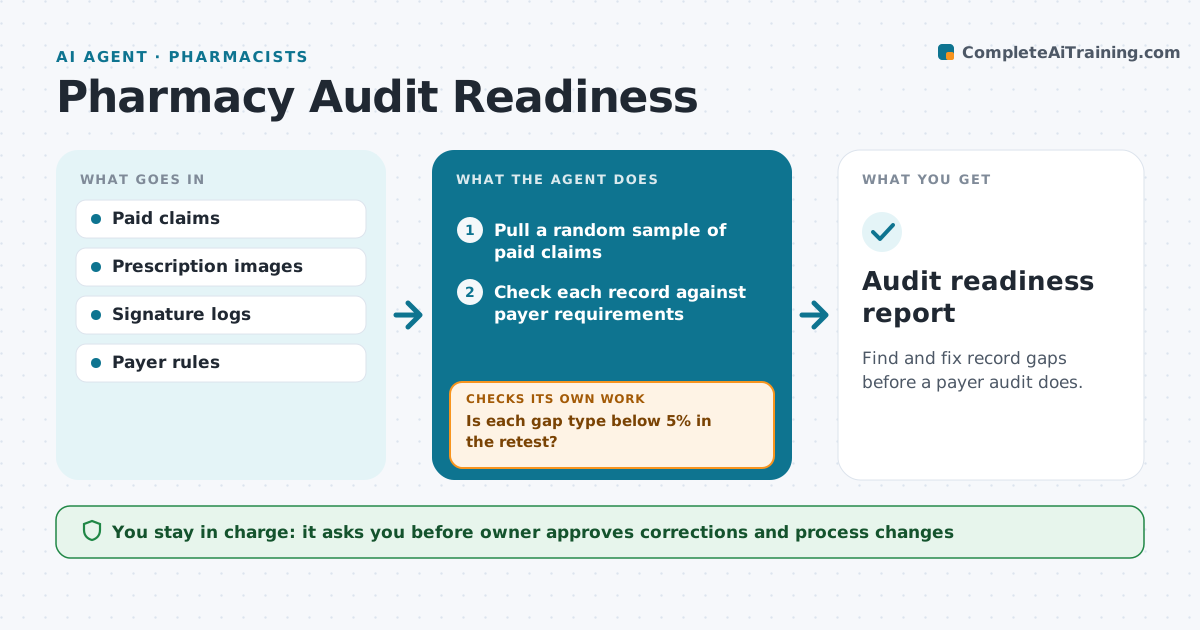
Find and fix record gaps before a payer audit does.
What it does
Payer audits ask for records within days, and gaps are found too late. This agent runs each quarter. It samples paid claims, then checks each against the requirements: valid prescription, signature log, correct quantity and days supply, and any prior authorization. It lists the gaps and drafts corrections, such as obtaining a missing signature or a clarification. It then draws a second sample and retests each gap area. The owner reviews the findings and approves the correction plan and the sign-off. Edge case: a gap pattern points to one staff workflow, so the agent drafts a process fix instead of fixing claims one at a time.
How it works
Follow the arrows from top to bottom. The orange dashed arrow is the loop: when a check fails, the agent goes back and tries again.
Read the steps as a list
- Quarter ends
- Pull a random sample of paid claims
- Check each record against payer requirements
- Group gaps by type and workflow
- Draft corrections and process fixes
- Owner approves the correction planThe agent waits here for your OK.
- Apply corrections and note the date
- Draw a second sample for the fixed gap types
- Is each gap type below 5% in the retest?If not: revise the fix and retest the type. Back to step 5.
- Owner signs off the audit fileThe agent waits here for your OK.
- Audit readiness report
How it decides
It samples at random and flags a gap type when it appears in more than 5% of the sample. Each fix is retested.
- Sample at least 50 claims or 5% of volume
- Flag a gap type above 5% of the sample
- Retest every fixed gap on a new sample
- Escalate any suspected billing error to the owner
Make it yours
Every agent is a starting point. You choose these settings for your own situation.
- Sample size (default 50 claims)
- Gap threshold (default 5%)
- Payers covered
- Quarter end date
What keeps you in control
It always asks you first
- Owner approves corrections and process changes
- Owner signs off the report
Hard limits
- Never alter existing records to hide gaps
- Never contact a payer
It stops when
- Done: retest below threshold and signed off
- Stop: suspected billing error needs the owner or counsel
Set it up
We guide you through the set-up, step by step
Members get the full set-up guide for this agent. No technical skills needed: you copy, paste and upload.
- One set of instructions to paste into your AI, with the clicks for ChatGPT, Claude, Microsoft 365 Copilot, Gemini and Grok
- The agent then walks you through connecting your own data, one source at a time
- A downloadable copy with the flow chart, the rules and the full guide