
AI agent for materials scientists
Phase Identification Agent
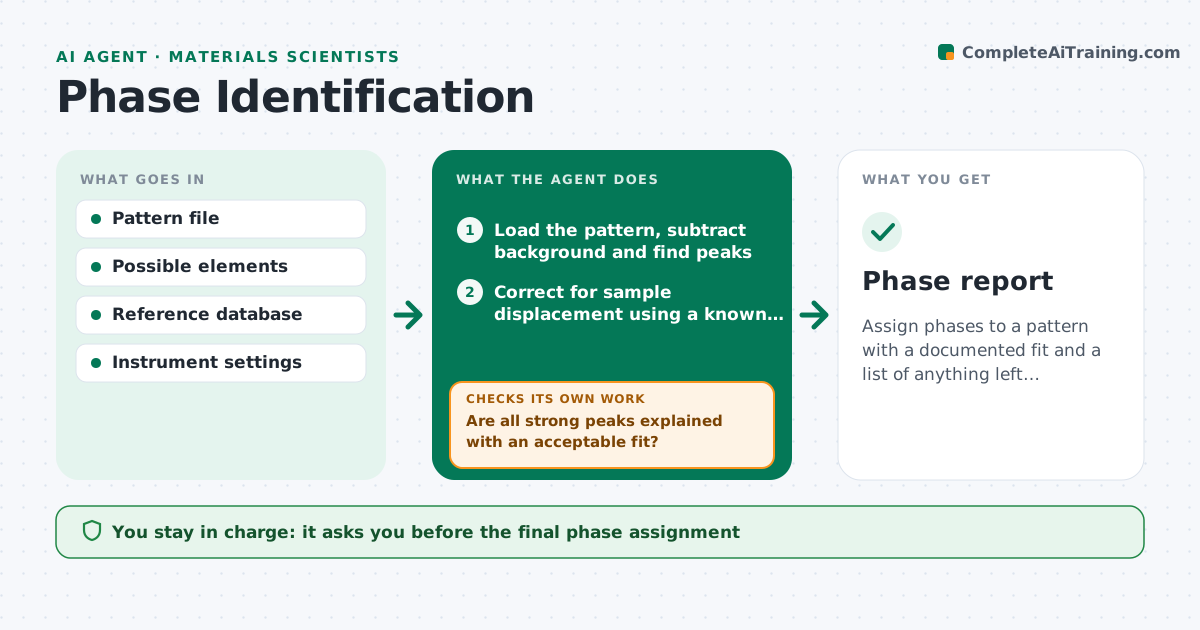
Assign phases to a pattern with a documented fit and a list of anything left unexplained.
What it does
A scientist with a diffraction pattern or spectrum can spend hours matching peaks to reference cards, and different people choose different phases. This agent loads the pattern, finds the peaks, and searches the reference database filtered by the elements the sample could contain. It scores each candidate by how many peaks match and how well intensities agree, then checks the leftover peaks. If peaks stay unexplained or the fit is poor, it tries other phases, solid solutions and mixtures, and refits with ratios. It reports the assignment with the matches, the unexplained peaks and a confidence note. It never decides alone. The scientist approves the assignment. Edge case: peak shifts from sample displacement are corrected before matching.
How it works
Follow the arrows from top to bottom. The orange dashed arrow is the loop: when a check fails, the agent goes back and tries again.
Read the steps as a list
- Pattern file uploaded
- Load the pattern, subtract background and find peaks
- Correct for sample displacement using a known peak
- Search reference cards limited to the allowed elements
- Score candidates on peak position and intensity
- Are all strong peaks explained with an acceptable fit?If not: try other candidates, solid solutions and two or three phase mixtures. Back to step 4.
- Refit the best mixture and estimate phase fractions
- Is the refit error below the limit and the leftover peaks small?If not: report the unexplained peaks and suggest another measurement. Back to step 7.
- Write the assignment with matches and confidence
- Scientist approves the phase assignmentThe agent waits here for your OK.
- Phase report
How it decides
It accepts an assignment when nearly all strong peaks are explained and the fit error is under the set limit. It tries mixtures only when single phases leave strong peaks unexplained.
- Treat a peak as strong if above 20% of the highest peak
- Accept a fit when over 95% of strong peaks match within tolerance
- Try mixtures only after single phases fail
- Keep elements outside the list out of the search
Make it yours
Every agent is a starting point. You choose these settings for your own situation.
- Allowed elements
- Peak tolerance in degrees (default 0.1)
- Strong peak threshold (default 20%)
- Reference database
- Maximum phases in a mixture (default 3)
What keeps you in control
It always asks you first
- The final phase assignment
Hard limits
- Never delete the unexplained peak list
- State when an assignment is uncertain
It stops when
- Done: assignment approved with documented fit
- Stop: unexplained peaks remain and need a new measurement
Set it up
We guide you through the set-up, step by step
Members get the full set-up guide for this agent. No technical skills needed: you copy, paste and upload.
- One set of instructions to paste into your AI, with the clicks for ChatGPT, Claude, Microsoft 365 Copilot, Gemini and Grok
- The agent then walks you through connecting your own data, one source at a time
- A downloadable copy with the flow chart, the rules and the full guide



