AI agent for photographers
Photo Archive and Keyword Cleanup Agent
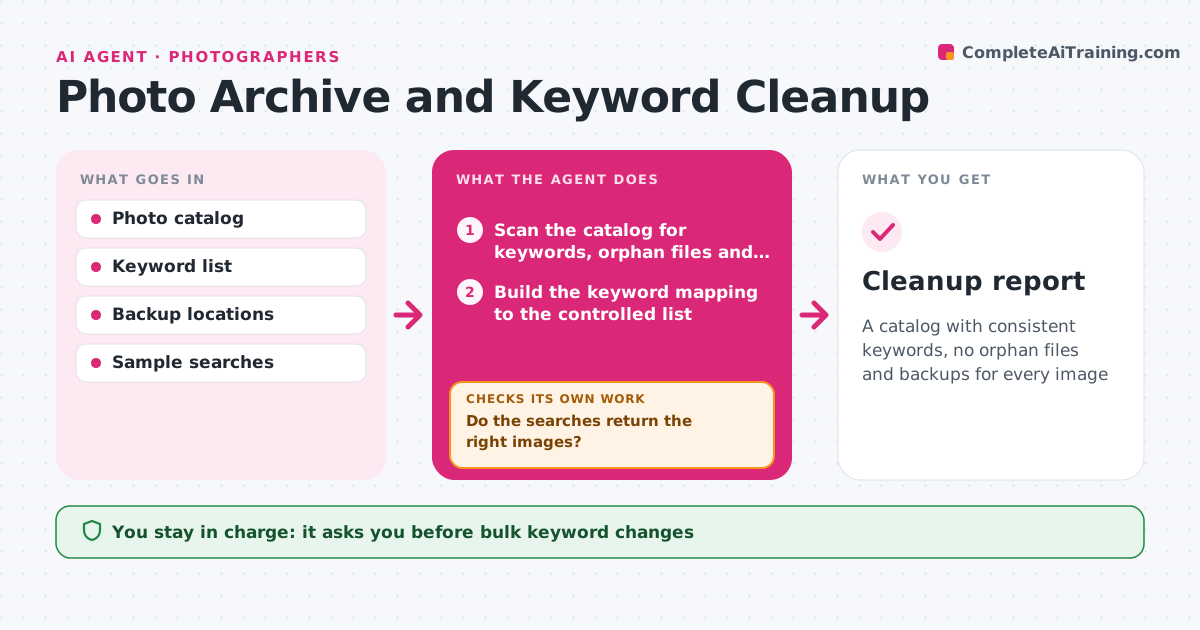
A catalog with consistent keywords, no orphan files and backups for every image
What it does
Images cannot be found because of inconsistent keywords and missing backups. This agent scans the catalog and standardizes keywords, for example merging 'nyc', 'New York' and 'NYC skyline' into one term from the controlled list. It finds orphan files with no catalog entry and missing backups, and repairs links where files were moved. Then it confirms the result by running a sample of searches and checking that the right images come back. If searches return wrong results, it adjusts the keyword mapping and runs the sample again. The photographer approves bulk changes before they are applied. Edge case: a keyword that has two meanings, such as 'Paris, Texas', is flagged instead of merged.
How it works
Follow the arrows from top to bottom. The orange dashed arrow is the loop: when a check fails, the agent goes back and tries again.
Read the steps as a list
- Quarterly cleanup
- Scan the catalog for keywords, orphan files and backups
- Build the keyword mapping to the controlled list
- List orphan files and images with fewer than two copies
- Photographer approves the bulk changesThe agent waits here for your OK.
- Apply the keyword changes and repair file links
- Run sample searches
- Do the searches return the right images?If not: adjust the keyword mapping and run the sample again. Back to step 5.
- Copy images with too few backups
- Does every image now have two copies?If not: retry the failed copies and list the files that could not be copied. Back to step 8.
- Cleanup report
How it decides
Keywords are merged when they map to one term in the controlled list. Ambiguous terms are flagged. A file is safe when it has a catalog entry and at least two copies.
- Merge a keyword only when it maps to one controlled term
- Flag ambiguous terms for the photographer
- Require two copies of each image
- Never delete files
Make it yours
Every agent is a starting point. You choose these settings for your own situation.
- Controlled keyword list
- Number of copies required (default 2)
- Sample searches
- Backup locations
What keeps you in control
It always asks you first
- Bulk keyword changes
- Moving or copying files
Hard limits
- Never deletes or moves originals without approval
- Never changes captions
It stops when
- Done: searches pass and backups complete
- Stop: the catalog cannot be read
Set it up
We guide you through the set-up, step by step
Members get the full set-up guide for this agent. No technical skills needed: you copy, paste and upload.
- One set of instructions to paste into your AI, with the clicks for ChatGPT, Claude, Microsoft 365 Copilot, Gemini and Grok
- The agent then walks you through connecting your own data, one source at a time
- A downloadable copy with the flow chart, the rules and the full guide