AI agent for production planners
Planning Parameter Audit Agent
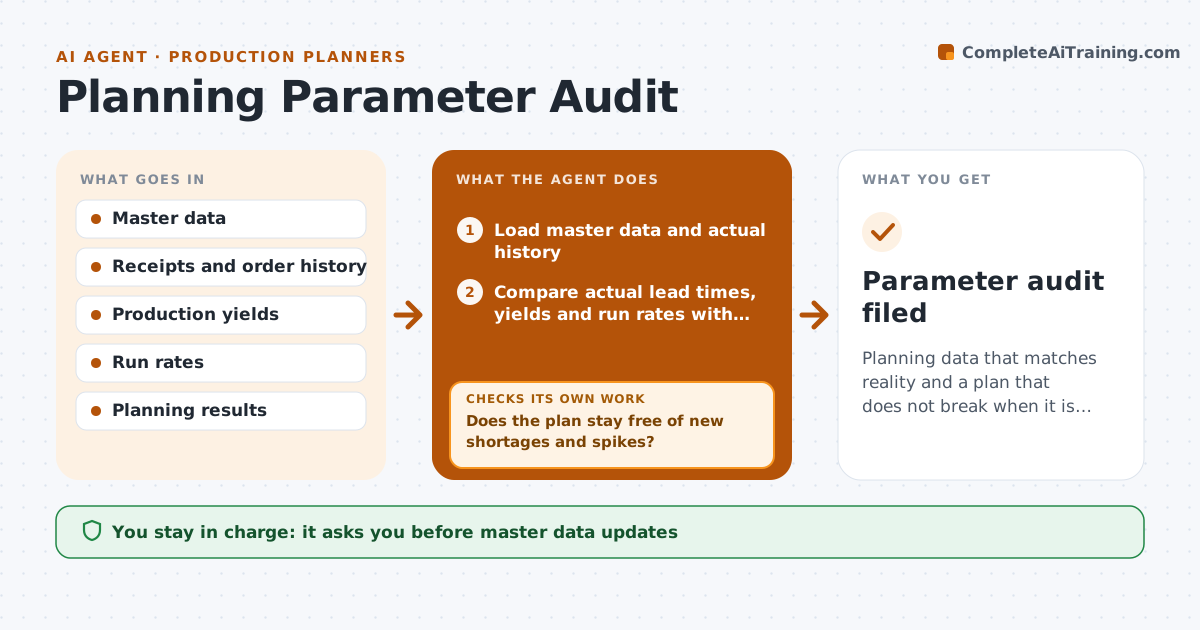
Planning data that matches reality and a plan that does not break when it is updated
What it does
Stale lead times, lot sizes and yields distort plans and cause shortages. This agent compares actual lead times, yields and run rates with the master data. It proposes updates where the gap is large and consistent. Before anything changes, it simulates the effect on planned orders and checks for unwanted spikes or new shortages. Changes that create problems are revised and retested. After approval, it checks the next planning run to confirm that the plan improved. The planner approves the updates. Edge case: a lead time has grown because of one bad month, so the agent suggests a temporary value instead of a permanent one.
How it works
Follow the arrows from top to bottom. The orange dashed arrow is the loop: when a check fails, the agent goes back and tries again.
Read the steps as a list
- Monthly parameter audit
- Load master data and actual history
- Compare actual lead times, yields and run rates with master data
- List parameters that differ beyond the tolerance
- Propose new values
- Simulate the effect on planned orders
- Does the plan stay free of new shortages and spikes?If not: adjust the values or phase in the change, then resimulate. Back to step 5.
- Planner approves the updatesThe agent waits here for your OK.
- Check the next planning run
- Did the plan improve as expected?If not: revise the values and retest. Back to step 4.
- Parameter audit filed
How it decides
A parameter is updated when actuals differ from master data by the tolerance across enough orders. Changes are accepted only if the simulation shows no new shortage or spike.
- Update when actuals differ by over 10 percent across 10 orders
- Use a temporary value for one-off swings
- Phase in changes that create spikes over 20 percent
- Never change master data without approval
Make it yours
Every agent is a starting point. You choose these settings for your own situation.
- Tolerance (default 10 percent)
- Minimum orders (default 10)
- Parameters covered
- Phase-in rule
What keeps you in control
It always asks you first
- Master data updates
Hard limits
- Never update master data itself
- Never use too few orders as proof
It stops when
- Done: updates approved and plan verified
- Stop: history is too short
Set it up
We guide you through the set-up, step by step
Members get the full set-up guide for this agent. No technical skills needed: you copy, paste and upload.
- One set of instructions to paste into your AI, with the clicks for ChatGPT, Claude, Microsoft 365 Copilot, Gemini and Grok
- The agent then walks you through connecting your own data, one source at a time
- A downloadable copy with the flow chart, the rules and the full guide