AI agent for landscape architects
Planting Warranty Inspection Agent
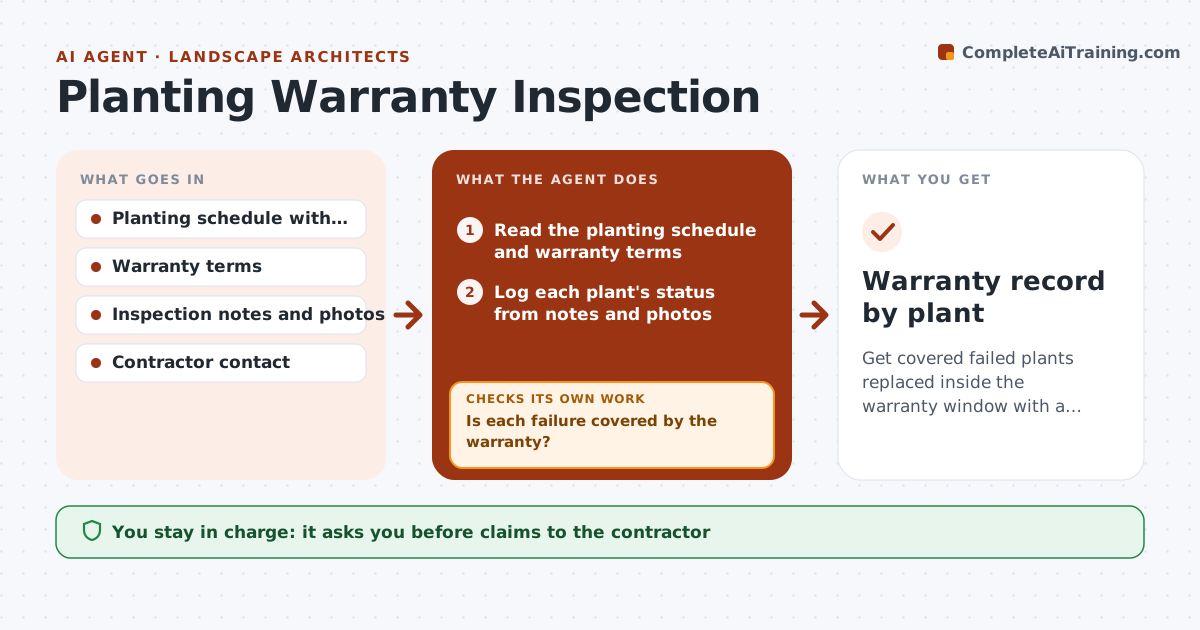
Get covered failed plants replaced inside the warranty window with a clear record.
What it does
A planting warranty ends on a fixed date, and failed plants found after it are the owner's cost. This agent schedules inspections at set points in the warranty period, logs the status of each plant from your notes and photos, and checks it against the warranty terms, such as dead, in decline or damaged by the owner. It drafts the replacement list for covered plants. After replacements, it schedules a reinspection and records the date, so the warranty clock for each replaced plant stays clear. You approve each claim before it goes to the contractor. Edge case: plants killed by a broken irrigation line are not covered, and the agent separates them.
How it works
Follow the arrows from top to bottom. The orange dashed arrow is the loop: when a check fails, the agent goes back and tries again.
Read the steps as a list
- Warranty inspection date arrives
- Read the planting schedule and warranty terms
- Log each plant's status from notes and photos
- Check each failed plant against the warranty terms and likely cause
- Is each failure covered by the warranty?If not: Mark the plant as not covered with the reason. Back to step 4.
- Draft the replacement list with dates and quantities
- Landscape architect approves the claim to the contractorThe agent waits here for your OK.
- Send the claim and log the replacement dates
- Schedule the reinspection of replaced plants
- Are the replaced plants healthy at reinspection?If not: Add them to a second replacement claim and restart the clock. Back to step 3.
- Warranty record by plant
How it decides
It checks each plant against the warranty definition of failure and cause. Replaced plants start a new clock based on the terms.
- Dead plants or plants in decline under the terms are covered
- Damage from owner neglect or irrigation faults is not covered
- Replaced plants get the warranty period set in the contract
- Inspect at 90 days and at the end of the warranty (default)
Make it yours
Every agent is a starting point. You choose these settings for your own situation.
- Inspection dates
- Warranty terms and exclusions
- Replacement warranty period
- Photo requirements
- Contractor contact
What keeps you in control
It always asks you first
- Claims to the contractor
Hard limits
- Never sends claims without approval
- Never changes the warranty terms
- Records photos with dates
It stops when
- Done: all covered plants replaced and healthy
- Stop: warranty ended; list of remaining issues goes to the owner
Set it up
We guide you through the set-up, step by step
Members get the full set-up guide for this agent. No technical skills needed: you copy, paste and upload.
- One set of instructions to paste into your AI, with the clicks for ChatGPT, Claude, Microsoft 365 Copilot, Gemini and Grok
- The agent then walks you through connecting your own data, one source at a time
- A downloadable copy with the flow chart, the rules and the full guide