AI agent for land surveyors
Plat Drawing Requirements Check Agent
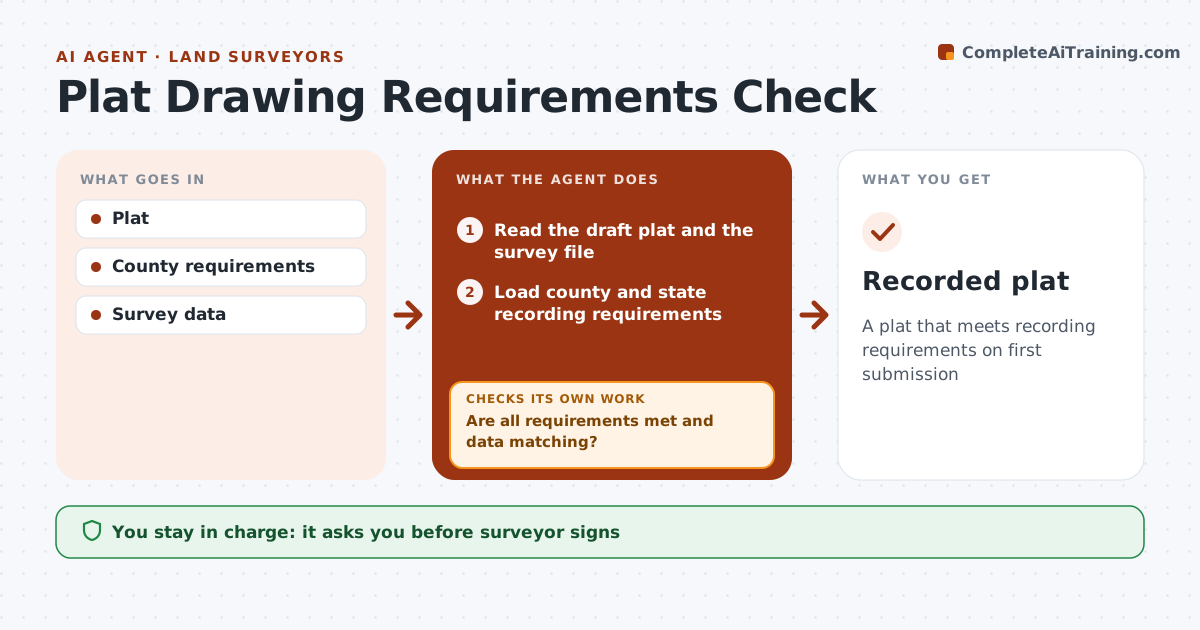
A plat that meets recording requirements on first submission
What it does
Recorders reject plats for small things: a missing certificate, the wrong sheet size, a bearing that does not match the closure, or a monument without a description. Each rejection costs weeks. This agent reads the draft plat and the county and state recording requirements and checks each requirement one by one. It compares bearings, distances, areas and monuments on the plat with the survey file. It lists every missing or mismatched item with its location on the sheet for the drafter. After the drafter edits, it checks again until everything passes. The surveyor reviews, signs and records the plat. Edge case: subdivision plats also need planning and utility approval blocks, which the agent adds to the checklist automatically so they are not discovered at the counter.
How it works
Follow the arrows from top to bottom. The orange dashed arrow is the loop: when a check fails, the agent goes back and tries again.
Read the steps as a list
- Plat ready
- Read the draft plat and the survey file
- Load county and state recording requirements
- Add planning and utility blocks for subdivision plats
- Check each requirement and compare bearings, distances, areas and monuments
- Are all requirements met and data matching?If not: list each missing or mismatched item with its sheet location for the drafter. Back to step 5.
- Surveyor signs and recordsThe agent waits here for your OK.
- Recorded plat
How it decides
All requirements must be met and data must match.
- County checklist
- Data match
- Extra approvals for subdivisions
Make it yours
Every agent is a starting point. You choose these settings for your own situation.
- County rules
- Checklist
- Format
- Approvals
What keeps you in control
It always asks you first
- Surveyor signs
Hard limits
- Never signs
- Never records
It stops when
- Done: recorded
- Stop: requirements unknown
Set it up
We guide you through the set-up, step by step
Members get the full set-up guide for this agent. No technical skills needed: you copy, paste and upload.
- One set of instructions to paste into your AI, with the clicks for ChatGPT, Claude, Microsoft 365 Copilot, Gemini and Grok
- The agent then walks you through connecting your own data, one source at a time
- A downloadable copy with the flow chart, the rules and the full guide