AI agent for chefs
Plate Cost Update Agent
Know the true food cost of each dish every week
What it does
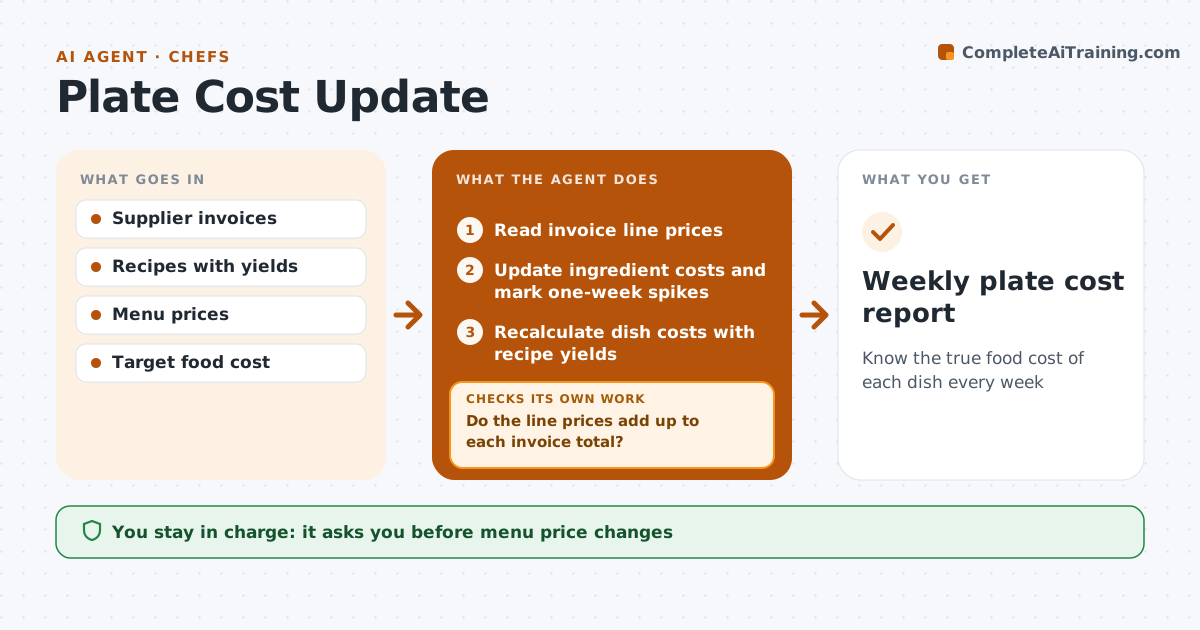
Ingredient prices change every week, but dish costs are usually updated a few times a year, so margins slip without anyone noticing. Each week this agent reads supplier invoice line prices and first checks that they add up to each invoice total. If not, it rereads the invoice or asks for a clean copy. It updates ingredient costs, then recalculates each dish using recipe yields, including trim and cooking loss. It compares dish cost with the menu price and the 30 percent target. For dishes over target, it suggests options such as portion, garnish or price changes. Price spikes over 15 percent that appear in only one week are marked so the chef can wait before acting. The chef approves any menu or portion change. Edge case: a storm that lifts fish prices for one week is marked as a spike, not acted on.
How it works
Follow the arrows from top to bottom. The orange dashed arrow is the loop: when a check fails, the agent goes back and tries again.
Read the steps as a list
- Weekly invoice batch
- Read invoice line prices
- Do the line prices add up to each invoice total?If not: reread the invoice or ask for a clean copy. Back to step 2.
- Update ingredient costs and mark one-week spikes
- Recalculate dish costs with recipe yields
- Flag dishes over target food cost
- Suggest portion, garnish or price options
- Chef approves menu or portion changesThe agent waits here for your OK.
- Weekly plate cost report
How it decides
It flags dishes above the target food cost percent and marks price spikes over 15 percent that appear in only one week.
- Target food cost 30 percent by default
- One-week spikes are marked, not acted on
- Yield loss is included in cost
Make it yours
Every agent is a starting point. You choose these settings for your own situation.
- Target food cost percent
- Spike threshold (default 15 percent)
- Suppliers included
- Report day
What keeps you in control
It always asks you first
- Menu price changes
- Portion changes
Hard limits
- Never changes menu prices
- Never contacts suppliers
It stops when
- Done: report delivered
- Stop: invoices missing for a key supplier
Set it up
We guide you through the set-up, step by step
Members get the full set-up guide for this agent. No technical skills needed: you copy, paste and upload.
- One set of instructions to paste into your AI, with the clicks for ChatGPT, Claude, Microsoft 365 Copilot, Gemini and Grok
- The agent then walks you through connecting your own data, one source at a time
- A downloadable copy with the flow chart, the rules and the full guide