AI agent for sports coachs
Playbook Installation Progress Agent
Make every player secure on current plays before new ones are installed
What it does
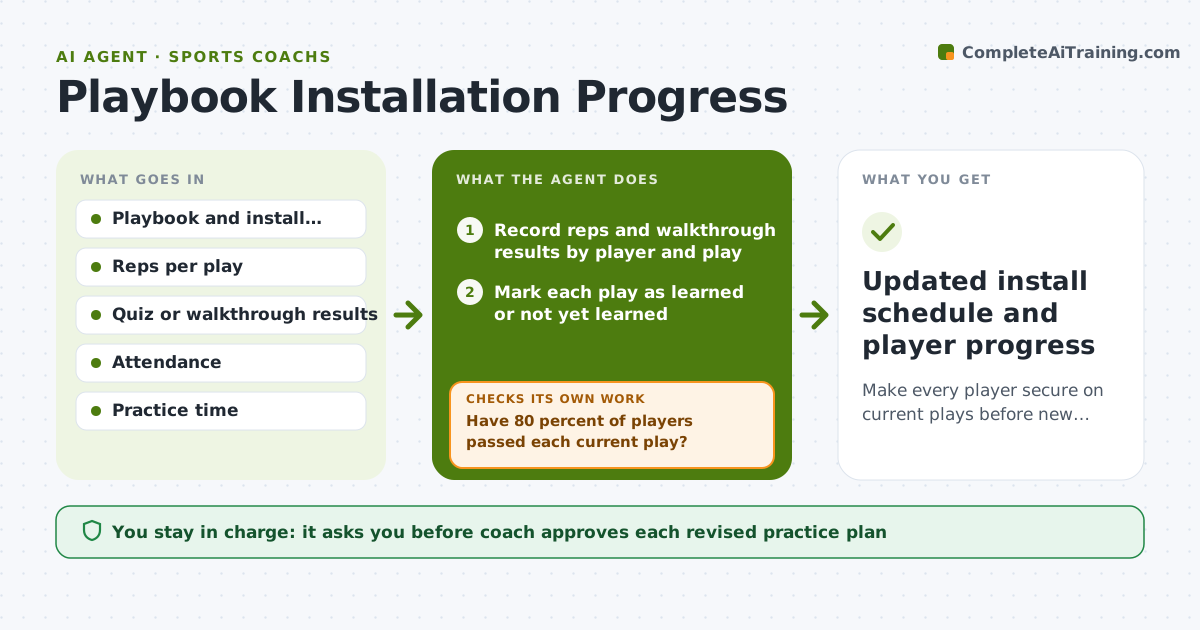
A coach introduces twelve plays in three weeks and then finds half the team runs them wrong. This agent maps the season's plays and when each should be learned. After each practice it records the reps and any quiz or walkthrough result by player. It flags plays that are not yet learned and players who struggle with them. Then it adjusts the next practice plan so weak plays are reviewed before new ones are added, and checks the plan against the practice time available. After the next session it checks whether results improved and loops back to re-teach if not. The coach approves the revised plan. Edge case: if one player misses most reps, it suggests a short individual walkthrough.
How it works
Follow the arrows from top to bottom. The orange dashed arrow is the loop: when a check fails, the agent goes back and tries again.
Read the steps as a list
- Practice ends and results are entered
- Record reps and walkthrough results by player and play
- Mark each play as learned or not yet learned
- Have 80 percent of players passed each current play?If not: List weak plays and players, then schedule a review. Back to step 2.
- Draft the next practice plan with review first, then new plays
- Does the plan fit the practice time available?If not: Cut or postpone new plays and rebuild the plan. Back to step 5.
- Coach approves the revised practice planThe agent waits here for your OK.
- Record the next session's results
- Update the install schedule and player list
- Updated install schedule and player progress
How it decides
A play counts as learned when 80 percent of players pass its check. New plays are added only when current ones are learned.
- Call a play learned at 80 percent pass rate
- Install no new play while 2 or more current plays are not learned
- Review weak plays in the first 15 minutes
- Give a missed-practice player a short walkthrough
Make it yours
Every agent is a starting point. You choose these settings for your own situation.
- Pass threshold for a play (default 80 percent)
- Number of weak plays allowed before pausing (default 2)
- Practice time available (default 90 minutes)
- How results are measured (default quiz or walkthrough)
What keeps you in control
It always asks you first
- Coach approves each revised practice plan
Hard limits
- Never change a practice plan without coach approval
- Never rank players publicly by results
- Keep sessions within safe practice time
It stops when
- Done: All plays in the install schedule are learned
- Stop: Season ends or the coach changes the system
Set it up
We guide you through the set-up, step by step
Members get the full set-up guide for this agent. No technical skills needed: you copy, paste and upload.
- One set of instructions to paste into your AI, with the clicks for ChatGPT, Claude, Microsoft 365 Copilot, Gemini and Grok
- The agent then walks you through connecting your own data, one source at a time
- A downloadable copy with the flow chart, the rules and the full guide