AI agent for plumbers
Plumbing Permit Packet Agent
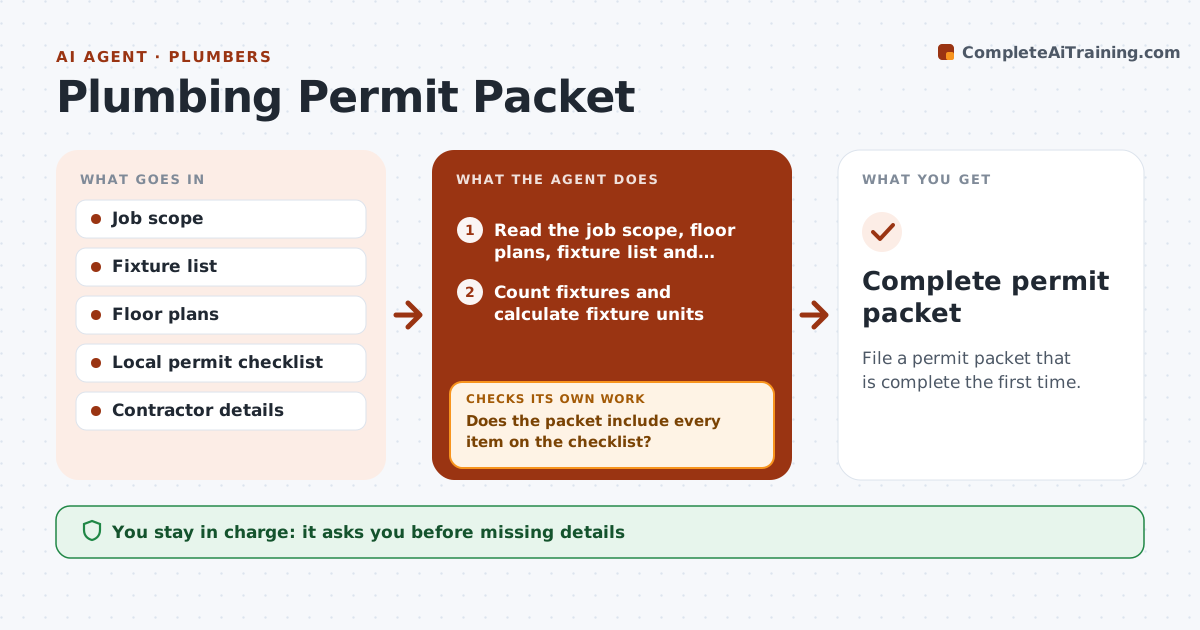
File a permit packet that is complete the first time.
What it does
A permit application is returned for a missing fixture count or a missing riser diagram, and the job waits. This agent gathers the job details, builds the fixture count and the riser or isometric layout draft, and checks them against the local permit checklist. It flags missing items and asks you for them. It then rechecks after the fixes. It repeats until the packet passes its checklist. You approve the application before filing. Edge case: the city asks for a water supply fixture unit calculation for jobs adding more than 2 fixtures, and the agent includes it.
How it works
Follow the arrows from top to bottom. The orange dashed arrow is the loop: when a check fails, the agent goes back and tries again.
Read the steps as a list
- Job is accepted for permit
- Read the job scope, floor plans, fixture list and local permit checklist
- Count fixtures and calculate fixture units
- Draft the riser or isometric layout
- Does the packet include every item on the checklist?If not: List the missing items and who must supply them. Back to step 4.
- Ask the plumber for the missing information
- Plumber supplies and approves the changesThe agent waits here for your OK.
- Update the packet
- Does the updated packet pass the checklist?If not: Repeat for the remaining items. Back to step 6.
- Plumber approves the application before filingThe agent waits here for your OK.
- Complete permit packet
How it decides
It compares the packet to the checklist and the fixture units. Missing items block filing.
- Fixture units must match the pipe sizing table
- Every added fixture needs a drain and vent path
- Forms must carry the license number and signature field
- Do not file while any item is missing
Make it yours
Every agent is a starting point. You choose these settings for your own situation.
- Permit checklist version
- Jurisdiction
- Fixture unit method
- Drawing format
- Required attachments
What keeps you in control
It always asks you first
- Missing details
- The application before filing
Hard limits
- Never files the application
- Never invents license data
- Keeps checklist version
It stops when
- Done: packet passes checklist
- Stop: jurisdiction requirements unclear; plumber calls the office
Set it up
We guide you through the set-up, step by step
Members get the full set-up guide for this agent. No technical skills needed: you copy, paste and upload.
- One set of instructions to paste into your AI, with the clicks for ChatGPT, Claude, Microsoft 365 Copilot, Gemini and Grok
- The agent then walks you through connecting your own data, one source at a time
- A downloadable copy with the flow chart, the rules and the full guide