AI agent for policy analysts
Policy Brief Evidence Agent
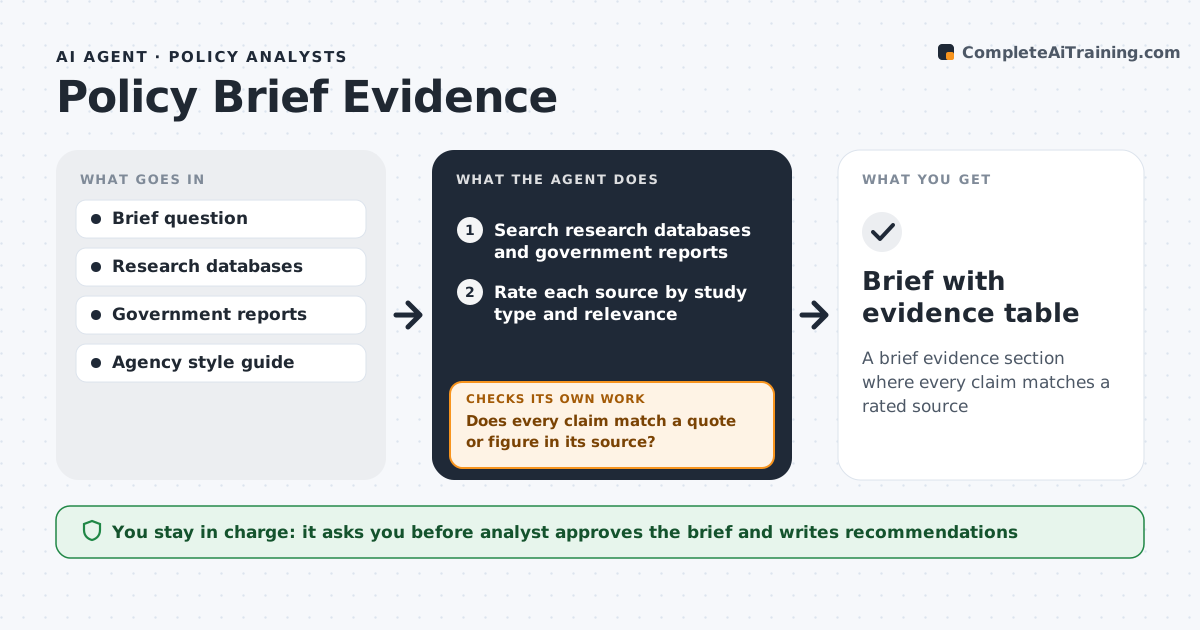
A brief evidence section where every claim matches a rated source
What it does
Policy briefs need to say what the evidence shows, how strong it is and what is still unknown, and analysts rarely have time to read every study. This agent takes the brief question, searches research databases, government reports and think tank studies, and rates each source by study type and relevance. It builds an evidence table and drafts the evidence section from the rated sources. Then it checks that every claim matches a quote or figure in its source; claims stronger than the source are toned down or removed and the section is redrafted. If fewer than three relevant sources turn up, it widens the search terms and dates. Weak sources can give context but not conclusions. The analyst writes the recommendations and approves the brief. Edge case: when studies disagree, the draft shows both sides with their strength rather than picking one.
How it works
Follow the arrows from top to bottom. The orange dashed arrow is the loop: when a check fails, the agent goes back and tries again.
Read the steps as a list
- Analyst enters the brief question
- Search research databases and government reports
- Rate each source by study type and relevance
- Draft the evidence section from rated sources
- Does every claim match a quote or figure in its source?If not: tone down or remove the claim and redraft. Back to step 4.
- Are there at least three relevant sources?If not: widen search terms and dates. Back to step 2.
- Analyst approves the briefThe agent waits here for your OK.
- Brief with evidence table
How it decides
It rates sources from strongest (trials, systematic reviews) to weakest (opinion), and only lets the brief state as fact what strong sources support.
- Weak sources can support context, not conclusions
- Disagreeing studies are both shown
- Claims stronger than the source are rewritten
Make it yours
Every agent is a starting point. You choose these settings for your own situation.
- Source types to include
- Date range for studies (default last 10 years)
- Citation style
- Brief length
What keeps you in control
It always asks you first
- Analyst approves the brief and writes recommendations
Hard limits
- Never invents citations
- Does not write policy recommendations
It stops when
- Done: all claims verified
- Stop: no relevant sources found after widening search
Set it up
We guide you through the set-up, step by step
Members get the full set-up guide for this agent. No technical skills needed: you copy, paste and upload.
- One set of instructions to paste into your AI, with the clicks for ChatGPT, Claude, Microsoft 365 Copilot, Gemini and Grok
- The agent then walks you through connecting your own data, one source at a time
- A downloadable copy with the flow chart, the rules and the full guide