
Learning path
Learning AI as an Urban Planner
This learning path helps urban planners use AI to explain plans, review proposals, and handle public input. It pairs setup guides, job-focused prompts, and short video courses with certifications.
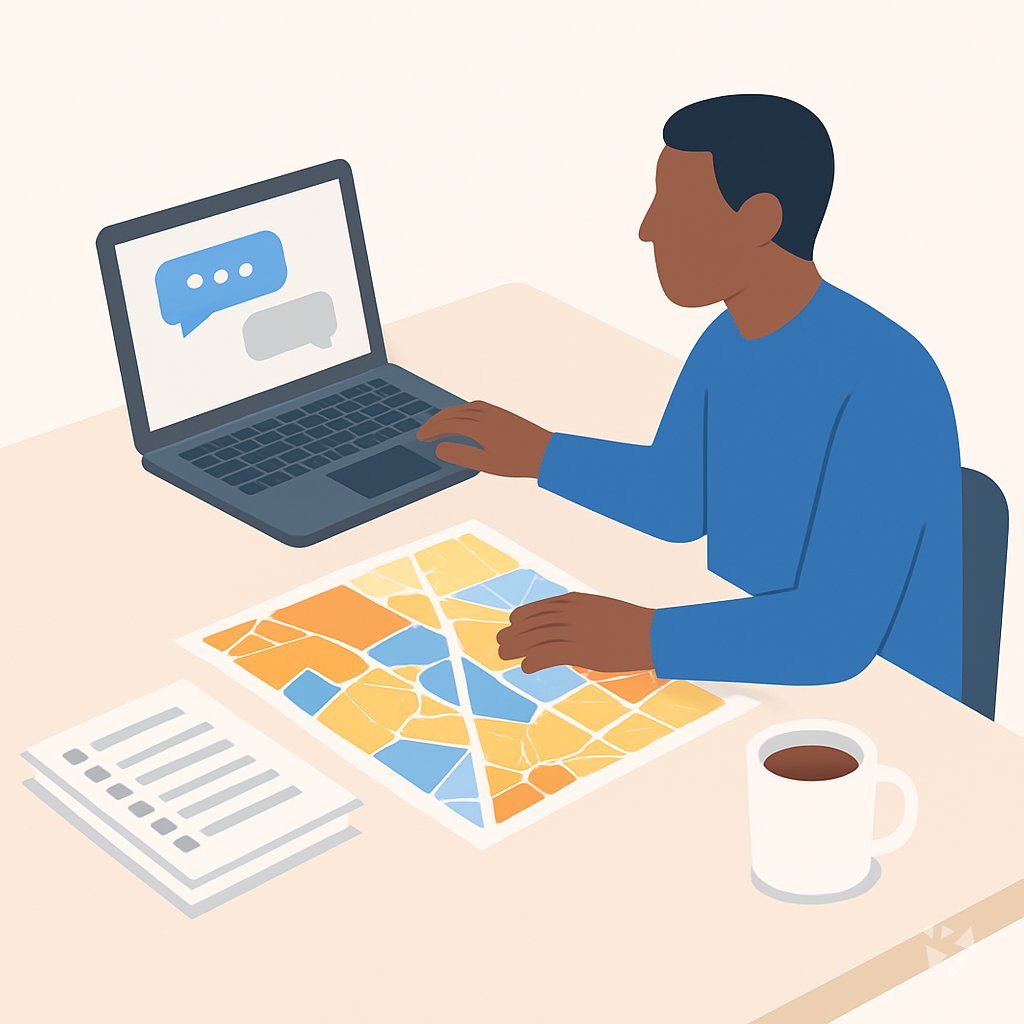
Your path
Everything in the Urban Planner AI kit, in the order that makes sense. Members tick off each step and see their progress.
Set up your AI
We guide you through each click.
Let skills do your everyday tasks
Connect your apps and pick your AI apps
Hand whole tasks to AI agents
Build your own tools
Keep growing
Everything for urban planners
All the courses, certifications, AI tools, MCP servers and apps for urban planners, most relevant first. Open any list to see more.
Take the prompt courses
A short framework course to learn how to ask, then 9 lessons with ready-to-use prompts for urban planners.
Start with this framework: how to talk to AI
RACE helps you draft a rezoning report by setting your role, action, context, and expected quality.
Then your prompt course for urban planners- 1Explaining Planning to the Public3 prompts
- 2Drafting Reports and Correspondence2 prompts
- 3Zoning and Ordinance Language3 prompts
- 4Community Engagement2 prompts
- 5Land Use Data Analysis2 prompts
- 6Reviewing Development Proposals3 prompts
- 7Master Plans and Policy2 prompts
- 8Environmental Review2 prompts
- 9Presenting to Boards2 prompts
Watch the video courses or add them to your Favorites for later
102 video courses our AI picked for urban planners, most useful first. Save the ones you want to watch later with the heart.
Favorites are saved to your account: sign in or get your AI kit first.
Show all 102 video courses
Get certified, or add certifications to your Favorites
Every course ends in an exam and a certificate you can add to LinkedIn. Save the certifications you are aiming for with the heart.
Favorites are saved to your account: sign in or get your AI kit first.
More certifications for urban plannersShow all 24 certifications
Try the AI tools for urban planners
2 AI tools our AI matched to the work of urban planners, best fit first. Each review shows what it does, its alternatives and the jobs it suits.
Favorites are saved to your account: sign in or get your AI kit first.
Connect your AI to the apps urban planners use
MCP servers let ChatGPT, Claude or Copilot look things up and get work done in other apps, like your email, calendar or bookkeeping software. These 12 fit the work of urban planners best, well-known apps first.
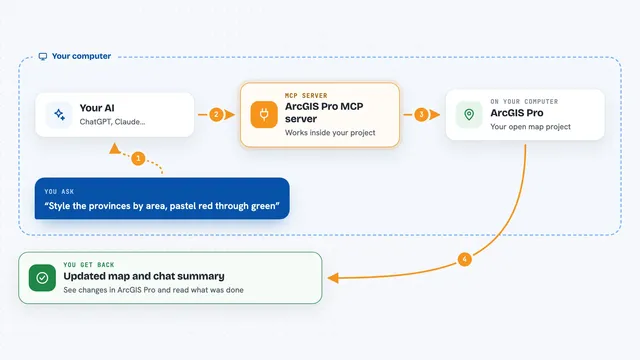
ArcGIS Pro MCP server
by Knight60Lets your AI assistant work on the ArcGIS Pro project already open on your screen.

GIS MCP server
by mahdin75Let your AI do map and location maths: distances, areas, buffers, map layers and coordinate changes.
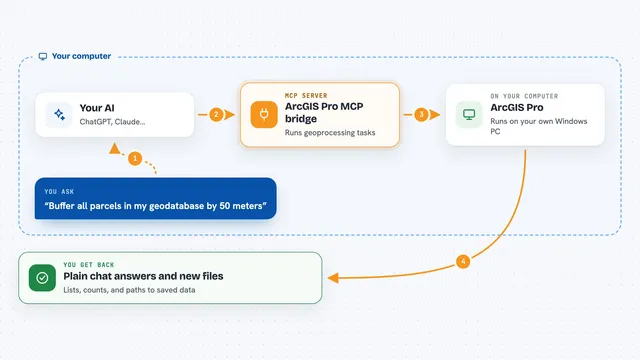
ArcGIS Pro MCP bridge
by muendLets your AI run ArcGIS Pro geoprocessing tasks on your own Windows machine, safely.
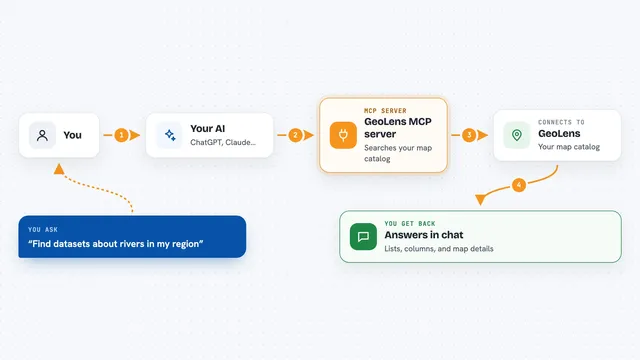
GeoLens MCP server
by geolens-ioLet your AI search your GeoLens map catalog, read dataset details, and run safe read-only map queries.
Analytics Official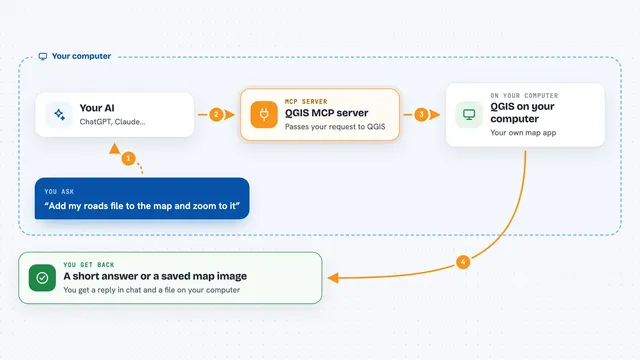
QGIS MCP server
by jjsantos01Let your AI create QGIS maps, add layers and run map tools for you.
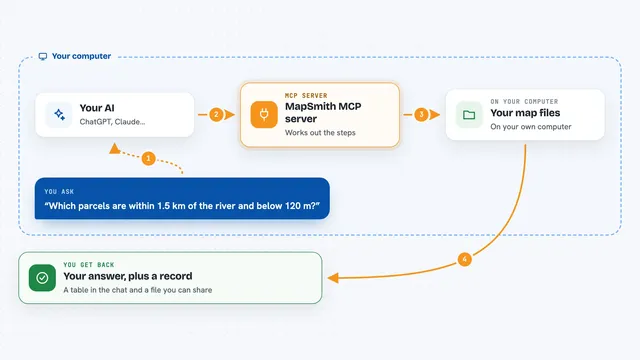
MapSmith MCP server
by mapsmith-aiAsk your AI to run map and terrain analysis on your own data, and get an answer plus a record of every step.
Show all 12 MCP servers

Google Search MCP server (AceDataCloud)
by AceDataCloudLets your AI run Google searches for web, images, news, videos, places and maps, and hand you the results.
ResearchNo install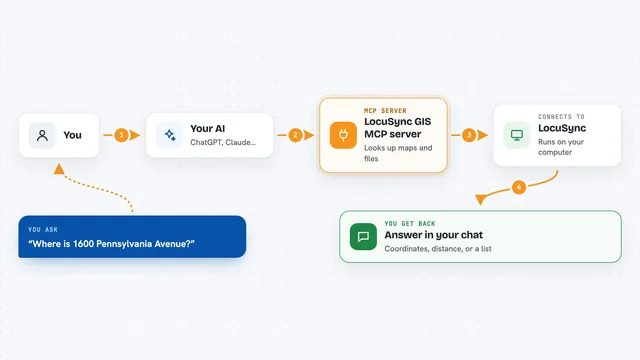
LocuSync GIS MCP server
by matbel91765Let your AI look up addresses, map routes, check elevations, and work with map files for you.

Cesium 3D Globe MCP server
by gaopengbinLet your AI fly a 3D globe, add markers and map layers, and take screenshots for you.

GeoWire MCP server
by geowireLet your AI find places, give directions, and analyze neighborhoods right inside your chats.

Bing Search MCP server
by leehanchungLets your AI search the web, news, and images through Microsoft Bing while you chat.

Brave Search MCP server
by braveLets your AI search the web, news, images, and places through Brave Search.





































































































About this learning path
6 topicsAI for Urban Planners: Practical Support for Daily Work
Urban planners spend much of the day writing, reviewing, and explaining complex rules. AI can help with first drafts, summaries, and sorting public input while you keep the professional judgment.
This path starts with setup questions and connecting your AI, then adds job-specific skills inside your AI. It includes this prompt course, short video courses chosen for urban planning work, and the certifications that come with those courses.
Why AI Matters Now
Planning departments face tight timelines and lots of public interest. AI can help you move faster on routine writing and analysis without giving up your role as the expert.
Residents and boards still expect clear answers from a human planner. AI gives you a head start so you can focus on trade-offs, context, and trust.
What This Path Includes
You begin with simple setup questions, then connect ChatGPT, Claude, or Gemini to your daily work. The path includes lessons on prompting, job-specific skills, and short video courses selected for planners.
Each video course comes with a certification you can add to your professional record. The prompt course shows you how to use AI for zoning, data, reports, engagement, and hearings.
How It Saves You Time
AI can draft staff reports, summarize long proposals, group public comments, and explain zoning rules in plain language. You review and improve the output, which often turns a blank page into a page you can edit.
That time adds up across a week. You can spend it on site visits, stakeholder calls, and the judgment calls only a planner can make.
How It Protects Your Career
The path teaches you to keep sensitive data private and to check AI output for bias, accuracy, and legal soundness. You stay in charge of recommendations and decisions.
Planners who can use these tools thoughtfully are better prepared for changing expectations in local government. The certifications show you are building practical skills.
How to Start
Start with the setup questions and connect one AI tool you already have access to. Then take the prompt course and try one lesson on a real task, such as a public comment summary.
Pick a video course that matches your current work, finish the certification, and keep a small library of prompts that work for your city.
Frequently asked questions
Do I need technical skills to use this path?
No. The path starts with plain setup questions and everyday examples from planning work. If you can write an email or open a spreadsheet, you can follow along.Will AI replace my planning judgment?
No. AI can draft, sort, and summarize, but it does not understand local history, politics, or lived experience. You still make the recommendations and final calls.Can I use AI with confidential planning documents?
You should follow your employer's rules and never paste private, legal, or personal data into a public AI tool. The path includes safety and privacy guidance for planners.How long does the learning path take?
You can move at your own pace, starting with one prompt lesson and one short video course. Many planners fit it into a few focused sessions over several weeks.