AI agent for customer service managers
Policy Change Briefing Agent
Every agent knows the new rule and every macro and article is updated on the effective date
What it does
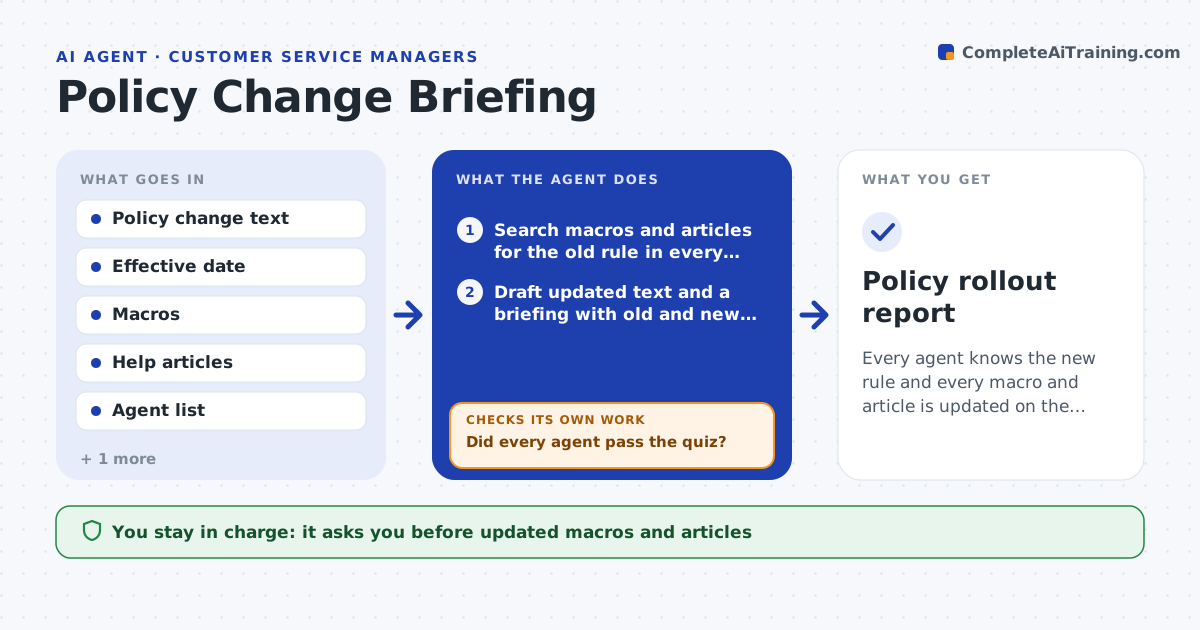
A refund window changes on Monday, a customer asks about it on Monday, and the agent answers with the old rule. This agent reads the policy change and finds every macro, help article and internal note that mentions the old rule. It drafts updated versions and a short briefing for agents, with examples of old and new answers. After the lead approves the content, it sends the briefing and a short quiz to agents. It reads the quiz results, finds agents who failed, and sends targeted follow-ups. It then spot checks tickets answered after the effective date to see if the old rule is still being used. If so, it reminds the agents involved and updates the briefing. Edge case: a macro in another language still carries the old rule.
How it works
Follow the arrows from top to bottom. The orange dashed arrow is the loop: when a check fails, the agent goes back and tries again.
Read the steps as a list
- Policy change is announced
- Search macros and articles for the old rule in every language
- Draft updated text and a briefing with old and new examples
- Lead approves the contentThe agent waits here for your OK.
- Send the briefing and a short quiz to agents
- Read quiz results
- Did every agent pass the quiz?If not: send a targeted follow-up with the questions they missed and requiz. Back to step 5.
- After the effective date, spot check tickets for the old rule
- Do the checked tickets use only the new rule?If not: remind the agents involved and find the macro or article still carrying the old rule. Back to step 3.
- Update the briefing and the content list
- Policy rollout report
How it decides
A macro or article needs an update if it states or implies the old rule. An agent passes if they answer at least 80 percent of quiz questions correctly.
- Search every language version of macros
- Pass mark of 80 percent
- Remind an agent after two missed quiz questions on the same point
- Spot check at least 30 tickets after the effective date
Make it yours
Every agent is a starting point. You choose these settings for your own situation.
- Pass mark (default 80 percent)
- Languages checked
- Number of tickets spot checked (default 30)
- Quiz length
What keeps you in control
It always asks you first
- Updated macros and articles
- The briefing
Hard limits
- Never publishes content itself
- Does not report individual quiz results outside the team lead
It stops when
- Done: all agents pass and ticket checks are clean
- Stop: effective date or the rule text is unclear
Set it up
We guide you through the set-up, step by step
Members get the full set-up guide for this agent. No technical skills needed: you copy, paste and upload.
- One set of instructions to paste into your AI, with the clicks for ChatGPT, Claude, Microsoft 365 Copilot, Gemini and Grok
- The agent then walks you through connecting your own data, one source at a time
- A downloadable copy with the flow chart, the rules and the full guide