AI agent for radiographers
Portable Exam Round Planning Agent
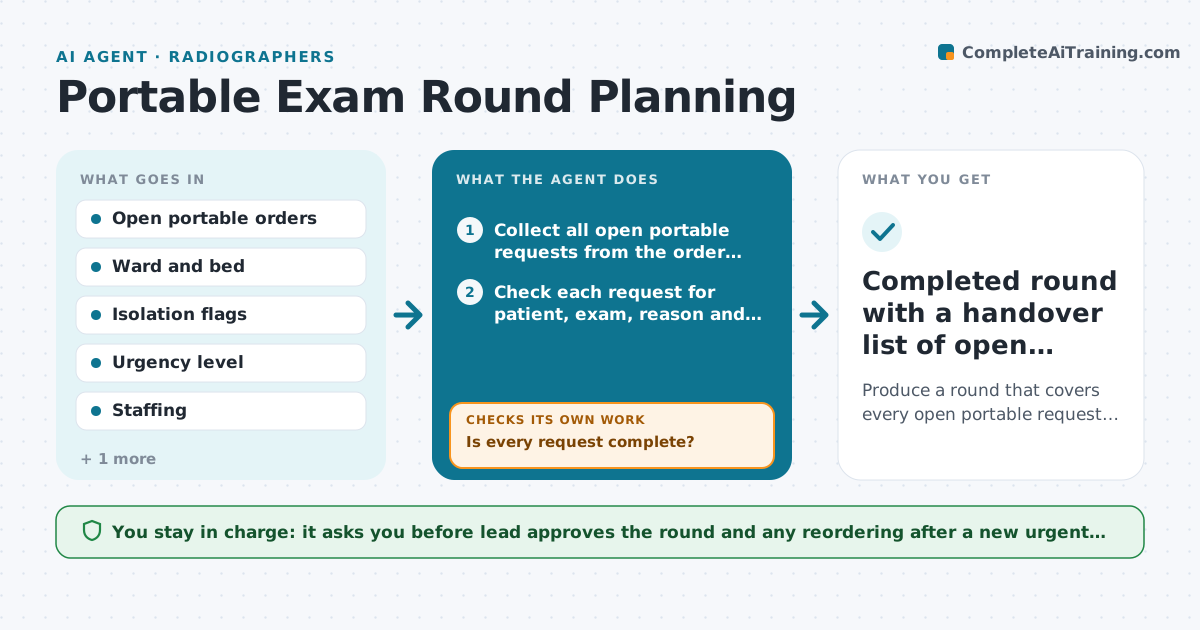
Produce a round that covers every open portable request in a safe, efficient order and stays current as new orders arrive.
What it does
Portable exam requests arrive all day, and a radiographer covering several wards ends up walking back and forth because nothing is planned by location. The agent collects every open bedside request, checks that each one is complete (patient, exam, order, isolation status, reason) and groups them by ward, floor and isolation precautions so clean patients are seen before isolation rooms. It orders the round by urgency, then by location, and builds the route. When a new urgent order arrives it re-sorts the round and tells the lead what moved. It checks each finished exam against the list so nothing is left behind at shift end. Edge case: a chest film for a patient in contact isolation is moved to the end of its ward group so equipment is cleaned once.
How it works
Follow the arrows from top to bottom. The orange dashed arrow is the loop: when a check fails, the agent goes back and tries again.
Read the steps as a list
- Shift starts or a new portable order arrives
- Collect all open portable requests from the order queue
- Check each request for patient, exam, reason and isolation status
- Is every request complete?If not: Query the ordering team for the missing details and hold the request. Back to step 3.
- Group by ward, floor and isolation precautions
- Rank by urgency, then by route length
- Lead approves the roundThe agent waits here for your OK.
- Mark exams done and re-check the queue
- Has a new or urgent order changed the round?If not: Re-sort the round and show the lead what moved. Back to step 5.
- Completed round with a handover list of open requests
How it decides
It puts urgent and time critical orders first, then groups by ward and floor, and places isolation patients last in each group. An incomplete request is held and queried before it enters the round.
- Urgent or time critical orders go first regardless of ward
- Isolation patients are placed last in their ward group
- A request missing the isolation flag is held until confirmed
- Orders open longer than 4 hours are flagged to the lead
Make it yours
Every agent is a starting point. You choose these settings for your own situation.
- Re-check interval (default 30 minutes)
- Wards and floors included
- Age at which an open order is flagged (default 4 hours)
- Isolation categories that go last
What keeps you in control
It always asks you first
- Lead approves the round and any reordering after a new urgent order
- Lead approves messages to ordering teams
Hard limits
- Never changes an order or exam type
- Never skips a patient because of route convenience when the order is urgent
It stops when
- Done: all requests complete or handed over at shift end
- Stop: system data unavailable, so the lead is told to plan manually
Set it up
We guide you through the set-up, step by step
Members get the full set-up guide for this agent. No technical skills needed: you copy, paste and upload.
- One set of instructions to paste into your AI, with the clicks for ChatGPT, Claude, Microsoft 365 Copilot, Gemini and Grok
- The agent then walks you through connecting your own data, one source at a time
- A downloadable copy with the flow chart, the rules and the full guide