AI agent for portfolio managers
Portfolio Risk Limit Monitor Agent
Portfolios kept inside limits with early warnings and fix proposals
What it does
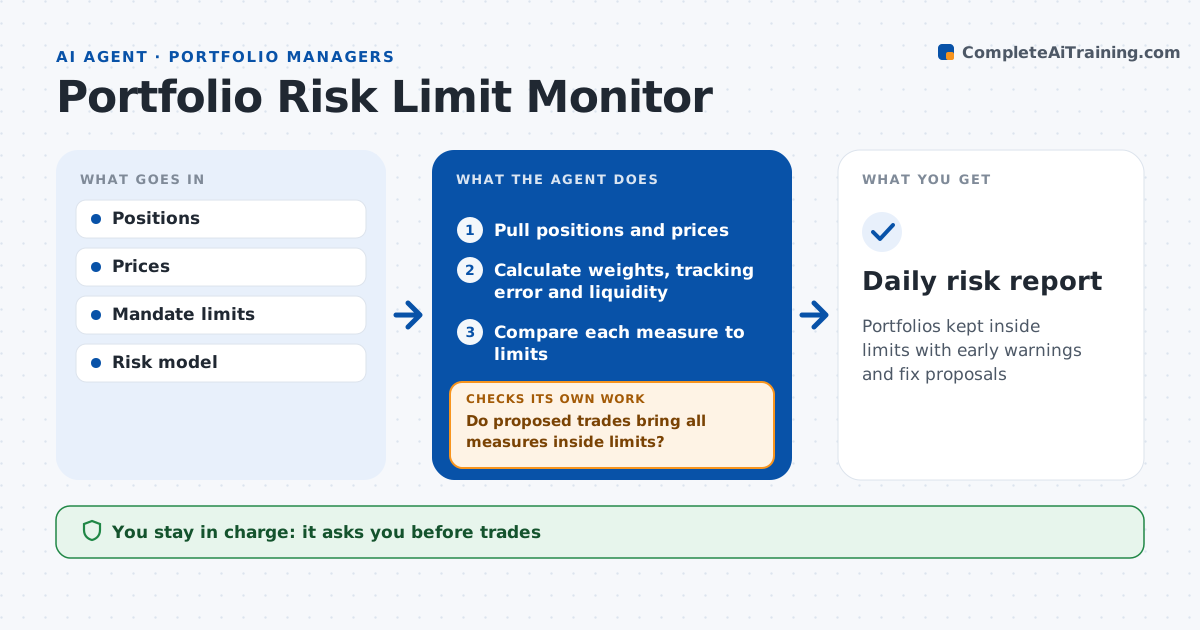
A mandate breach discovered late means forced selling and an awkward report to the client. Each day before the open, this agent checks every portfolio against its mandate and risk limits. It pulls positions and prices and calculates position sizes, sector and country weights, tracking error, liquidity and concentration, then compares each to its limit. Anything at 90% of a limit is a warning. For warnings and breaches, it finds the positions driving them and proposes trades that fix the issue with the least change. It then recalculates after the proposed trades to confirm every measure is inside its limit, and adjusts if not. The manager approves any trades, and compliance is told about breaches. Edge case: a price jump pushes a holding over 5% without any trade, a passive breach, which the agent labels separately.
How it works
Follow the arrows from top to bottom. The orange dashed arrow is the loop: when a check fails, the agent goes back and tries again.
Read the steps as a list
- Pre-open risk check
- Pull positions and prices
- Calculate weights, tracking error and liquidity
- Compare each measure to limits
- Propose trades for warnings and breaches
- Do proposed trades bring all measures inside limits?If not: adjust trade sizes or pick other positions and recalculate. Back to step 5.
- Manager approves trades and breach notesThe agent waits here for your OK.
- Daily risk report
How it decides
It compares each measure to its limit and warns at a set percentage of the limit.
- Measure at 90% of limit: warning
- Passive breach: fix within mandate grace period
- Active breach: report to compliance today
Make it yours
Every agent is a starting point. You choose these settings for your own situation.
- Warning level as percent of limit
- Limits tracked
- Report time
- Who receives breach notes
What keeps you in control
It always asks you first
- Trades
- Breach reports to compliance
Hard limits
- Never places trades
- Never changes limits
It stops when
- Done: report shared
- Stop: price data incomplete
Set it up
We guide you through the set-up, step by step
Members get the full set-up guide for this agent. No technical skills needed: you copy, paste and upload.
- One set of instructions to paste into your AI, with the clicks for ChatGPT, Claude, Microsoft 365 Copilot, Gemini and Grok
- The agent then walks you through connecting your own data, one source at a time
- A downloadable copy with the flow chart, the rules and the full guide