AI agent for home inspectors
Post-Report Client Question Agent
Clear, consistent answers to client questions
What it does
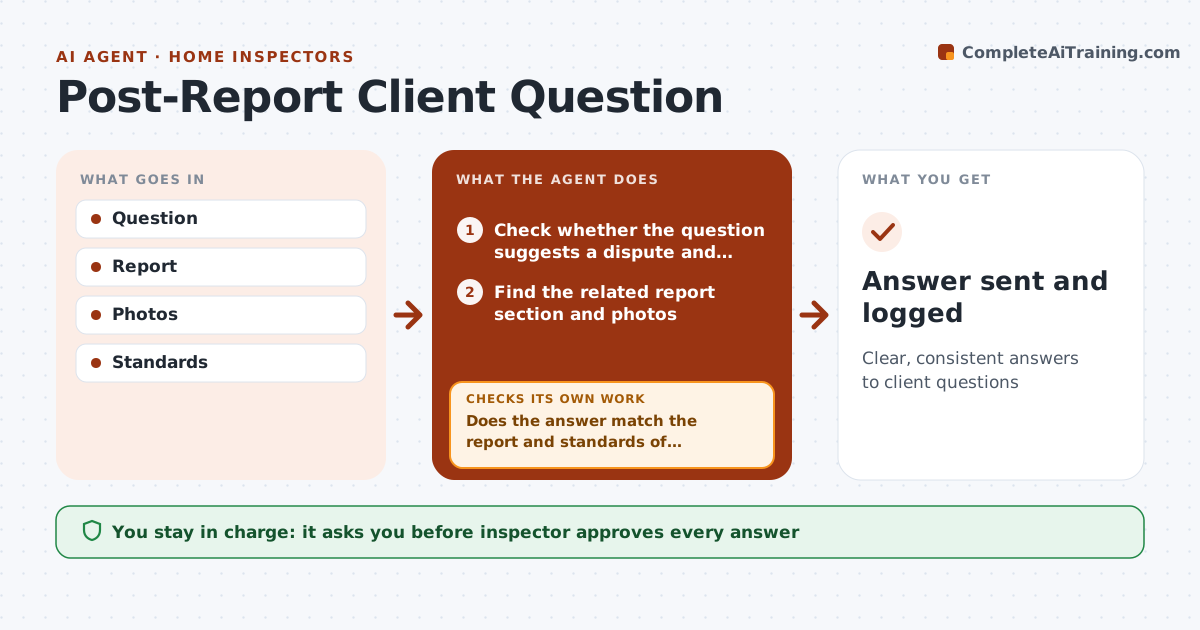
After a home inspection report is delivered, buyers and their agents send questions, often while negotiating repairs under a deadline. Answering carelessly can create liability. This agent reads each question, finds the related report section and photos, and drafts an answer that stays within what the report says. It then checks the draft against the report and the standards of practice. If the answer goes beyond what was inspected, it removes that part and instead says it is outside the inspection scope, suggesting a specialist such as a roofer or structural engineer. The inspector approves every answer before it is sent. Edge case: questions that suggest a dispute, such as claims the inspector missed something, are routed straight to the inspector without a drafted answer.
How it works
Follow the arrows from top to bottom. The orange dashed arrow is the loop: when a check fails, the agent goes back and tries again.
Read the steps as a list
- Question arrives
- Check whether the question suggests a dispute and route it to the inspector if so
- Find the related report section and photos
- Draft an answer that stays within the report
- Does the answer match the report and standards of practice?If not: remove anything beyond scope and suggest a specialist. Back to step 4.
- Attach the relevant photos and section reference
- Inspector approves and sendsThe agent waits here for your OK.
- Answer sent and logged
How it decides
Answers stay within report findings and scope.
- Stay within report
- Out of scope referred
- Disputes to inspector
Make it yours
Every agent is a starting point. You choose these settings for your own situation.
- Response time
- Templates
- Referral list
- Dispute rules
What keeps you in control
It always asks you first
- Inspector approves every answer
Hard limits
- Never sends itself
- Never changes report
It stops when
- Done: answered
- Stop: dispute
Set it up
We guide you through the set-up, step by step
Members get the full set-up guide for this agent. No technical skills needed: you copy, paste and upload.
- One set of instructions to paste into your AI, with the clicks for ChatGPT, Claude, Microsoft 365 Copilot, Gemini and Grok
- The agent then walks you through connecting your own data, one source at a time
- A downloadable copy with the flow chart, the rules and the full guide