AI agent for mediators
Power Imbalance and Safety Screening Agent
Make sure safety and capacity concerns are identified early and matched to the program policy before mediation starts.
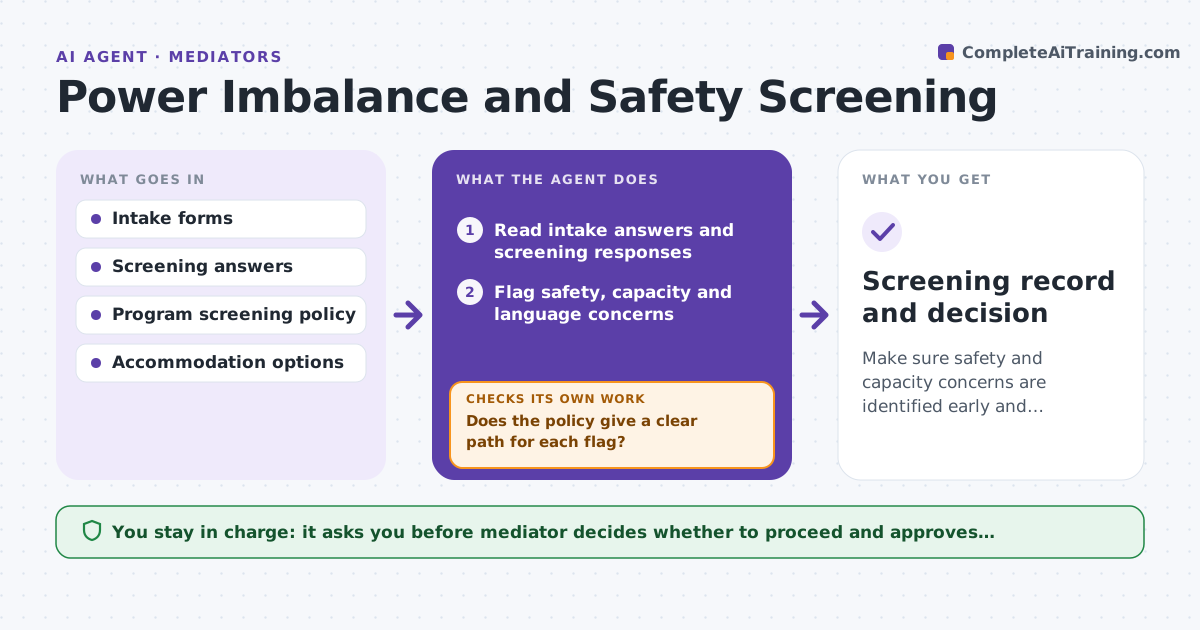
What it does
Intake forms and screening answers can show safety, power or capacity concerns that change whether mediation should go ahead and how. The agent reads each intake and screening answer, flags safety risks, language needs or capacity concerns, and checks them against the program's screening policy. It proposes accommodations such as separate rooms, shuttle sessions, support persons or referral to other services. When new facts appear, such as a new message or a changed circumstance, it re-screens. The mediator decides whether to proceed. Edge case: one party answers that they feel unsafe in the same room, so the agent proposes shuttle mediation and a separate arrival time.
How it works
Follow the arrows from top to bottom. The orange dashed arrow is the loop: when a check fails, the agent goes back and tries again.
Read the steps as a list
- Intake or screening form received
- Read intake answers and screening responses
- Flag safety, capacity and language concerns
- Check each flag against the screening policy
- Does the policy give a clear path for each flag?If not: Mark the flag for the mediator with the unclear point. Back to step 3.
- Propose accommodations or referral
- Mediator decides whether to proceed and which accommodations to useThe agent waits here for your OK.
- Watch for new facts or messages
- Did new facts change the risk?If not: Re-screen the case and update the proposal. Back to step 2.
- Screening record and decision
How it decides
It applies the screening policy to the answers. A safety concern goes to the mediator immediately with proposed accommodations. Lower concerns lead to options. The mediator decides.
- A stated safety fear or protection order is escalated at once
- A language or capacity need gets an accommodation proposal
- A new incident reopens screening
- Screening results are kept separate from the case file shared with parties
Make it yours
Every agent is a starting point. You choose these settings for your own situation.
- Screening policy version
- Who is alerted for safety concerns
- Re-screen triggers
- Accommodation options available
What keeps you in control
It always asks you first
- Mediator decides whether to proceed and approves accommodations
Hard limits
- Never contacts a party about screening results
- Never decides to proceed or stop a mediation
It stops when
- Done: mediator decision recorded
- Stop: the case is referred out or ended
Set it up
We guide you through the set-up, step by step
Members get the full set-up guide for this agent. No technical skills needed: you copy, paste and upload.
- One set of instructions to paste into your AI, with the clicks for ChatGPT, Claude, Microsoft 365 Copilot, Gemini and Grok
- The agent then walks you through connecting your own data, one source at a time
- A downloadable copy with the flow chart, the rules and the full guide