AI agent for energy engineers
Power Purchase Agreement Invoice Check Agent
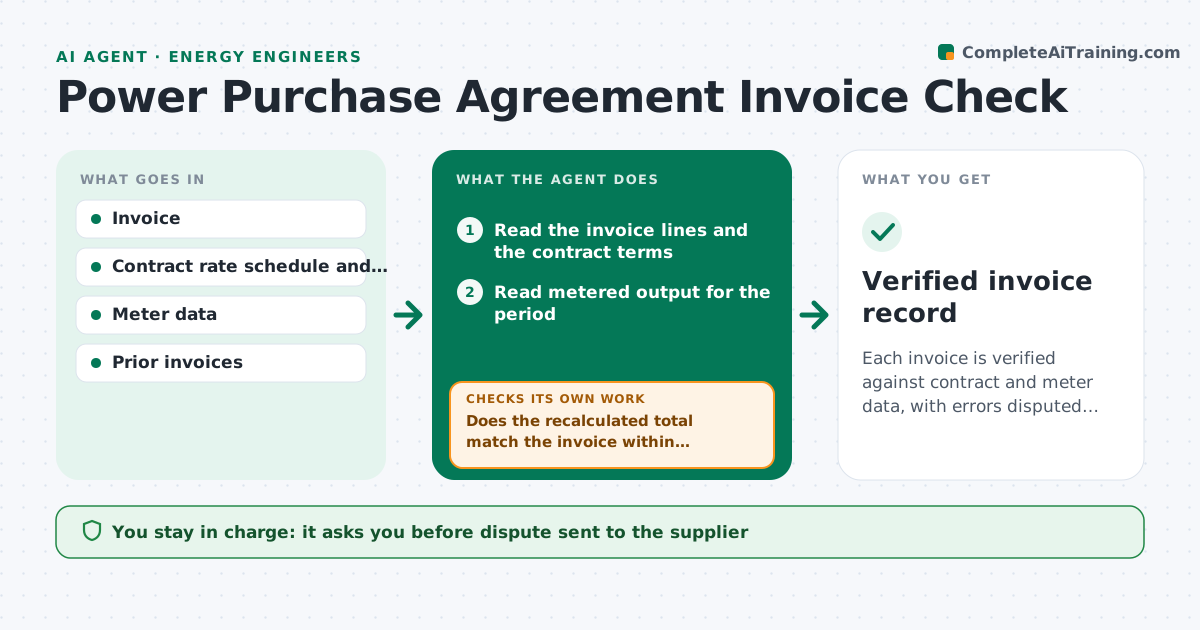
Each invoice is verified against contract and meter data, with errors disputed before payment
What it does
Power purchase and supply invoices are long and often paid on trust. This agent compares each invoice to the contract terms and meter data. It recalculates the energy charge using the contract rate and escalator, checks that metered output matches the billed quantity, and looks for estimated reads, demand charges or fees that the contract does not allow. It lists each difference with the amount. If a charge looks wrong, it drafts a dispute with the supporting numbers. After the supplier replies or sends a corrected invoice, it recalculates. The engineer approves disputes and payments. Edge case: the escalator should apply on the contract anniversary but the invoice applied it two months early, so the agent shows the overcharge by month.
How it works
Follow the arrows from top to bottom. The orange dashed arrow is the loop: when a check fails, the agent goes back and tries again.
Read the steps as a list
- Invoice arrives
- Read the invoice lines and the contract terms
- Read metered output for the period
- Recalculate each charge and check for estimated reads and disallowed fees
- Does the recalculated total match the invoice within tolerance?If not: list each difference and its cause. Back to step 4.
- Draft a dispute with the numbers
- Engineer approves the disputeThe agent waits here for your OK.
- Read the supplier's reply or corrected invoice
- Does the corrected invoice match the recalculation?If not: keep the dispute open and escalate to the engineer. Back to step 4.
- Engineer approves paymentThe agent waits here for your OK.
- Verified invoice record
How it decides
The correct charge is metered kilowatt hours times the contract rate with the escalator on its anniversary. Differences above a small tolerance are disputed.
- Dispute differences above 0.5% of the invoice
- Treat estimated reads as disputable when a meter read exists
- Apply the escalator only on the contract anniversary
- Hold payment while a dispute is open
Make it yours
Every agent is a starting point. You choose these settings for your own situation.
- Dispute threshold (default 0.5%)
- Contract list
- Meter data source
- Payment hold rules
What keeps you in control
It always asks you first
- Dispute sent to the supplier
- Payment release
Hard limits
- Never pays an invoice
- Never sends a dispute without approval
It stops when
- Done: invoice matches and payment approved
- Stop: contract terms are missing or unclear
Set it up
We guide you through the set-up, step by step
Members get the full set-up guide for this agent. No technical skills needed: you copy, paste and upload.
- One set of instructions to paste into your AI, with the clicks for ChatGPT, Claude, Microsoft 365 Copilot, Gemini and Grok
- The agent then walks you through connecting your own data, one source at a time
- A downloadable copy with the flow chart, the rules and the full guide