AI agent for mortgage brokers
Pre-Closing Employment Recheck Agent
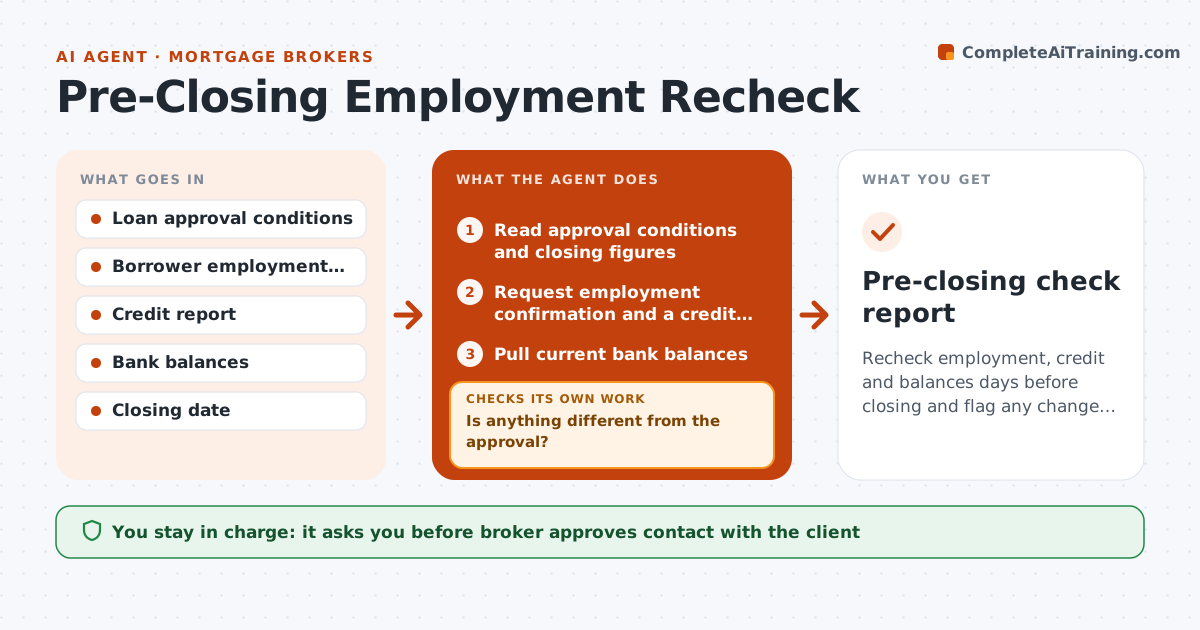
Recheck employment, credit and balances days before closing and flag any change from the approval
What it does
Job or credit changes just before closing can sink a loan. About a week before closing, the agent schedules the checks the lender allows: a verbal employment check, a credit refresh and a bank balance review. It compares each with the approved file and flags changes, such as a new job, a new account opened or a drop in funds to close. If it flags something, it requests an explanation and rechecks after the answer. It repeats the whole sequence two days before closing. The broker approves any contact with the client. Edge case: a client's balance dropped $4,000 for a furniture deposit, and the agent calculates whether funds to close still cover the figure.
How it works
Follow the arrows from top to bottom. The orange dashed arrow is the loop: when a check fails, the agent goes back and tries again.
Read the steps as a list
- Closing is 7 days away
- Read approval conditions and closing figures
- Request employment confirmation and a credit refresh
- Pull current bank balances
- Compare each result with the approved file
- Is anything different from the approval?If not: Prepare a clear question for each change and wait for the answer. Back to step 2.
- Broker approves contact with the clientThe agent waits here for your OK.
- Review the client's answer
- Do funds, income and credit still meet conditions?If not: Alert the lender and prepare options. Back to step 5.
- Repeat the checks 2 days before closing
- Pre-closing check report
How it decides
Each recheck is compared with the approved file; any change that could break an approval condition is flagged to the broker.
- Flag any new credit inquiry or account
- Flag funds below closing cash plus 2 months of reserves
- Flag a job change or reduced hours
- Run the checks twice before closing
Make it yours
Every agent is a starting point. You choose these settings for your own situation.
- Check timing (default 7 and 2 days)
- Reserve requirement
- Flag rules
- Contacts
What keeps you in control
It always asks you first
- Broker approves contact with the client
- Broker approves any message to the lender
Hard limits
- Never contact the client without the broker
- Never run credit without consent
It stops when
- Done: all checks match the approval
- Stop: a change breaks a condition and the lender must decide
Set it up
We guide you through the set-up, step by step
Members get the full set-up guide for this agent. No technical skills needed: you copy, paste and upload.
- One set of instructions to paste into your AI, with the clicks for ChatGPT, Claude, Microsoft 365 Copilot, Gemini and Grok
- The agent then walks you through connecting your own data, one source at a time
- A downloadable copy with the flow chart, the rules and the full guide