AI agent for home inspectors
Pre-Inspection Access Confirmation Agent
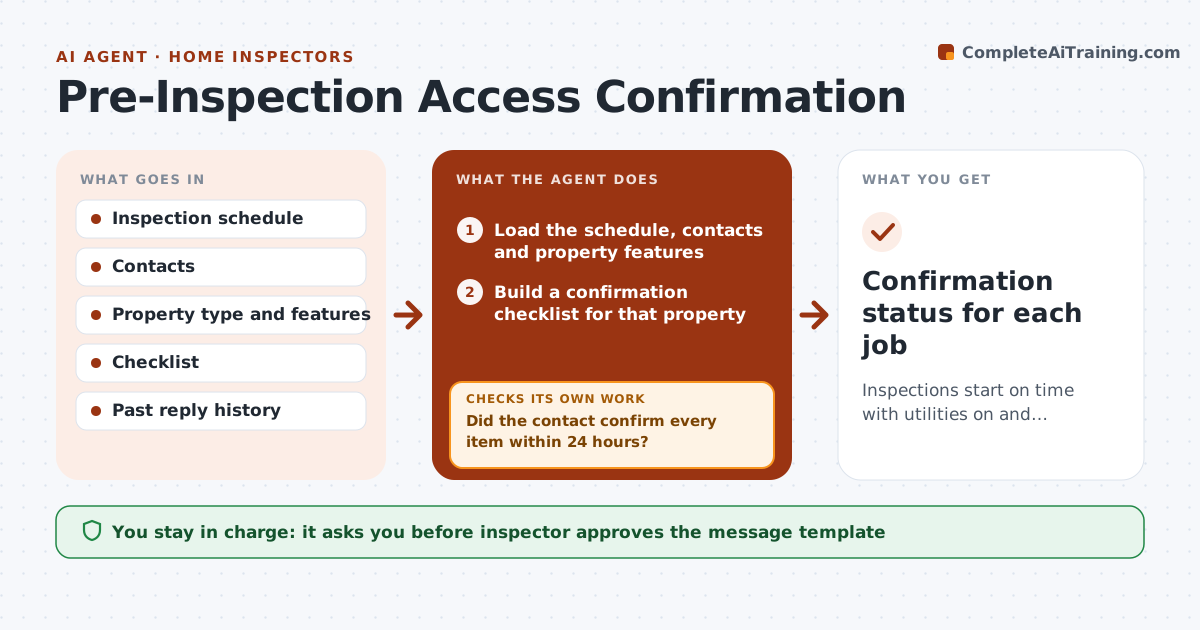
Inspections start on time with utilities on and access clear.
What it does
You drive 40 minutes to an inspection and the power is off, the attic is blocked by boxes, and a dog is loose in the yard. This agent steps in two days before each inspection. It confirms with the listing agent or seller that utilities are on, access to attic, crawlspace, panel and water heater is clear, and that pets are secured. It sends reminders, tracks replies, and flags jobs at risk when no reply arrives or access is blocked. You approve any reschedule. Edge case: a vacant house with utilities scheduled to be turned on the same morning is marked as at risk and followed up the day before.
How it works
Follow the arrows from top to bottom. The orange dashed arrow is the loop: when a check fails, the agent goes back and tries again.
Read the steps as a list
- Two days before the inspection
- Load the schedule, contacts and property features
- Build a confirmation checklist for that property
- Draft the confirmation message
- Inspector approves the standard message once per templateThe agent waits here for your OK.
- Send message and track replies
- Did the contact confirm every item within 24 hours?If not: Send a reminder by a second channel and contact the agent. Back to step 4.
- Flag blocked or unknown items and jobs at risk
- Inspector approves any rescheduleThe agent waits here for your OK.
- Confirmation status for each job
How it decides
A job is at risk if no confirmation arrives within 24 hours or any access or utility item is blocked or unknown.
- Confirm utilities, attic, crawlspace, panel, water heater and pets
- Follow up after 24 hours without a reply
- Mark vacant houses with off utilities as at risk
- Notify the inspector 12 hours before if still unconfirmed
Make it yours
Every agent is a starting point. You choose these settings for your own situation.
- Checklist items
- Reminder timing (default 24 hours)
- Contact channel
- Message wording
What keeps you in control
It always asks you first
- Inspector approves the message template
- Inspector approves any reschedule
Hard limits
- Never reschedule or cancel itself
- Never enter or ask to enter the property without approval
It stops when
- Done: all items confirmed or rescheduled
- Stop: contact cannot be reached 12 hours before
Set it up
We guide you through the set-up, step by step
Members get the full set-up guide for this agent. No technical skills needed: you copy, paste and upload.
- One set of instructions to paste into your AI, with the clicks for ChatGPT, Claude, Microsoft 365 Copilot, Gemini and Grok
- The agent then walks you through connecting your own data, one source at a time
- A downloadable copy with the flow chart, the rules and the full guide