AI agent for underwriters
Premium Calculation Check Agent
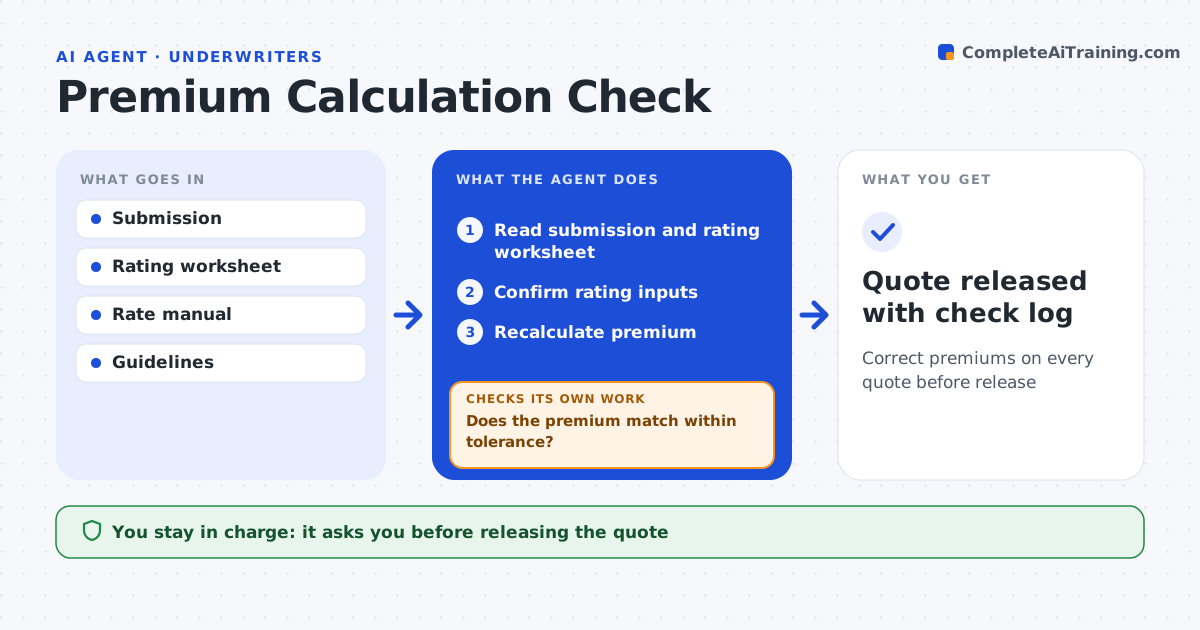
Correct premiums on every quote before release
What it does
A premium error on a quote either loses the account or underprices the risk, and rating worksheets have many places to slip. Before a quote goes out, this agent reads the submission and the rating worksheet and confirms that class codes, exposure base, territory and limits match the submission. It flags a class code that does not match the described operations. It recalculates the premium from the rate manual and compares it with the system premium and the underwriter's adjustments. If they differ by more than 50 dollars or 1 percent, it shows exactly which input or factor causes the gap. After corrections, it recalculates and checks again. Schedule credits above guideline need approval. The underwriter approves every quote release. Edge case: payroll in the submission includes officers who are excluded in that state, so the agent removes them from the exposure base.
How it works
Follow the arrows from top to bottom. The orange dashed arrow is the loop: when a check fails, the agent goes back and tries again.
Read the steps as a list
- Quote ready
- Read submission and rating worksheet
- Confirm rating inputs
- Recalculate premium
- Does the premium match within tolerance?If not: show the input or factor causing the difference and recheck after fix. Back to step 3.
- Underwriter approves quoteThe agent waits here for your OK.
- Quote released with check log
How it decides
It recalculates from the rate manual and flags any difference above a small tolerance.
- Difference over $50 or 1%: flag
- Schedule credit above guideline: needs approval
- Class code not matching operations: flag
Make it yours
Every agent is a starting point. You choose these settings for your own situation.
- Tolerance
- Lines in scope
- Credit limits
- Check log format
What keeps you in control
It always asks you first
- Releasing the quote
- Credits above authority
Hard limits
- Never releases quotes
- Never applies credits
It stops when
- Done: quote released
- Stop: rate manual version unclear
Set it up
We guide you through the set-up, step by step
Members get the full set-up guide for this agent. No technical skills needed: you copy, paste and upload.
- One set of instructions to paste into your AI, with the clicks for ChatGPT, Claude, Microsoft 365 Copilot, Gemini and Grok
- The agent then walks you through connecting your own data, one source at a time
- A downloadable copy with the flow chart, the rules and the full guide