AI agent for preschool teachers
Preschool Weekly Plan Agent
Safe weekly plans that cover all domains
What it does
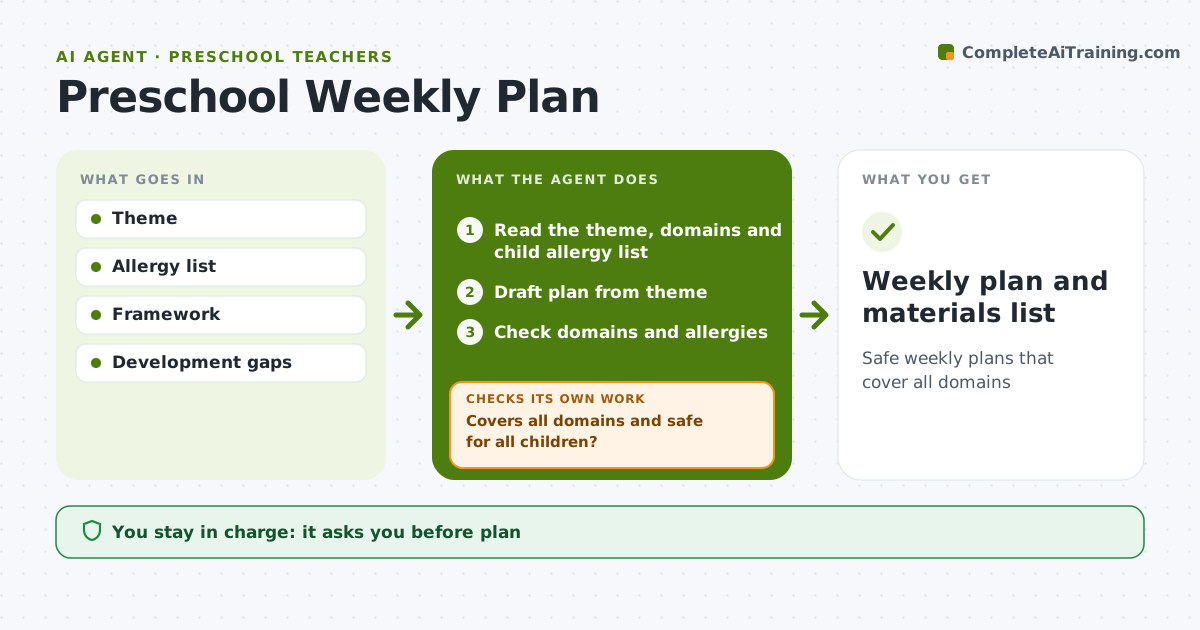
Preschool weekly plans should cover every learning domain, match the theme and be safe for every child, which is a lot to hold in mind on a Thursday afternoon. This agent drafts a week plan from the theme with circle times, centers, outdoor play and stories. It favors activities that target gaps found in development tracking. It then checks each activity against domain coverage and the class allergy and safety lists. If a domain is missing, it adds an activity for it. If an activity uses an allergen like peanuts or latex balloons, it swaps it for a safe one, then checks the whole plan again. The goal is zero allergens and every domain covered each week. The teacher approves the plan before it is posted. Edge case: messy play materials such as shaving foam or paint are checked against skin sensitivities noted in children's records.
How it works
Follow the arrows from top to bottom. The orange dashed arrow is the loop: when a check fails, the agent goes back and tries again.
Read the steps as a list
- Planning day
- Read the theme, domains and child allergy list
- Draft plan from theme
- Check domains and allergies
- Covers all domains and safe for all children?If not: swap activities to fill gaps or remove risks. Back to step 3.
- Build the materials list
- Teacher approvesThe agent waits here for your OK.
- Weekly plan and materials list
How it decides
Coverage and safety rules.
- All domains weekly
- Allergens zero
- Development gaps targeted
Make it yours
Every agent is a starting point. You choose these settings for your own situation.
- Domains
- Allergy list
- Plan format
- Theme bank
What keeps you in control
It always asks you first
- Plan
Hard limits
- Allergy list always checked
It stops when
- Done: plan
- Stop: none
Set it up
We guide you through the set-up, step by step
Members get the full set-up guide for this agent. No technical skills needed: you copy, paste and upload.
- One set of instructions to paste into your AI, with the clicks for ChatGPT, Claude, Microsoft 365 Copilot, Gemini and Grok
- The agent then walks you through connecting your own data, one source at a time
- A downloadable copy with the flow chart, the rules and the full guide