AI agent for pharmaceutical sales representatives
Prescriber Trend Weekly Review Agent
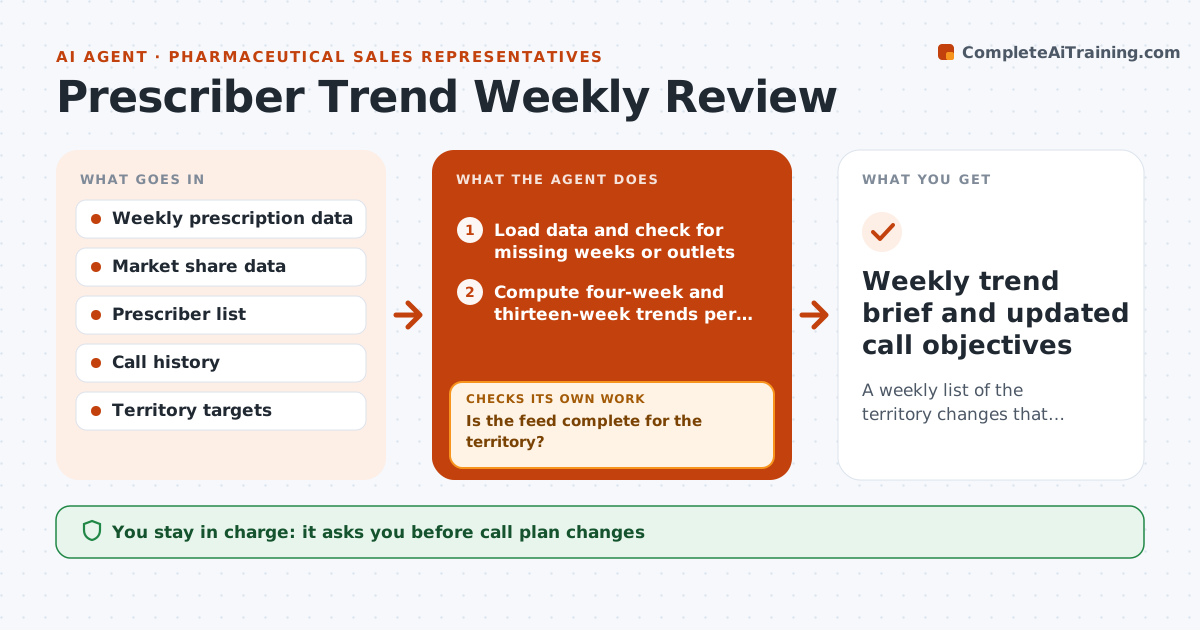
A weekly list of the territory changes that matter, with suggested call objectives
What it does
Prescription data arrives every week, but reading it across 200 prescribers takes hours. This agent loads the weekly prescription data, computes four-week and thirteen-week trends for each prescriber and compares them with market share for the product class. It flags offices with a real drop, new writers and offices where a competitor is gaining. For each flag it checks whether the change is real or noise by looking at volume and data gaps; small offices with tiny counts are not flagged on percent alone. It then suggests specific call objectives for next week and drafts a short note to your manager. If the data feed is incomplete, it waits for the restatement rather than flagging false drops. You decide which calls to change. Edge case: a prescriber who retired shows a 100% drop and is moved to an inactive list.
How it works
Follow the arrows from top to bottom. The orange dashed arrow is the loop: when a check fails, the agent goes back and tries again.
Read the steps as a list
- Weekly prescription data arrives
- Load data and check for missing weeks or outlets
- Is the feed complete for the territory?If not: wait for the restated file and recheck the next day. Back to step 2.
- Compute four-week and thirteen-week trends per prescriber
- Flag drops, new writers and competitor gains above thresholds
- Pull call history for each flagged office
- Is each flag above the minimum volume and not explained by status change?If not: remove low-volume or retired prescribers and recheck. Back to step 5.
- Draft call objectives and manager note
- Rep approves call plan changes and the noteThe agent waits here for your OK.
- Weekly trend brief and updated call objectives
How it decides
A drop is flagged when four-week volume falls more than 20% versus the thirteen-week average and the prescriber writes at least 10 scripts a month. Competitor gain is flagged at 5 share points.
- Drops over 20% with at least 10 scripts a month are flagged
- Competitor share gains of 5 points or more are flagged
- Prescribers with no scripts for 8 weeks and a status change are marked inactive
- Incomplete feeds are never analyzed
Make it yours
Every agent is a starting point. You choose these settings for your own situation.
- Drop threshold (default 20%)
- Minimum monthly volume to flag (default 10 scripts)
- Competitor gain threshold (default 5 share points)
- Brief day and format (default Monday, one-page list)
What keeps you in control
It always asks you first
- Call plan changes
- Manager note
Hard limits
- Never shares prescriber-level data outside the company
- Never sets quotas or targets
It stops when
- Done: brief delivered and call objectives updated
- Stop: feed still incomplete after two days, tell the rep
Set it up
We guide you through the set-up, step by step
Members get the full set-up guide for this agent. No technical skills needed: you copy, paste and upload.
- One set of instructions to paste into your AI, with the clicks for ChatGPT, Claude, Microsoft 365 Copilot, Gemini and Grok
- The agent then walks you through connecting your own data, one source at a time
- A downloadable copy with the flow chart, the rules and the full guide