AI agent for market research managers
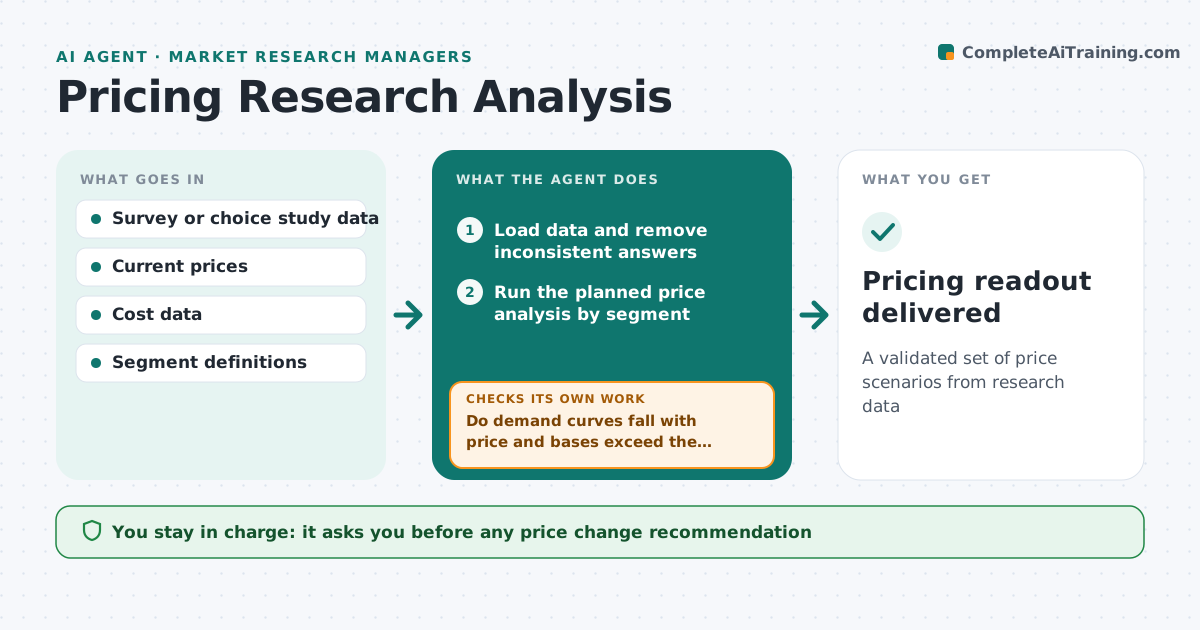
Pricing Research Analysis Agent
A validated set of price scenarios from research data
What it does
Price research guides pricing decisions, but results are often misread and data problems ignored. This agent loads the study data and removes inconsistent answers, such as someone calling a price both too cheap and too expensive. It runs the planned analysis to find acceptable price ranges and demand at each price. It checks results for sense: demand should fall as price rises, and segments should be large enough. If results break these checks, it looks for data or setup problems and reruns. A segment with a flat curve is reported as price insensitive with a sample size caution. It drafts price scenarios with expected revenue. The product or research lead approves recommendations.
How it works
Follow the arrows from top to bottom. The orange dashed arrow is the loop: when a check fails, the agent goes back and tries again.
Read the steps as a list
- Study data delivered
- Load data and remove inconsistent answers
- Run the planned price analysis by segment
- Do demand curves fall with price and bases exceed the minimum?If not: look for data or design errors, fix and rerun. Back to step 2.
- Calculate revenue and margin for each price scenario
- Draft scenario summary with cautions
- Lead approves recommended price rangeThe agent waits here for your OK.
- Pricing readout delivered
How it decides
It accepts the model only when demand falls with price and segment bases are large enough, then compares revenue across scenarios.
- Minimum base of 150 per segment
- Inconsistent answers removed before analysis
- Scenarios shown with margin, not just revenue
Make it yours
Every agent is a starting point. You choose these settings for your own situation.
- Analysis method
- Minimum base size
- Price points to test
- Margin assumptions
What keeps you in control
It always asks you first
- Any price change recommendation
Hard limits
- Does not change live prices
- Shows uncertainty for small bases
It stops when
- Done: readout delivered
- Stop: study design does not support the question
Set it up
We guide you through the set-up, step by step
Members get the full set-up guide for this agent. No technical skills needed: you copy, paste and upload.
- One set of instructions to paste into your AI, with the clicks for ChatGPT, Claude, Microsoft 365 Copilot, Gemini and Grok
- The agent then walks you through connecting your own data, one source at a time
- A downloadable copy with the flow chart, the rules and the full guide