AI agent for competitive intelligence analysts
Competitor Hiring Signal Agent
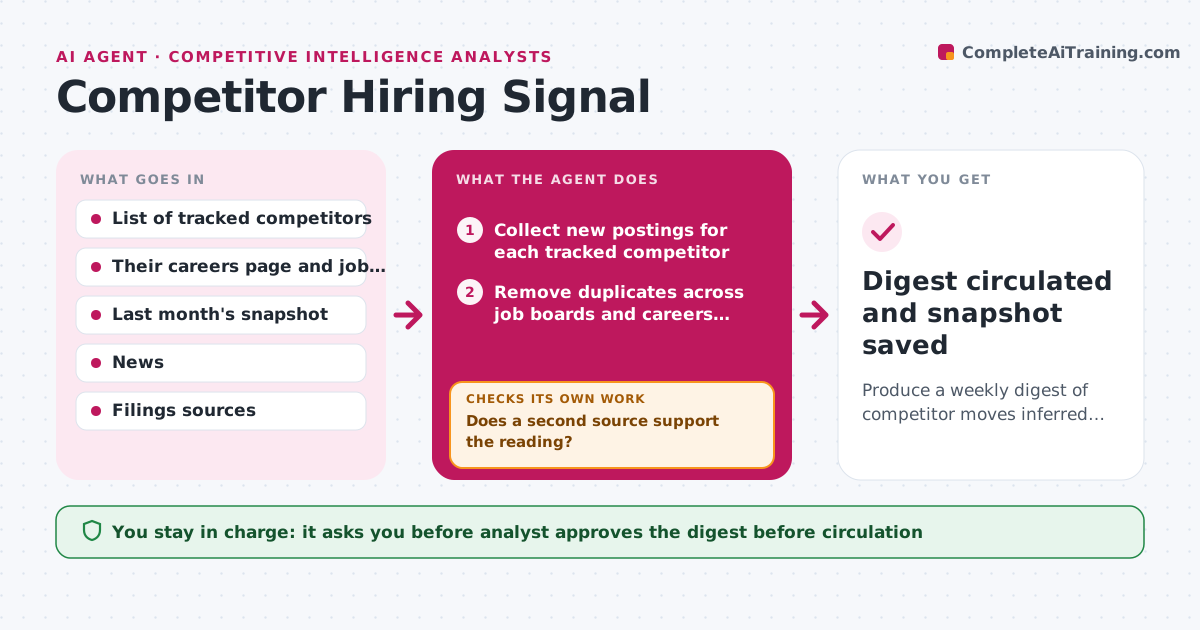
Produce a weekly digest of competitor moves inferred from hiring, each with a confidence level and sources.
What it does
Job postings are one of the earliest public hints of a competitor's plans, but checking careers pages by hand each week means patterns are missed. Every week the agent collects new postings for each tracked competitor and groups them by function, seniority and region. It compares the counts with last month's snapshot to find real shifts, such as five new enterprise sales roles in a new country. For each shift it writes a possible reading, then searches company news, filings and press releases for confirmation. If nothing confirms it, the inference is marked low confidence and the agent looks in two more sources before giving up. The analyst always approves the digest before it circulates. Edge case: a posting that is repeated on three job boards must be counted once, or the shift looks bigger than it is.
How it works
Follow the arrows from top to bottom. The orange dashed arrow is the loop: when a check fails, the agent goes back and tries again.
Read the steps as a list
- Weekly run begins
- Collect new postings for each tracked competitor
- Remove duplicates across job boards and careers pages
- Group roles by function, seniority and region
- Compare counts with last month's snapshot
- Write a possible reading for each notable shift
- Search news, filings and press releases for confirmation
- Does a second source support the reading?If not: search two more sources, then rewrite the reading or mark it low confidence. Back to step 6.
- Does every signal list its confidence, counts and source links?If not: add the missing details before the digest is built. Back to step 6.
- Analyst approves the signal digestThe agent waits here for your OK.
- Digest circulated and snapshot saved
How it decides
A shift counts as a signal when a function or region grows by at least the set threshold against last month. An inference is high confidence only when a second independent source supports it.
- Count a role once even if it appears on several boards
- Flag a shift only when a function or region grows 25 percent or at least 4 roles against last month
- Mark an inference high confidence only with a second independent source
- Drop signals that stay unconfirmed for three weeks
Make it yours
Every agent is a starting point. You choose these settings for your own situation.
- Competitors to track (default top 8)
- Shift threshold (default 25 percent or 4 roles)
- Run day and time (default Monday 7:00)
- Digest format and who receives it
- Number of confirmation sources required (default 2)
What keeps you in control
It always asks you first
- Analyst approves the digest before circulation
- Analyst approves adding a new competitor to the watch list
Hard limits
- Never present an inference as fact
- Use only public sources and never log in as a candidate
It stops when
- Done: digest approved and snapshot saved
- Stop: a careers page cannot be read for two runs in a row, report it to the analyst
Set it up
We guide you through the set-up, step by step
Members get the full set-up guide for this agent. No technical skills needed: you copy, paste and upload.
- One set of instructions to paste into your AI, with the clicks for ChatGPT, Claude, Microsoft 365 Copilot, Gemini and Grok
- The agent then walks you through connecting your own data, one source at a time
- A downloadable copy with the flow chart, the rules and the full guide