AI agent for radiographers
Prior Imaging Retrieval for Comparison Agent
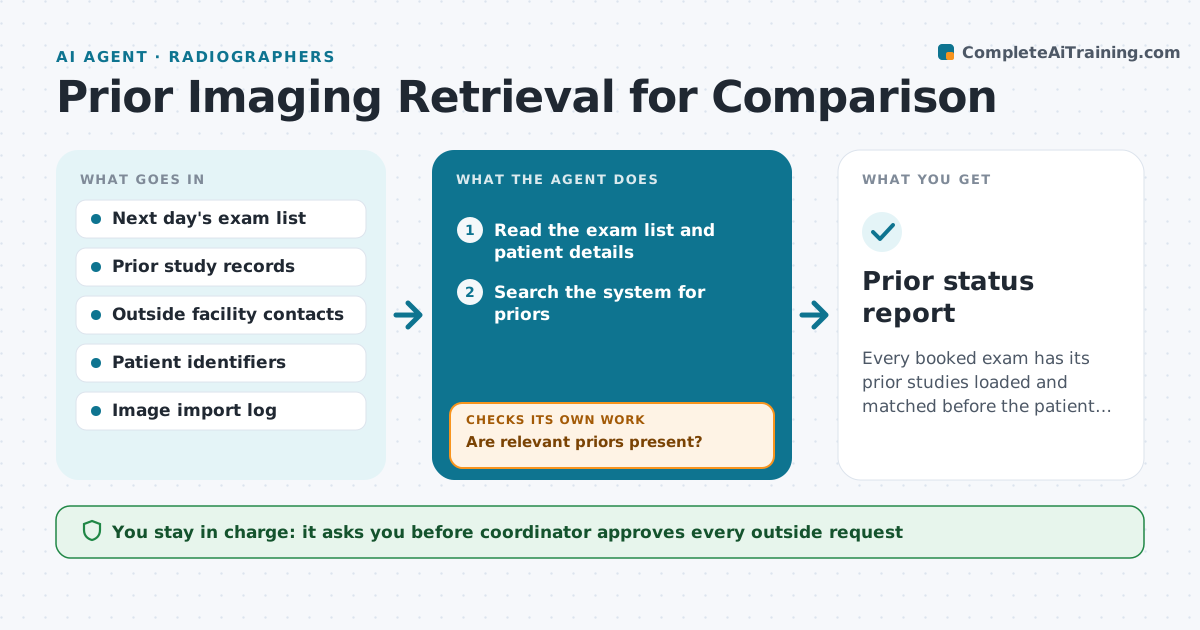
Every booked exam has its prior studies loaded and matched before the patient arrives.
What it does
Radiologists need earlier studies for comparison, but outside images arrive late or not at all. For tomorrow's exams, the agent checks the imaging system for prior studies, requests missing outside images from the holding site, and confirms they are loaded and match the patient. If an image is unreadable or does not match, it requests it again. It reports the status for each exam in the morning, so the radiologist knows which exams have a comparison and which do not. It never loads an image it cannot match to the patient. A coordinator approves outside requests. Edge case: a patient with the same name as another and a different date of birth.
How it works
Follow the arrows from top to bottom. The orange dashed arrow is the loop: when a check fails, the agent goes back and tries again.
Read the steps as a list
- Afternoon run for tomorrow's exams
- Read the exam list and patient details
- Search the system for priors
- Are relevant priors present?If not: List missing priors and the outside sites that hold them. Back to step 3.
- Coordinator approves each outside requestThe agent waits here for your OK.
- Send requests for the missing images
- Check the import log for arrivals
- Check readability and patient match
- Is each image readable and matched to the right patient?If not: Request it again or ask the site for a new disc. Back to step 6.
- Update the exam list with the prior status
- Prior status report
How it decides
It counts a prior as ready when it is loaded, readable and matches the patient's name, date of birth and ID.
- Match on name, date of birth and ID
- Request outside images 2 days ahead where possible
- Re-request unreadable images the same day
- Mark exams with no prior so the radiologist knows
Make it yours
Every agent is a starting point. You choose these settings for your own situation.
- How many days ahead to request
- Which exam types need priors
- Outside sites and contacts
- Match fields
What keeps you in control
It always asks you first
- Coordinator approves every outside request
Hard limits
- Never load images for a patient it cannot match
- Do not share images outside the approved request
It stops when
- Done: all exams marked with prior status
- Stop: patient identity cannot be confirmed
Set it up
We guide you through the set-up, step by step
Members get the full set-up guide for this agent. No technical skills needed: you copy, paste and upload.
- One set of instructions to paste into your AI, with the clicks for ChatGPT, Claude, Microsoft 365 Copilot, Gemini and Grok
- The agent then walks you through connecting your own data, one source at a time
- A downloadable copy with the flow chart, the rules and the full guide