AI agent for paralegals
Privilege Log Builder Agent
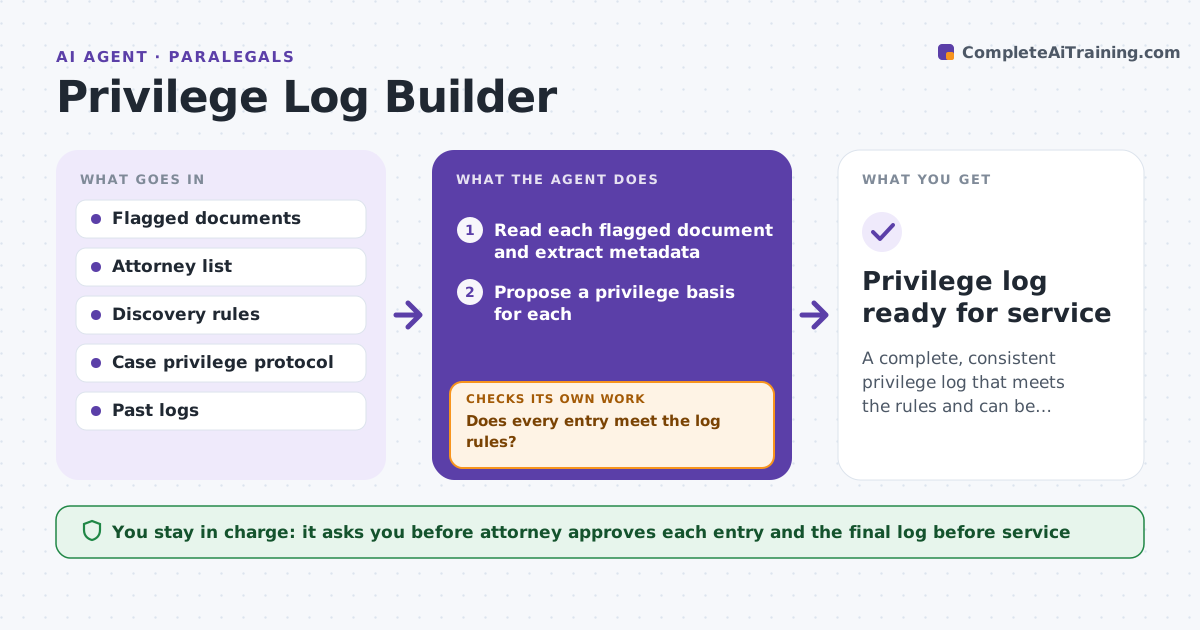
A complete, consistent privilege log that meets the rules and can be served.
What it does
A privilege log must list each withheld document with its author, recipients, date and basis. Done by hand across thousands of documents, it is slow and inconsistent. This agent reads documents flagged as privileged and extracts author, recipients, dates and subject. It proposes a privilege basis such as attorney-client or work product, and checks each entry against the rules for what the log must show. It flags gaps like no attorney named. After the attorney corrects entries it rechecks all entries, since one correction can change a related document. The attorney approves before service. Edge case: an email chain has one attorney on the third message, so the agent logs each message and notes the first two lack an attorney.
How it works
Follow the arrows from top to bottom. The orange dashed arrow is the loop: when a check fails, the agent goes back and tries again.
Read the steps as a list
- Privileged set is final
- Read each flagged document and extract metadata
- Propose a privilege basis for each
- Check each entry against the log rules
- Flag missing attorney, third parties and thin descriptions
- Draft the log
- Attorney reviews and corrects entriesThe agent waits here for your OK.
- Recheck all entries and related documents
- Does every entry meet the log rules?If not: list the failing entries and send them back. Back to step 3.
- Privilege log ready for service
How it decides
It proposes a basis from the author, recipients and content type. It flags an entry when no attorney is named or a third party is on the thread.
- Flag an entry with no attorney identified
- Flag a third party on the thread
- Require a description that does not reveal the advice
- Log each message in a chain separately
Make it yours
Every agent is a starting point. You choose these settings for your own situation.
- Privilege bases used
- Description rules
- Fields in the log
- Third party handling
- Chain logging style
What keeps you in control
It always asks you first
- Attorney approves each entry and the final log before service
Hard limits
- Never serve or file the log
- Never describe advice content in an entry
It stops when
- Done: every entry passes the checks and the attorney approves
- Stop: the privilege basis is unclear
Set it up
We guide you through the set-up, step by step
Members get the full set-up guide for this agent. No technical skills needed: you copy, paste and upload.
- One set of instructions to paste into your AI, with the clicks for ChatGPT, Claude, Microsoft 365 Copilot, Gemini and Grok
- The agent then walks you through connecting your own data, one source at a time
- A downloadable copy with the flow chart, the rules and the full guide