AI agent for vice president of operations
Process Documentation Drift Agent
Keep procedures consistent with real practice and ready for audit.
What it does
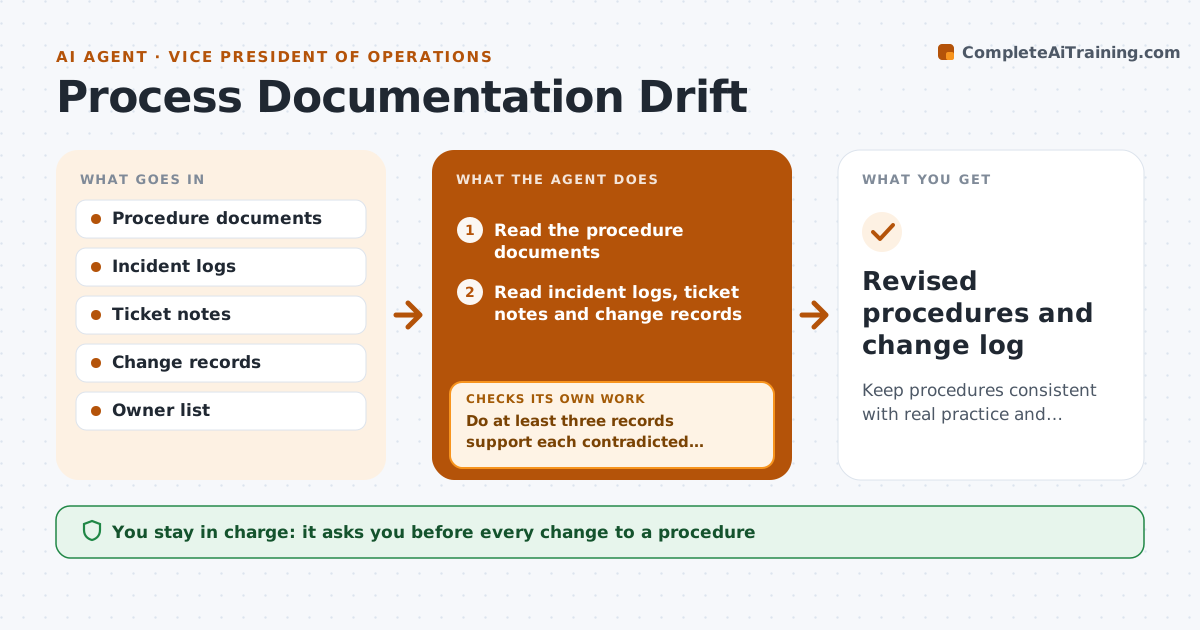
Procedures are written once, then the work changes. Months later, new hires are trained on steps no one follows, and audits find the gaps. This agent compares each procedure document with the incident logs, ticket notes and change records of the last quarter. It finds steps that practice has contradicted, such as a form that was dropped or a new approval step added in the field. It drafts revised wording and checks each revision against the source evidence. If a step cannot be backed up, it loops back and asks the team for proof. The process owner approves every change before publication. Edge case: a procedure step skipped in one site only is flagged as a site exception, not rewritten for all.
How it works
Follow the arrows from top to bottom. The orange dashed arrow is the loop: when a check fails, the agent goes back and tries again.
Read the steps as a list
- Quarterly review begins
- Read the procedure documents
- Read incident logs, ticket notes and change records
- Match steps to the evidence and mark contradictions
- Do at least three records support each contradicted step?If not: Ask the team for more evidence or mark it as a possible site exception. Back to step 4.
- Draft revised wording for each confirmed step
- Check each revision against the source records
- Does the wording match the evidence without changing safety or legal steps?If not: Redraft the wording. Back to step 6.
- Process owner approves every changeThe agent waits here for your OK.
- Revised procedures and change log
How it decides
Counts evidence for each contradicted step and rewrites it only when at least three records support the new practice.
- Three supporting records are needed to rewrite a step
- Single site practice is an exception, not a rewrite
- Safety and legal steps need the owner's review
- Evidence is cited for every change
Make it yours
Every agent is a starting point. You choose these settings for your own situation.
- Evidence needed (default 3 records)
- Procedures included
- Review frequency (default quarterly)
- Sources of evidence
- Owners
What keeps you in control
It always asks you first
- Every change to a procedure
- Publication
- Any removal of a control
Hard limits
- Never publish a procedure itself
- Never remove a safety or legal step
It stops when
- Done: revisions approved and published
- Stop: owner rejects the change
- Stop: evidence inadequate
Set it up
We guide you through the set-up, step by step
Members get the full set-up guide for this agent. No technical skills needed: you copy, paste and upload.
- One set of instructions to paste into your AI, with the clicks for ChatGPT, Claude, Microsoft 365 Copilot, Gemini and Grok
- The agent then walks you through connecting your own data, one source at a time
- A downloadable copy with the flow chart, the rules and the full guide