AI agent for sustainability managers
Sustainability Target Tracking Agent
Show every site its progress against targets while there is still time to act.
What it does
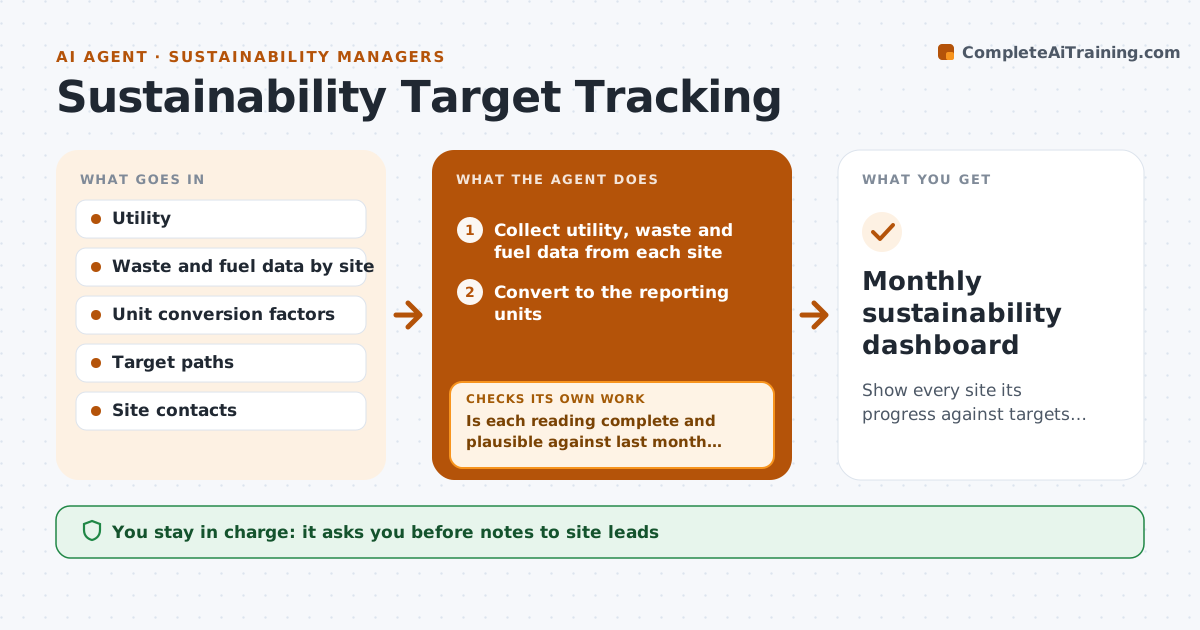
Energy, waste and fuel data sit in utility bills and site reports, and the annual report is the first time anyone sees if a site is off track. This agent collects utility, waste and fuel data from each site every month and converts it to the reporting units. It compares each site against its target path and checks for missing or implausible readings, such as a meter reading that is ten times last month's. It asks the site for corrected data, then drafts a variance note with suggested actions. The VP approves and sends it to site leads. Edge case: a site with a new building opening mid-year gets its target path adjusted before comparison.
How it works
Follow the arrows from top to bottom. The orange dashed arrow is the loop: when a check fails, the agent goes back and tries again.
Read the steps as a list
- Monthly data cycle begins
- Collect utility, waste and fuel data from each site
- Convert to the reporting units
- Is each reading complete and plausible against last month and last year?If not: Request corrected data from the site and wait for the reply. Back to step 2.
- Compare each site with its target path
- Draft a variance note and suggested actions for each site behind target
- VP approves the notes before they go to site leadsThe agent waits here for your OK.
- Send the notes and record the replies
- Did flagged sites improve in the next month?If not: Escalate the site with a stronger action request. Back to step 5.
- Monthly sustainability dashboard
How it decides
Compares each site's year-to-date result with its target path and flags a site more than 5% behind; implausible readings are held back and requested again.
- Reading more than 3 times last month is held for checking
- Site more than 5% behind path is flagged
- Missing data for 2 months escalates to the VP
- Targets change only with VP approval
Make it yours
Every agent is a starting point. You choose these settings for your own situation.
- Variance threshold (default 5%)
- Plausibility limits
- Metrics and sites
- Data deadline
- Who receives notes
What keeps you in control
It always asks you first
- Notes to site leads
- Any change to a target
- Any figure used in external reports
Hard limits
- Never publish figures externally
- Never change a target
It stops when
- Done: dashboard issued
- Stop: data not available
- Stop: targets under review
Set it up
We guide you through the set-up, step by step
Members get the full set-up guide for this agent. No technical skills needed: you copy, paste and upload.
- One set of instructions to paste into your AI, with the clicks for ChatGPT, Claude, Microsoft 365 Copilot, Gemini and Grok
- The agent then walks you through connecting your own data, one source at a time
- A downloadable copy with the flow chart, the rules and the full guide