AI agent for chemical engineers
Process Safety Information Package Agent
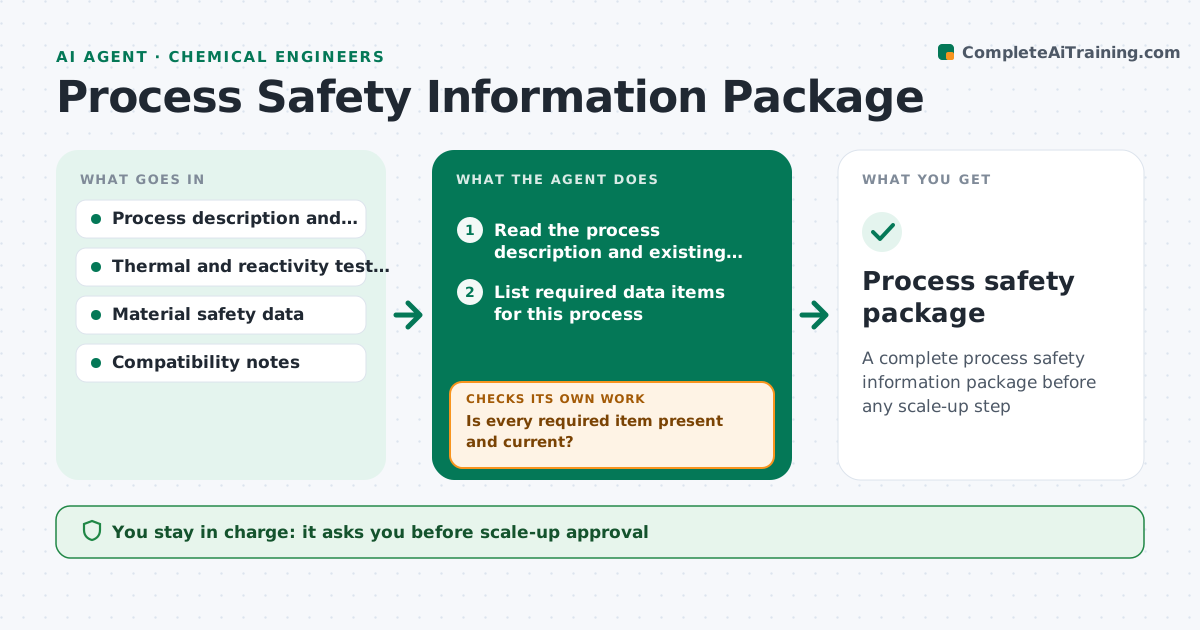
A complete process safety information package before any scale-up step
What it does
Scaling up a hazardous reaction without thermal and reactivity data is how accidents happen. This agent lists the data required for the process: thermal stability, heat of reaction, gas generation, reactivity with materials and compatibility. It checks what already exists and flags what is missing or out of date. It drafts requests for the tests, such as calorimetry, and tracks results. After the data arrives it rechecks the package for completeness and for any value that signals a high hazard. The safety lead approves scale-up. Edge case: heat of reaction is known but the adiabatic temperature rise gives a boiling point crossing, so the agent flags a critical item.
How it works
Follow the arrows from top to bottom. The orange dashed arrow is the loop: when a check fails, the agent goes back and tries again.
Read the steps as a list
- Scale-up planned
- Read the process description and existing reports
- List required data items for this process
- Is every required item present and current?If not: list missing items and draft test requests. Back to step 3.
- Track test requests and results
- Calculate adiabatic temperature rise and compare to boiling and decomposition
- Do the results show any critical hazard?If not: flag the item and request a review. Back to step 4.
- Draft the package summary
- Safety lead approves scale-upThe agent waits here for your OK.
- Process safety package
How it decides
Scale-up is blocked until every required data item is present, current and reviewed. Dangerous values trigger a critical flag.
- Require data for thermal stability, heat of reaction and gas generation
- Treat a data age beyond the set limit as missing
- Flag an adiabatic rise that crosses boiling or decomposition onset
- Block scale-up while any critical flag is open
Make it yours
Every agent is a starting point. You choose these settings for your own situation.
- Required data list
- Data age limit
- Hazard thresholds
- Lab contacts
What keeps you in control
It always asks you first
- Scale-up approval
- Test requests sent to a lab
Hard limits
- Never approves scale-up
- Never overrides a hazard flag
It stops when
- Done: package complete and approved
- Stop: critical hazard without a mitigation
Set it up
We guide you through the set-up, step by step
Members get the full set-up guide for this agent. No technical skills needed: you copy, paste and upload.
- One set of instructions to paste into your AI, with the clicks for ChatGPT, Claude, Microsoft 365 Copilot, Gemini and Grok
- The agent then walks you through connecting your own data, one source at a time
- A downloadable copy with the flow chart, the rules and the full guide