AI agent for product designers
Product Analytics Friction Review Agent
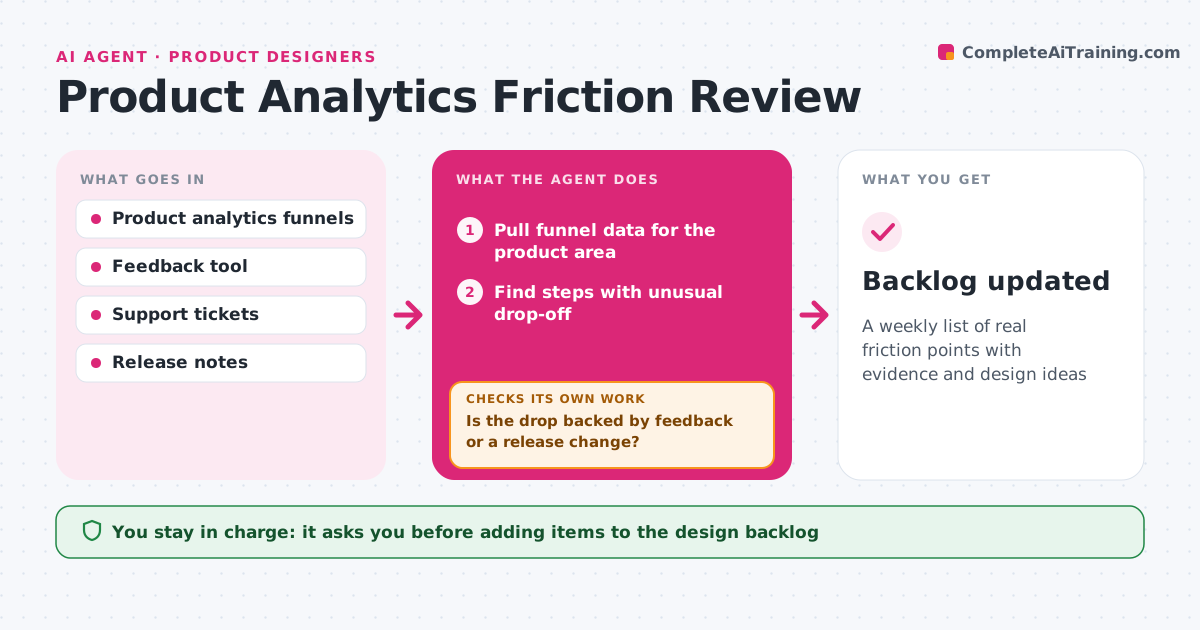
A weekly list of real friction points with evidence and design ideas
What it does
Analytics show where people leave and feedback says why, but the two are rarely read together. Each week this agent pulls funnel data for your product area and finds steps where drop-off rose above normal. It then searches support tickets, feedback and session notes for the same screen and time, and checks whether a release went out just before. A drop is reported only when it is backed by user feedback or a release change. If not, it checks for tracking problems, such as sudden zero values, and keeps watching for another week rather than guessing. It writes a short friction report linking numbers to user words, with a likely cause and a design idea. The designer decides which issues go on the backlog. Edge case: a drop caused by a broken tracking event is flagged as a data issue, not a design issue.
How it works
Follow the arrows from top to bottom. The orange dashed arrow is the loop: when a check fails, the agent goes back and tries again.
Read the steps as a list
- Weekly review starts
- Pull funnel data for the product area
- Find steps with unusual drop-off
- Search feedback and tickets for the same screen
- Is the drop backed by feedback or a release change?If not: check for tracking problems, then keep watching another week. Back to step 3.
- Write friction report with cause and design idea
- Designer chooses backlog itemsThe agent waits here for your OK.
- Backlog updated
How it decides
It flags a step when drop-off rises above the threshold and the change is backed by user feedback or a release on that screen.
- Flag drops above the threshold
- Treat sudden zero values as tracking problems
- Link each issue to a release if one matches
Make it yours
Every agent is a starting point. You choose these settings for your own situation.
- Drop-off threshold (default 5 points)
- Funnels to watch
- Feedback sources
- Report day
What keeps you in control
It always asks you first
- Adding items to the design backlog
Hard limits
- Read-only access to analytics
- Removes personal data from quotes
It stops when
- Done: report delivered
- Stop: analytics unavailable; report the gap
Set it up
We guide you through the set-up, step by step
Members get the full set-up guide for this agent. No technical skills needed: you copy, paste and upload.
- One set of instructions to paste into your AI, with the clicks for ChatGPT, Claude, Microsoft 365 Copilot, Gemini and Grok
- The agent then walks you through connecting your own data, one source at a time
- A downloadable copy with the flow chart, the rules and the full guide