AI agent for product managers
Product Gap Escalation Agent
Every feature gap is logged once, linked to deals and tracked to a status
What it does
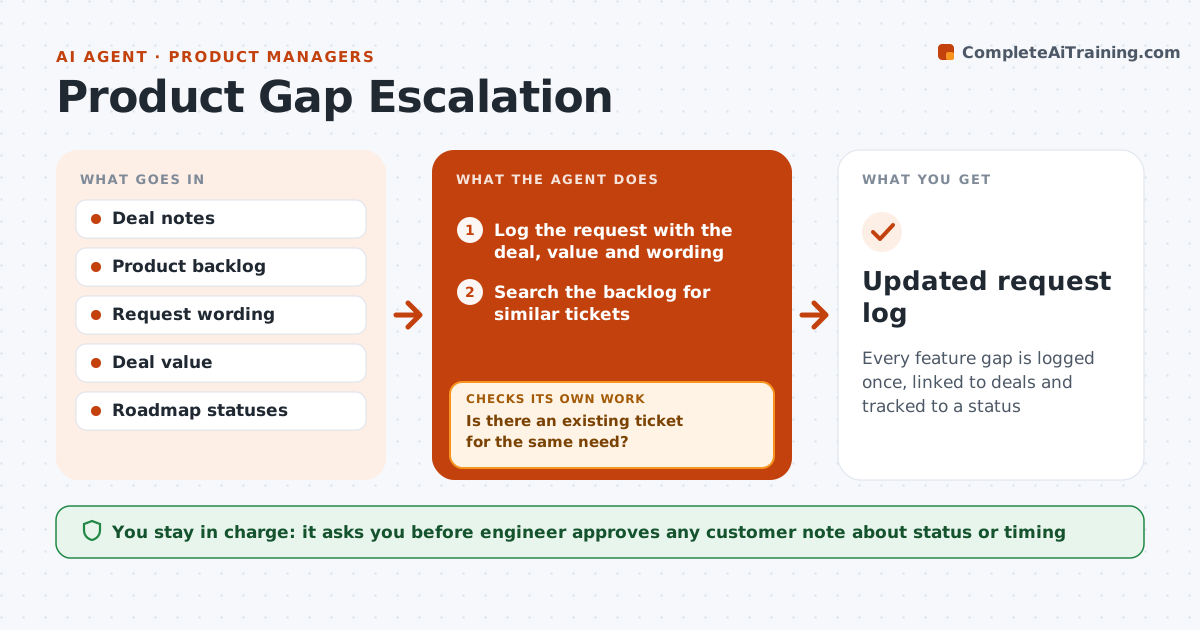
Customers ask for features the product lacks, and each sales engineer reports them in a different way. Product teams then cannot tell how often something is requested or which deals depend on it. This agent logs each request with the deal, value, customer wording and urgency. It checks for duplicates in the product backlog and links to an existing ticket, or creates a new draft. It tracks status and tells the engineer when it changes. It then checks that the customer-facing status is accurate before a note is sent. The engineer approves updates sent to the customer. Edge case: two requests describe the same need in different words, so the agent merges them under one ticket.
How it works
Follow the arrows from top to bottom. The orange dashed arrow is the loop: when a check fails, the agent goes back and tries again.
Read the steps as a list
- Feature gap raised in a deal
- Log the request with the deal, value and wording
- Search the backlog for similar tickets
- Is there an existing ticket for the same need?If not: draft a new ticket with the need, value and the deals affected. Back to step 2.
- Link the request to the ticket and update the demand count
- Watch for status changes on the ticket
- Draft a customer note with the current status
- Does the note match the official roadmap status and wording?If not: correct the note to the approved wording. Back to step 6.
- Engineer approves what is sent to the customerThe agent waits here for your OK.
- Updated request log
How it decides
A request is linked to an existing ticket when the need matches. New tickets are drafted only if no match exists. Status messages use only the current roadmap status.
- Link to an existing ticket when the need is the same
- Merge duplicates under the oldest ticket
- Use only roadmap status the product team has approved
- Sum deal value on each ticket
Make it yours
Every agent is a starting point. You choose these settings for your own situation.
- Backlog tool
- Duplicate matching rules
- Demand count fields
- Notification rules
What keeps you in control
It always asks you first
- Engineer approves any customer note about status or timing
- Product owner approves new tickets
Hard limits
- Never promise a date or feature
- Do not edit product tickets without permission
- Keep customer wording exact
It stops when
- Done: request is delivered or closed
- Stop: the deal is lost
Set it up
We guide you through the set-up, step by step
Members get the full set-up guide for this agent. No technical skills needed: you copy, paste and upload.
- One set of instructions to paste into your AI, with the clicks for ChatGPT, Claude, Microsoft 365 Copilot, Gemini and Grok
- The agent then walks you through connecting your own data, one source at a time
- A downloadable copy with the flow chart, the rules and the full guide