AI agent for e-commerce managers
Product Page Content Quality Agent
Bring the highest-selling product pages up to the content standard first
What it does
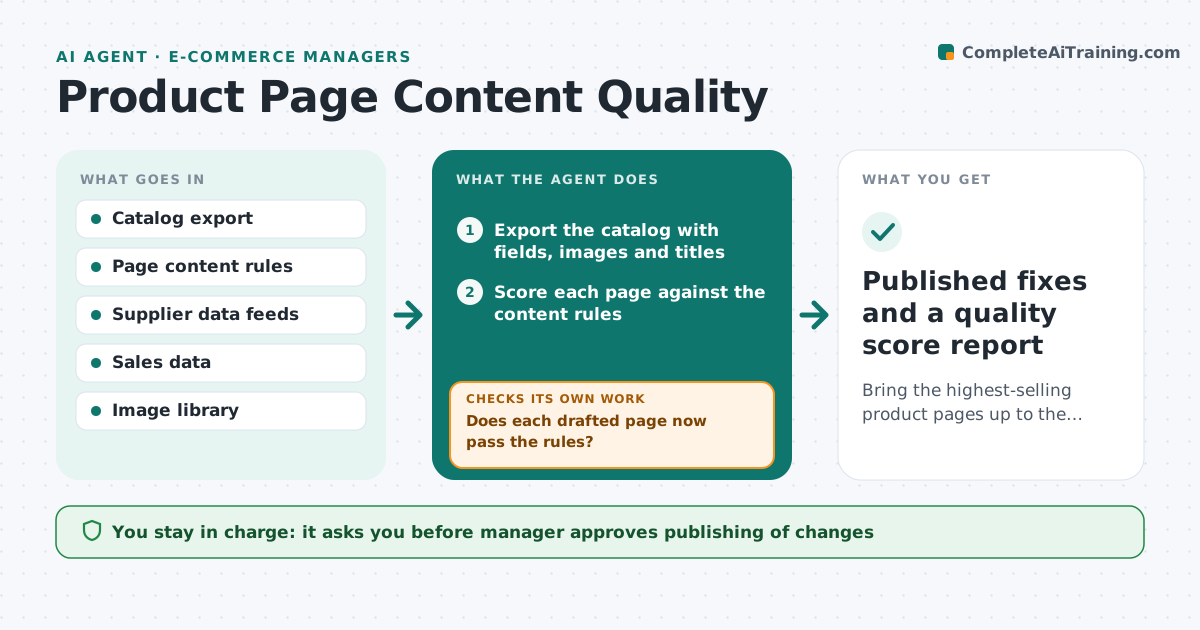
A catalog of thousands of products grows messy: a size is missing here, a title is in capitals there, and one hero image is tiny. Shoppers leave and search engines rank the pages lower. This agent audits the catalog on a schedule. It scores each page against the rules for required fields, image count and size, and title format, then ranks the fixes by sales so the pages that earn the most are fixed first. It drafts the changes, such as a cleaned title or filled attributes from the supplier data, applies them to a draft record and checks the page again. The manager approves what is published. Edge case: supplier data conflicts with the page. The agent flags it for review instead of choosing one.
How it works
Follow the arrows from top to bottom. The orange dashed arrow is the loop: when a check fails, the agent goes back and tries again.
Read the steps as a list
- Weekly catalog scan starts
- Export the catalog with fields, images and titles
- Score each page against the content rules
- Rank pages by score gap times recent sales
- Pull missing attributes from supplier data
- Draft fixes to titles, attributes and image requests in draft records
- Does each drafted page now pass the rules?If not: Redraft with other sources or flag missing data for the supplier. Back to step 6.
- Do supplier data and page content conflict?If not: Hold the page and list the conflict for review. Back to step 5.
- E-commerce manager approves publishingThe agent waits here for your OK.
- Published fixes and a quality score report
How it decides
It scores each page out of 100 using weighted rules. It ranks fixes by the lost sales risk: low score times last 90 days revenue.
- Pages below 70 out of 100 enter the fix queue
- Top 20 percent by revenue are fixed first
- Titles follow the brand pattern: brand, product type, key attribute
- Conflicting data is never overwritten automatically
Make it yours
Every agent is a starting point. You choose these settings for your own situation.
- Quality score cut-off (default 70)
- Required fields per category
- Title pattern
- Image minimum size and count
- Scan frequency
What keeps you in control
It always asks you first
- Manager approves publishing of changes
Hard limits
- Works only in draft records until approved
- Never changes prices or stock
It stops when
- Done: all queued pages pass or are held with reasons
- Stop: supplier data is missing for many items, request a feed fix
Set it up
We guide you through the set-up, step by step
Members get the full set-up guide for this agent. No technical skills needed: you copy, paste and upload.
- One set of instructions to paste into your AI, with the clicks for ChatGPT, Claude, Microsoft 365 Copilot, Gemini and Grok
- The agent then walks you through connecting your own data, one source at a time
- A downloadable copy with the flow chart, the rules and the full guide