AI agent for demand planners
Product Phase-Out Run-Down Agent
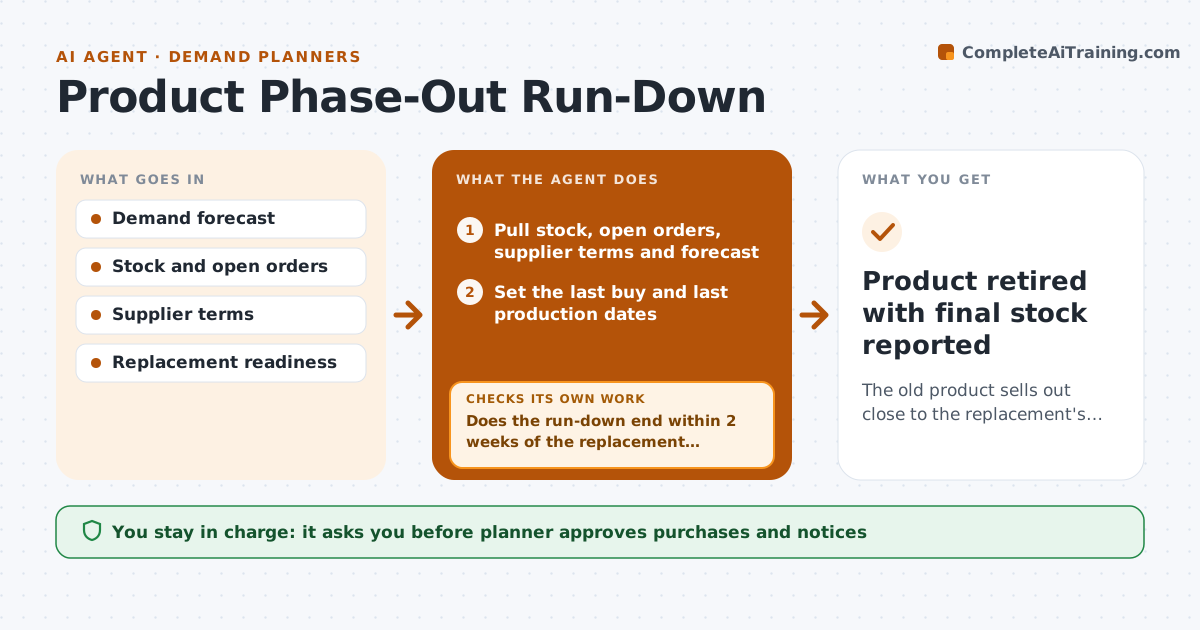
The old product sells out close to the replacement's start, with minimal leftover stock and no gap.
What it does
A product is being retired, and the team either buys too much and writes it off or runs out two months before the new version ships. For each product being retired, this agent sets a last buy date and last production date from demand, open orders and supplier terms. It checks whether the replacement item is ready, with a date and stock. Each week it recalculates the run-down against actual sales and moves the plan if stock will run out early or late. It prepares purchase, customer notice and write-off proposals with numbers. The planner approves purchases, notices and write-offs. Edge case: the replacement slips by 4 weeks, so the retiring item needs a bridge buy.
How it works
Follow the arrows from top to bottom. The orange dashed arrow is the loop: when a check fails, the agent goes back and tries again.
Read the steps as a list
- Product flagged for phase-out
- Pull stock, open orders, supplier terms and forecast
- Set the last buy and last production dates
- Check the replacement's readiness date and stock
- Does the run-down end within 2 weeks of the replacement start?If not: adjust the last buy dates or propose a bridge buy or a markdown. Back to step 3.
- Planner approves purchases and noticesThe agent waits here for your OK.
- Each week, compare actual sales with the plan
- Is projected stock-out within 2 weeks of the plan?If not: recalculate and propose new dates or actions. Back to step 3.
- Draft customer notices and write-off proposals for leftovers
- Planner approves write-off proposalsThe agent waits here for your OK.
- Product retired with final stock reported
How it decides
It plans to reach zero stock within 2 weeks of the replacement start and revises when projected stock-out moves by more than 2 weeks.
- Aim for zero stock within 2 weeks of the replacement start.
- Propose a bridge buy when the replacement slips more than 3 weeks.
- Propose a markdown when stock exceeds 6 weeks of demand near the end.
- Recalculate weekly from actual sales.
Make it yours
Every agent is a starting point. You choose these settings for your own situation.
- Run-down tolerance (default 2 weeks)
- Bridge buy threshold (default 3 weeks)
- Markdown rules
- Review day
What keeps you in control
It always asks you first
- Planner approves purchases and notices
- Planner approves write-off proposals
Hard limits
- Never place purchase orders itself
- Show the numbers behind every dates change
It stops when
- Done: stock sold through and product retired.
- Stop: replacement cancelled, so the planner reviews the phase-out.
Set it up
We guide you through the set-up, step by step
Members get the full set-up guide for this agent. No technical skills needed: you copy, paste and upload.
- One set of instructions to paste into your AI, with the clicks for ChatGPT, Claude, Microsoft 365 Copilot, Gemini and Grok
- The agent then walks you through connecting your own data, one source at a time
- A downloadable copy with the flow chart, the rules and the full guide