AI agent for ux writers
Product Terminology Standardization Agent
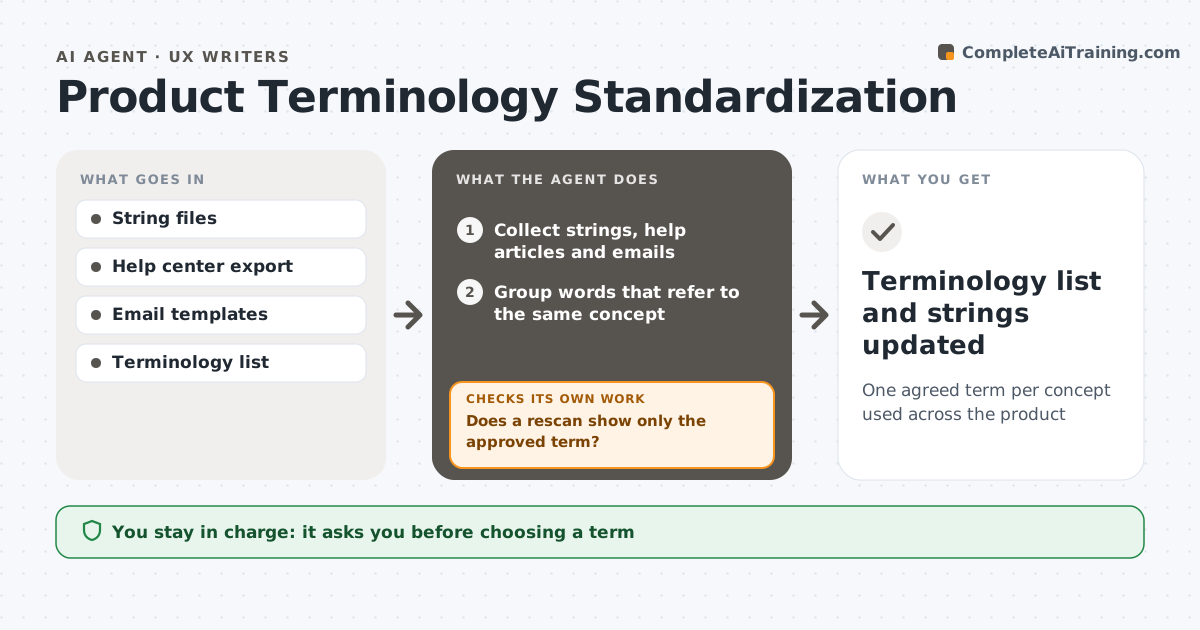
One agreed term per concept used across the product
What it does
Products grow and terms drift: 'workspace' in one place, 'project' in another, 'team' in a third. Once a month this agent collects all interface strings, help articles and product emails and groups words that refer to the same concept. It compares them with your terminology list and flags conflicts with their exact locations. For terms that are not yet decided, it drafts a decision note with usage counts and examples. The content lead decides open terms. The agent then proposes string changes in a branch and rescans to confirm only the approved term remains. If the rescan finds missed places, it adds them to the change. Legal and billing labels are routed to their owners instead of being changed. Edge case: a billing label using the old term is sent to the billing owner, not edited.
How it works
Follow the arrows from top to bottom. The orange dashed arrow is the loop: when a check fails, the agent goes back and tries again.
Read the steps as a list
- Monthly scan begins
- Collect strings, help articles and emails
- Group words that refer to the same concept
- Compare with the terminology list
- Content lead decides open termsThe agent waits here for your OK.
- Propose string changes in a branch
- Does a rescan show only the approved term?If not: find missed locations and add them to the change. Back to step 6.
- Terminology list and strings updated
How it decides
It groups terms that appear in the same contexts and flags any group with more than one label. Decided terms override others.
- Flag a concept with two or more labels
- Route legal and billing labels to their owners
- Count usage to support each decision note
Make it yours
Every agent is a starting point. You choose these settings for your own situation.
- Sources to scan
- Scan frequency
- Glossary format
- Who decides terms
What keeps you in control
It always asks you first
- Choosing a term
- Merging string changes
Hard limits
- Never merges without approval
- Does not edit legal copy
It stops when
- Done: rescan clean
- Stop: owners disagree on a term; escalate
Set it up
We guide you through the set-up, step by step
Members get the full set-up guide for this agent. No technical skills needed: you copy, paste and upload.
- One set of instructions to paste into your AI, with the clicks for ChatGPT, Claude, Microsoft 365 Copilot, Gemini and Grok
- The agent then walks you through connecting your own data, one source at a time
- A downloadable copy with the flow chart, the rules and the full guide