AI agent for filmmakers
Production Budget Tracking Agent
Know where the money stands every day and act before overruns
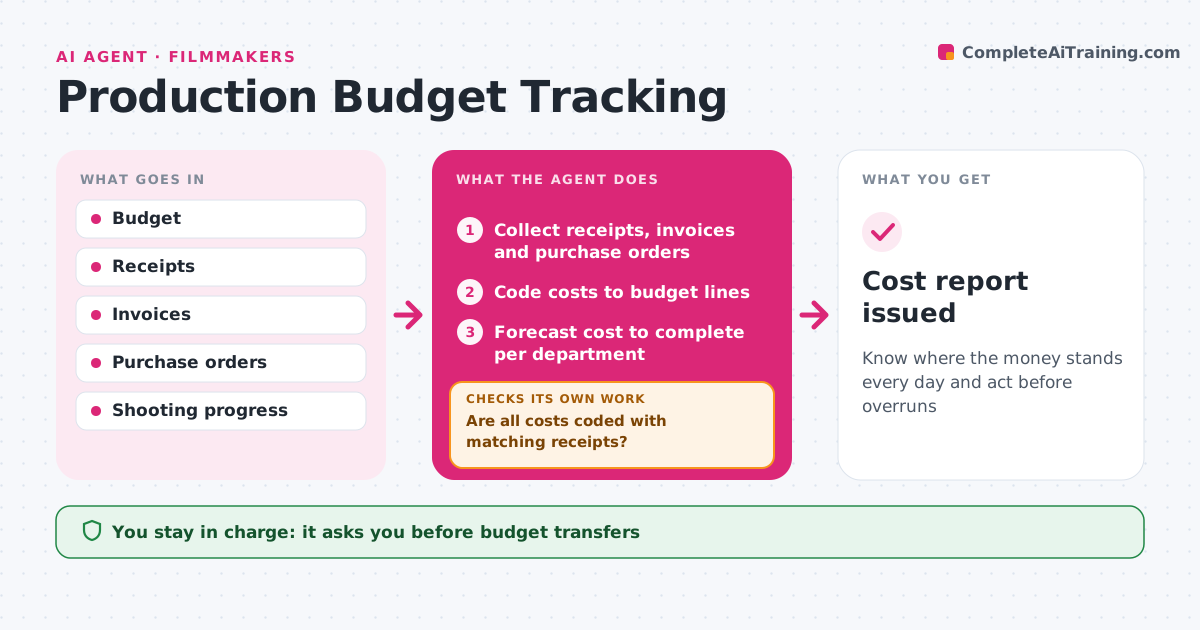
What it does
On a shoot, spending moves fast and receipts pile up, so overruns often surface only after wrap. Daily during production, this agent collects receipts, invoices and purchase orders, codes them to budget lines, and compares spending with the budget and shooting progress. It estimates cost to complete per department. It checks that every cost is coded and that receipts match amounts. Mismatches go to the person who spent. When a department is forecast over, it drafts options like moving contingency, reusing items or trimming scope. The filmmaker or producer approves any budget transfer. Edge case: a refundable deposit is tracked separately so it does not look like money spent.
How it works
Follow the arrows from top to bottom. The orange dashed arrow is the loop: when a check fails, the agent goes back and tries again.
Read the steps as a list
- Daily cost update
- Collect receipts, invoices and purchase orders
- Code costs to budget lines
- Are all costs coded with matching receipts?If not: ask the spender for missing receipts or codes. Back to step 2.
- Forecast cost to complete per department
- Draft options for lines forecast over
- Producer approves budget transfersThe agent waits here for your OK.
- Cost report issued
How it decides
It forecasts cost to complete per department and flags any line forecast over by more than 5%.
- Flag lines forecast over 5%
- Track deposits separately
- No transfers without approval
Make it yours
Every agent is a starting point. You choose these settings for your own situation.
- Overrun threshold
- Budget categories
- Report frequency
- Approvers
What keeps you in control
It always asks you first
- Budget transfers
- Payments
Hard limits
- Never makes payments
- Never edits the approved budget
It stops when
- Done: final cost report
- Stop: production halted
Set it up
We guide you through the set-up, step by step
Members get the full set-up guide for this agent. No technical skills needed: you copy, paste and upload.
- One set of instructions to paste into your AI, with the clicks for ChatGPT, Claude, Microsoft 365 Copilot, Gemini and Grok
- The agent then walks you through connecting your own data, one source at a time
- A downloadable copy with the flow chart, the rules and the full guide