
Learning path
AI for video editors
Be the AI expert in your job. Always up to date.
Your first AI Expert certificate this week. Your AI set up in 15 minutes.

This is exactly what happens after you join. Try it: everything below reacts to your choices.
Only stored for members. Join to keep the courses you choose in your account and favorites; until then only this browser remembers them. Start for Free




Picked by our course-matching AI for video editors, your level and your AI, from 700+ courses. Each course ends in a short exam and an AI Expert certificate. New courses arrive every week and your suggestions update with them. Your choices are kept in this browser until you join.
For members: your personal setup prompt, with your sign-in built in. Here's what's inside.
What the setup does
- Connects your AI to your AI Coach: ChatGPT, Claude, Cowork, Microsoft Copilot and more
- Asks you a few questions about your work and saves your profile
- Gives your AI the skills, prompts and tools for video editors
- Writes your personal instructions and gives you today's first suggestion
What your AI gets: the video editor AI kit
See everything in your video editor AI kit: log in or sign up first → · Start for Free
Like "Automate Metadata Tagging for Videos"
A new idea from your AI Coach every day
Let your AI split songs into vocals, drums, bass and more, or line up lyrics with timestamps.
From 4,600+ connections, after a short interview about the apps you use
Build a labeled, searchable library where every kept clip has a verified backup.
From 3,900+ AI agents: hand a whole task to AI
Reduce repetitive editing hours while preserving the editor's creative control.
From 2,400+ apps you can build, with step-by-step prompts
Not connected? The same suggestions wait for you on your dashboard under Today, with prompts to copy into any AI.
All the courses, certifications, AI tools, connections and apps for video editors, most relevant first. Tap the heart on anything to save it for later.
All prompt courses for video editors
How to talk to AI, then 15 lessons with ready-to-use prompts for video editors.
- 1Storyboarding20 prompts
- 2Script Breakdown18 prompts
- 3Dialogue Enhancement8 prompts
- 4Visual Effects Concepts22 prompts
- 5Color Correction Guidance22 prompts
- 6Audio Synchronization19 prompts
- 7Transition Effects7 prompts
- 8Royalty-Free Resource Finding5 prompts
- 9Audience Engagement Strategies5 prompts
- 10Compression Techniques20 prompts
- 11Animation and Motion Graphics22 prompts
- 12Feedback Compilation20 prompts
- 13Video SEO Optimization9 prompts
- 14Archival and Organization17 prompts
- 15Interactive Video Elements22 prompts
All video courses for video editors
111 video courses our AI picked for video editors, most useful first. Tap the heart to save one for later.
Favorites are saved to your account: sign in or get your AI kit first.
All certifications for video editors
Every course ends in a short exam and an AI Expert certificate you can add to LinkedIn. Tap the heart to save the ones you're aiming for.
Favorites are saved to your account: sign in or get your AI kit first.
Main certification for video editors
More certifications for video editorsAll AI tools for video editors
24 AI tools our AI matched to the work of video editors, best fit first. Each review shows what it does, its alternatives and the jobs it suits.
Favorites are saved to your account: sign in or get your AI kit first.
All connections for video editors
Connections let ChatGPT, Claude or Copilot look things up and get work done in other apps, like your email, calendar or bookkeeping software. These 12 fit the work of video editors best, well-known apps first.

Scout MCP server for Premiere Pro
by tro2789Lets your AI search the Premiere transcript, place markers, cut clips, and manage your project timeline for you.

Final Cut Pro MCP server
by DareDev256Let your AI read, check and edit your Final Cut Pro timelines from a simple XML export.
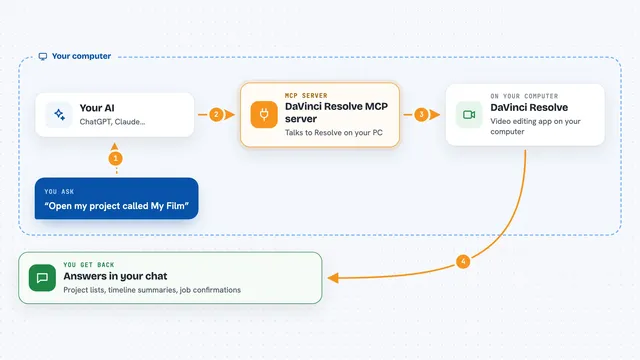
DaVinci Resolve MCP server
by samuelgurskyLet your AI assistant open projects, build timelines, set up renders and check your media inside DaVinci Resolve.
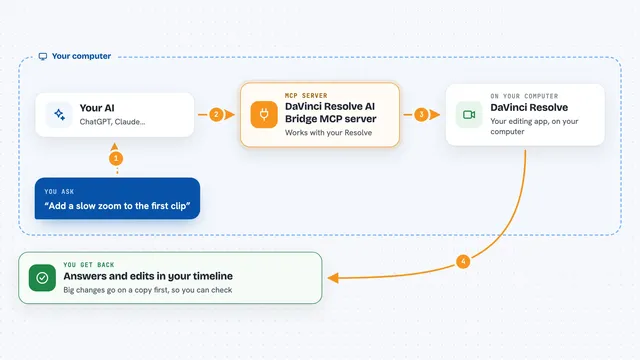
DaVinci Resolve AI Bridge MCP server
by flamexnrealLet your AI assistant inspect and edit the timeline open in DaVinci Resolve, on a duplicate first.

WeftCut MCP server
by WeftCutLet your AI trim, split, caption and export video right inside the WeftCut desktop editor.
Video editing Official
Fast Video Cataloger MCP server
by freloLet your AI search, view and tag your local video library, with transcripts, scene thumbnails and keywords.
Productivity Official
Video Editing MCP server
by burningionLet your AI find moments inside your videos and turn them into ready-to-watch edits.

Kinocut MCP server
by KyaniteLabsLets your AI trim, caption, resize, and quality-check videos on your own computer.

Loudcheck MCP server
by chaoz23Ask your AI whether an audio or video file meets broadcast loudness rules, and get a clear pass or fail.

babelscribe MCP server
by phonology024Turn audio and video files on your own computer into subtitles and text in 99 languages, using your GPU.

Gaudio audio AI MCP server
by gaudiolab-jpLet your AI split songs into vocals, drums, bass and more, or line up lyrics with timestamps.

rippr MCP server
by mrslbtPull the transcript of any YouTube video into your AI chat as clean text, timestamps, or a saved file.
All apps you can build for video editors
Apps you build yourself with your own AI, no coding needed and no monthly fee. Our AI picked the 12 that fit the work of video editors.
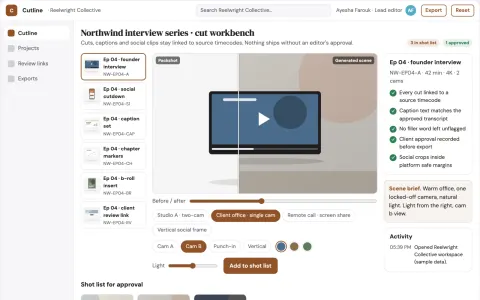
Automated video edit and caption workbench
Reduce repetitive editing hours while preserving the editor's creative control.
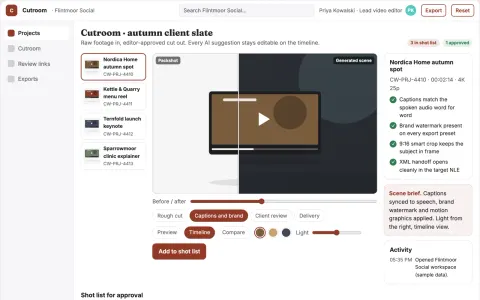
Conversational video edit and review workbench
Reduce manual editing passes while keeping editors in control of the final cut.
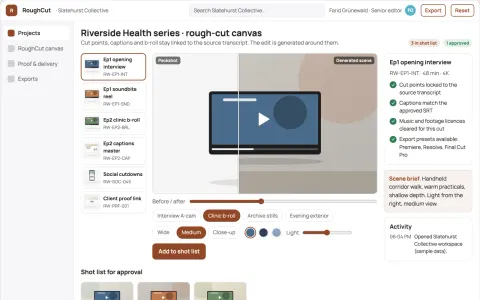
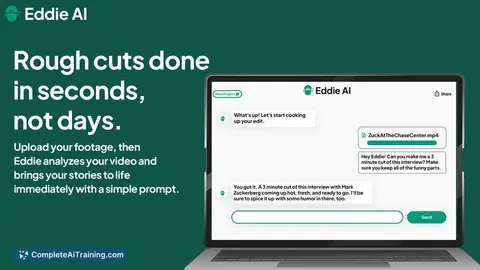
Interview footage rough-cut production workbench
Reduce manual assembly time while keeping editorial control of the cut.
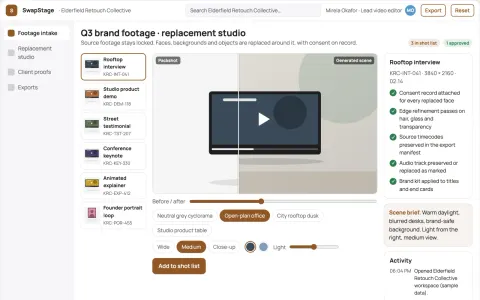
Video face and background replacement studio
Reduce tool switching and manual masking while keeping source footage and consent records under the client's control.
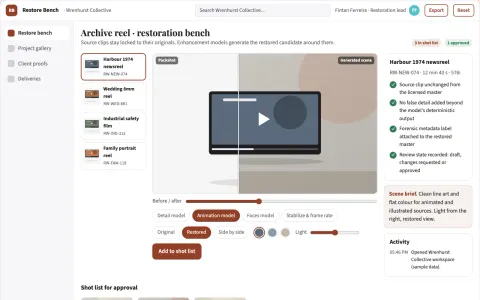
Managed video restoration and upscaling workbench
Improve the quality of existing video footage in one owned workflow.
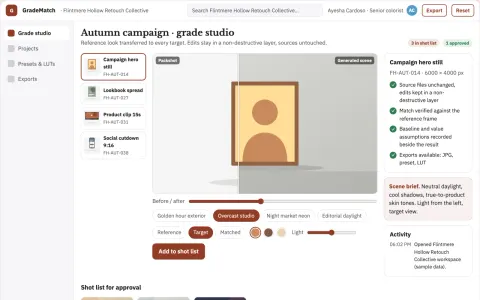
Reference-driven color transfer and grade export studio
Reduce manual grading time while keeping a consistent look across images and video.
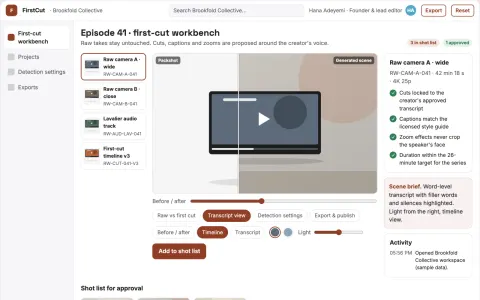
Talking-head first-cut editing workbench
Reduce manual cutting time while keeping the creator's voice and editorial control.
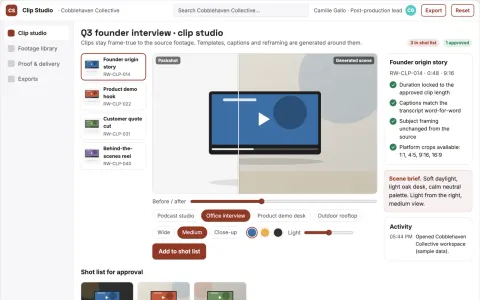
Long-video highlight clip production workbench
Reduce clip production time while preserving the creator's intended moments and brand.
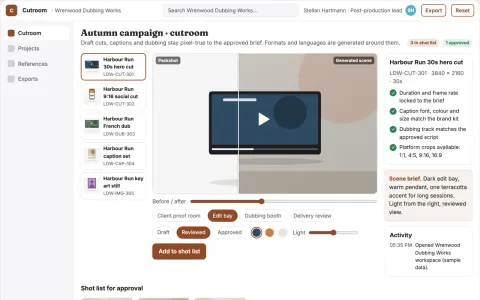
Managed AI video production and review platform
Reduce tool switching and review cycles while keeping one owned project record.
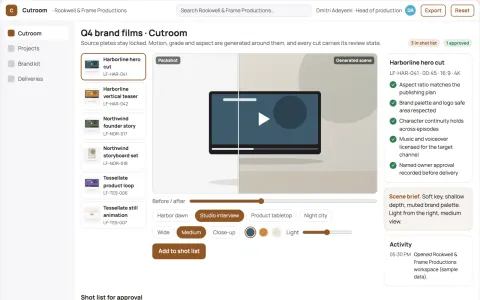
Branded AI video production and review studio
Reduce tool sprawl and review cycles while keeping the brand's own footage and prompts under its control.
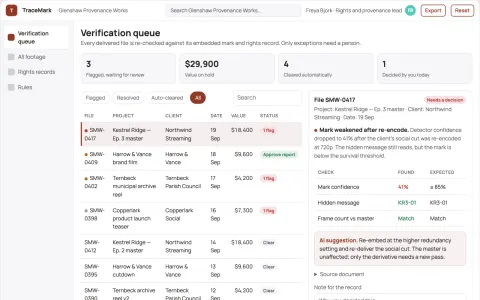
Invisible video watermark provenance workbench
Reduce ownership disputes and manual verification time while keeping footage usable.
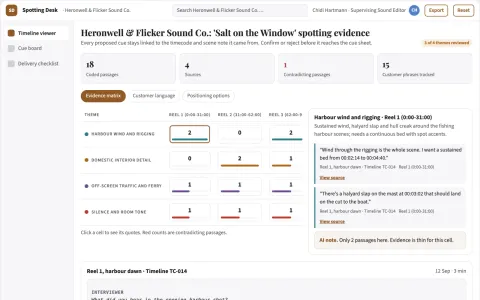
Sound-effects spotting desk
A timecoded sound plan before expensive sound production.
The handbook for video editors


























































About this learning path
13 topicsHow to Become an AI Expert in Video Editing?
If you're a video editor looking to elevate your career, you're in the right place. Understanding AI isn't just nice-to-have anymore; it's quickly becoming essential. In this guide, you'll discover:
- Why AI matters specifically for video editors like you.
- Answers to the most pressing questions about AI in video editing.
- Precisely what skills you'll need to become an AI-savvy video editor.
Sure, you could spend countless hours piecing this information together from scattered sources. But we've done the heavy lifting, organizing everything you need into clear, actionable steps tailored specifically for video editors.
Why Learn AI as a Video Editor?
AI isn't just a buzzword—it's fundamentally changing how we edit videos. Here's why investing your time to master AI can drastically level up your career:
- Future-Proof Your Career:
Industries evolve fast, and video editing is no exception. AI knowledge makes you adaptable, ensuring you keep pace with change rather than getting left behind. - Boost Your Creative Output:
AI handles repetitive, tedious tasks—like color grading, background removal, and audio cleanup—freeing your time to focus on the storytelling and creative decisions that truly matter. - Command Higher Pay:
Video editors with AI skills stand out. Employers value efficiency, innovation, and adaptability, making AI proficiency a direct path to better compensation and job opportunities. - Secure Your Position:
Companies favor editors who can integrate new technology seamlessly. Mastering AI tools helps ensure job security in an evolving market.
- Future-Proof Your Career:
What Exactly Does an AI-Enhanced Video Editor Do?
Let's break it down clearly. Becoming an AI-enhanced video editor doesn't mean coding from scratch or building robots. It means strategically leveraging AI-driven tools to enhance your workflow. Here’s what's involved:
- Automating Routine Tasks:
Use AI-driven tools for tasks like automatic captions, translations, scene detection, and rough-cut editing so you can redirect your energy toward more engaging activities. - Enhancing Visual Quality:
AI tools help upscale low-resolution footage, stabilize shaky camera work, and perform advanced color grading quickly and effectively. - Streamlined Storytelling:
AI can analyze footage to suggest optimal cuts, transitions, and pacing, helping you craft compelling narratives faster. - Personalized Content Creation:
AI-driven analytics can predict audience preferences and behaviors, allowing you to produce content that resonates deeply with your target audience.
- Automating Routine Tasks:
How to Become an AI Specialist Video Editor
Transitioning from traditional editing workflows to AI-enhanced editing involves several strategic steps. Follow this clear roadmap to integrate AI seamlessly into your skillset:
- Master AI Prompting:
Begin by mastering AI prompts—learning how to communicate effectively with AI tools. Our dedicated Prompt Courses for Video Editors are specifically designed to help you sharpen this essential skill. - Explore Specialized AI Tools:
Get hands-on experience with industry-leading AI tools explicitly created for video editors. We'll keep you updated on the most powerful, user-friendly tools available. - Stay Informed and Adaptable:
AI technology is evolving rapidly. Regularly check in with our curated updates and expert insights to ensure you’re always one step ahead. - Leverage Comprehensive Learning Resources:
Dive into specialized materials like The Artificial Intelligence Handbook for Video Editors, designed to help you apply AI practically and powerfully in your projects. - Continuous Skill Development:
AI isn't a one-and-done learning experience. Stay committed to continuous education through our regularly updated courses and practical exercises.
- Master AI Prompting:
How to Start Learning AI as a Video Editor
Starting can feel overwhelming, but it doesn't need to be complicated. Here’s a straightforward game plan:
- Begin with Fundamentals:
Understand basic AI concepts and terminologies to build a solid foundation. Our beginner-friendly courses make complex ideas clear and digestible. - Practical Application:
Apply what you learn immediately through guided exercises and real-world tasks. This ensures knowledge retention and builds your confidence. - Join a Community:
Interact with others learning AI. Ask questions, share experiences, and collaborate on projects. A supportive community helps accelerate your growth. - Regular Updates:
Commit to regular updates and advanced training sessions. AI evolves quickly, and so should your skills.
- Begin with Fundamentals:
Frequently Asked Questions by Video Editors
Is AI Difficult to Learn?
Not if you approach it step-by-step. Our training is crafted to simplify the complex. Once you grasp the basics, you'll quickly realize that AI tools are designed with ease-of-use in mind.
How Reliable is AI in Real-World Editing?
Extremely reliable when used correctly. The key is selecting proven AI tools and understanding their strengths. Once mastered, these tools become dependable allies in your editing workflow.
Will AI Replace Me as a Video Editor?
AI won’t replace you—as long as you embrace it. Think of AI as a powerful assistant that handles tedious tasks, letting you shine in areas that require human creativity, insight, and judgment.
How Can I Keep Up with AI's Rapid Changes?
Keeping updated is part of the modern professional's journey. We continuously refresh our courses and resources to ensure you're always informed about the latest developments in AI editing.
Is AI Just Another Temporary Trend?
No, AI is here to stay. It’s already deeply integrated into video editing and will only become more essential. Ignoring AI is no longer an option for serious professionals.
Will I Lose Creative Control to AI?
Absolutely not. AI tools are designed to support and enhance your existing creative abilities, not replace them. You remain in the driver's seat, guiding AI to assist your creative vision.
What Skills Do I Need to Master AI in Editing?
Start by learning effective communication with AI (prompt engineering), understanding practical AI tools, and continuous experimentation. We'll guide you through precisely which skills matter most.
Begin Your Journey as an AI-Enhanced Video Editor Today
Ready to step into the future of video editing? Our comprehensive training gives you immediate access to everything you need:
- Exclusive Video Courses tailored specifically for video editors.
- Detailed Guides and eBooks focused on practical AI implementation.
- Thousands of tested AI prompts relevant to your editing tasks.
- Curated lists of cutting-edge AI editing tools.
- Continuous updates to keep you ahead of the curve.
Don't wait around—click through our courses or choose the training path that best fits your goals. The future of video editing is already here, and becoming AI-enhanced puts you at the forefront of your industry.
At a glance
What you get
- 3 step setup process
- Relevant courses for your job (700+ available)
- A certificate per course
- AI Coach
- 15-minute AI setup in ChatGPT, Claude, Copilot and more