AI agent for vice president of human resources
Promotion and Rating Equity Review Agent
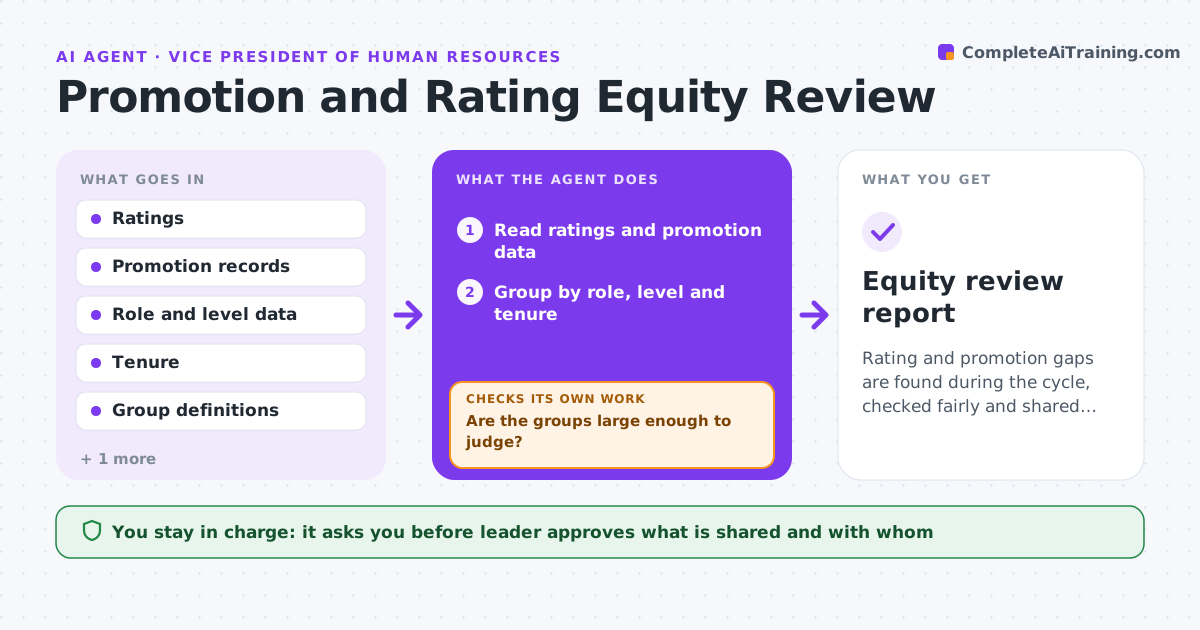
Rating and promotion gaps are found during the cycle, checked fairly and shared only as the leader approves.
What it does
Promotion and rating gaps show up only after the cycle is over, when it is too late to look into them. The agent compares ratings and promotion rates by group, using controls for role, level and tenure, and checks sample sizes so that small groups are not over-read. It flags gaps beyond a set threshold. For outliers, it requests the manager's rationale and then reruns the analysis with the new information. It never names individuals in the group report. The leader approves what is shared. Edge case: a group of 6 people where one promotion changes the rate by 17 points, so the agent labels it too small to judge.
How it works
Follow the arrows from top to bottom. The orange dashed arrow is the loop: when a check fails, the agent goes back and tries again.
Read the steps as a list
- Review cycle checkpoint
- Read ratings and promotion data
- Group by role, level and tenure
- Compare rates between groups with controls
- Are the groups large enough to judge?If not: Merge groups or label the result as too small. Back to step 4.
- Flag gaps above the threshold
- Request rationale for outlier decisions and read the managers' replies
- Do the gaps remain after the rationale?If not: Rerun the analysis and update the flags. Back to step 4.
- Draft the findings report
- Leader approves what is shared and with whomThe agent waits here for your OK.
- Equity review report
How it decides
It compares groups after controlling for role and tenure, and reports a gap only when the group size is large enough and the difference passes the set threshold.
- Minimum group size of 10
- Flag gaps over 5 percentage points after controls
- Do not name individuals in group reports
- Rerun after each rationale
Make it yours
Every agent is a starting point. You choose these settings for your own situation.
- Minimum group size (default 10)
- Gap threshold (default 5 points)
- Groups compared
- Who may see the report
What keeps you in control
It always asks you first
- Leader approves what is shared and with whom
- Leader approves any request sent to managers
Hard limits
- Never identify individuals in group findings
- Do not draw conclusions from small groups
It stops when
- Done: report approved and shared
- Stop: data quality problems prevent a fair comparison
Set it up
We guide you through the set-up, step by step
Members get the full set-up guide for this agent. No technical skills needed: you copy, paste and upload.
- One set of instructions to paste into your AI, with the clicks for ChatGPT, Claude, Microsoft 365 Copilot, Gemini and Grok
- The agent then walks you through connecting your own data, one source at a time
- A downloadable copy with the flow chart, the rules and the full guide