AI agent for pharmaceutical sales representatives
Promotional Message Compliance Check Agent
Ensure every rep message uses only approved, current content
What it does
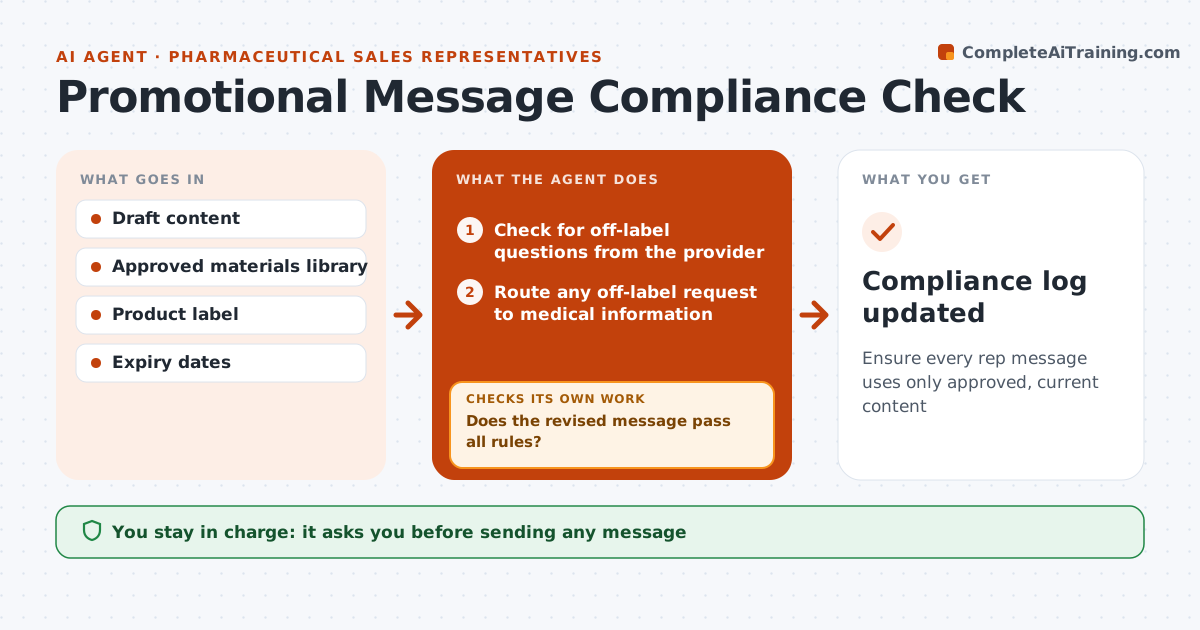
Every message a pharma rep sends must stay within approved claims and materials, and one off-label sentence can cause a compliance finding. When a rep drafts a follow-up email or picks materials for a call, this agent compares the content with the approved materials library and the product label. It flags claims not in approved materials, missing safety information with any efficacy claim, off-label topics and expired material versions. If the provider asked an off-label question, it routes the request to medical information instead of answering. It suggests approved wording to replace free text. After the rep edits, it checks the message again until it passes all rules. The rep sends only after the check passes and their own review. Edge case: an expired material version is blocked even if the wording is approved.
How it works
Follow the arrows from top to bottom. The orange dashed arrow is the loop: when a check fails, the agent goes back and tries again.
Read the steps as a list
- Rep drafts a message
- Check for off-label questions from the provider
- Route any off-label request to medical information
- Compare content with approved materials and label
- Flag unapproved claims, missing safety info and expired items
- Suggest approved wording
- Does the revised message pass all rules?If not: repeat the comparison on the edited text. Back to step 4.
- Rep confirms and sendsThe agent waits here for your OK.
- Compliance log updated
How it decides
Each claim must match approved wording in a current material. Off-label topics always route to medical information.
- Expired materials blocked
- Off-label topics routed to medical information
- Safety information required with any efficacy claim
Make it yours
Every agent is a starting point. You choose these settings for your own situation.
- Materials library source
- Products covered
- Log destination
What keeps you in control
It always asks you first
- Sending any message
Hard limits
- Never writes new promotional claims
- Never answers off-label questions
It stops when
- Done: message passes
- Stop: no approved material covers the topic
Set it up
We guide you through the set-up, step by step
Members get the full set-up guide for this agent. No technical skills needed: you copy, paste and upload.
- One set of instructions to paste into your AI, with the clicks for ChatGPT, Claude, Microsoft 365 Copilot, Gemini and Grok
- The agent then walks you through connecting your own data, one source at a time
- A downloadable copy with the flow chart, the rules and the full guide