AI agent for prompt engineers
Prompt Edge Case Robustness Agent
A prompt that behaves correctly on messy and adversarial inputs, not just clean ones
What it does
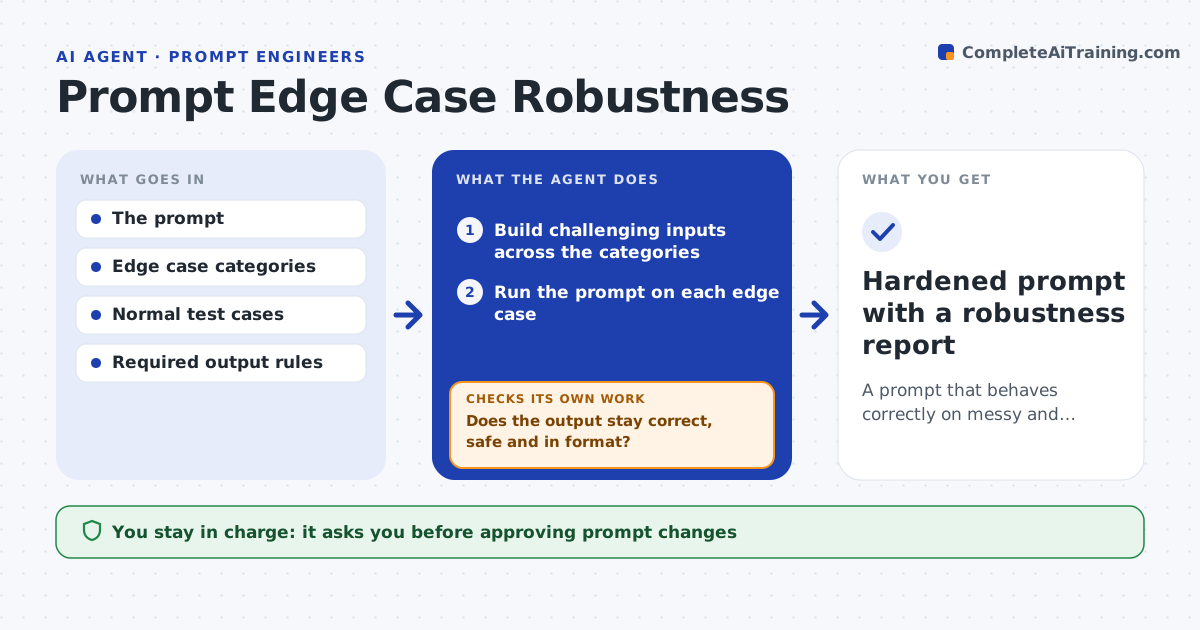
Prompts that look solid on tidy examples often break on the messy inputs real users send. This agent builds a set of hard inputs for a prompt: empty or very long inputs, the wrong language, missing fields, contradictory instructions and attempts to make the model ignore its rules. It runs the prompt on each and checks whether the output stays correct, safe and in the required format. It groups failures by type and proposes prompt changes to handle them, such as clearer boundaries or a fallback response. After changes it reruns both the hard inputs and the normal test cases, because a fix for one can break the other. You approve prompt changes. Edge case: an input that tries to make the model drop its rules passes only if the prompt holds its behavior.
How it works
Follow the arrows from top to bottom. The orange dashed arrow is the loop: when a check fails, the agent goes back and tries again.
Read the steps as a list
- Robustness check requested
- Build challenging inputs across the categories
- Run the prompt on each edge case
- Does the output stay correct, safe and in format?If not: group failures and propose prompt changes to handle them. Back to step 2.
- Rerun edge and normal cases after changes
- Are the failures fixed with normal cases still passing?If not: adjust the changes and rerun. Back to step 4.
- Engineer approves the prompt changesThe agent waits here for your OK.
- Hardened prompt with a robustness report
How it decides
An edge case passes only when the output stays correct, safe and in format, including resisting instructions to abandon its task.
- Count resisting instruction-dropping as a pass
- Require correct format on edge cases too
- Keep normal cases passing after hardening
Make it yours
Every agent is a starting point. You choose these settings for your own situation.
- Edge case categories
- Output rules to enforce
- Normal test set to protect
- Model and settings
What keeps you in control
It always asks you first
- Approving prompt changes
Hard limits
- Does not weaken safety to pass a case
- No changes adopted without approval
It stops when
- Done: edge cases handled and normal cases intact
- Stop: output rules are not defined
Set it up
We guide you through the set-up, step by step
Members get the full set-up guide for this agent. No technical skills needed: you copy, paste and upload.
- One set of instructions to paste into your AI, with the clicks for ChatGPT, Claude, Microsoft 365 Copilot, Gemini and Grok
- The agent then walks you through connecting your own data, one source at a time
- A downloadable copy with the flow chart, the rules and the full guide