AI agent for prompt engineers
Prompt Test Harness Agent
Every prompt change measured against a full test set before it is adopted
What it does
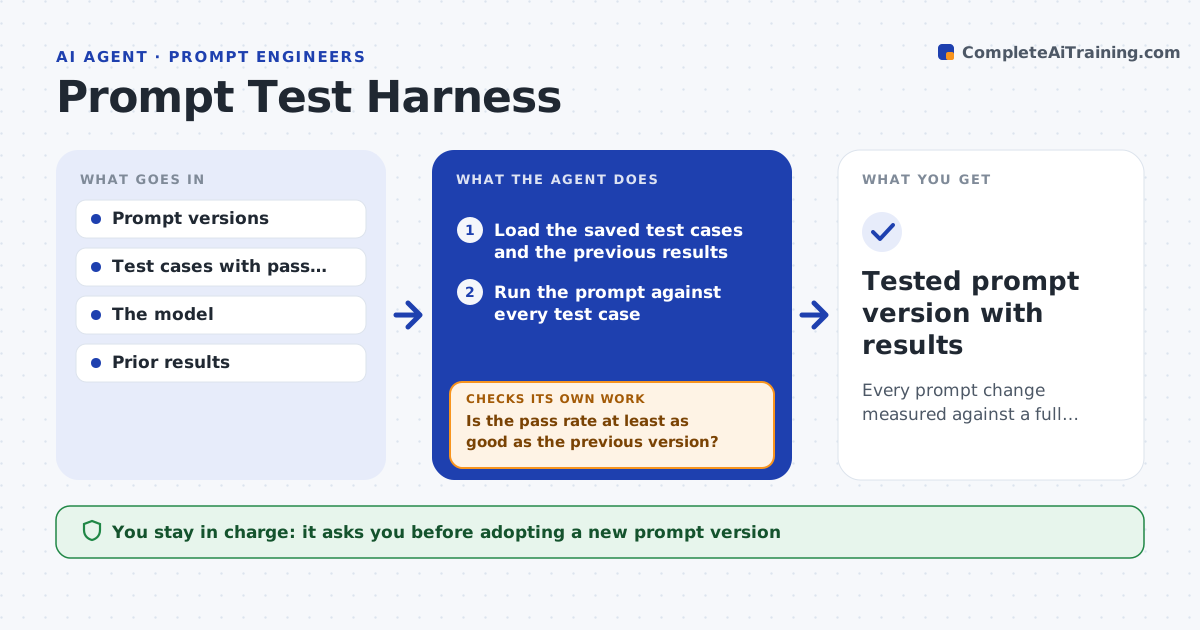
A prompt change that fixes one example often breaks others, and checking a few outputs by eye misses it. This agent runs a prompt against a saved set of test cases, each with the input and what a good answer must contain or avoid. It collects the model output for each case and checks it against the case criteria, including format, producing a pass rate and a list of failures. It compares the pass rate with the previous version. If the rate dropped, it lists exactly which cases regressed and how, so the engineer can fix or accept them. After a fix, it reruns the full set, not just the failed cases. It keeps the prompt version, test set and results together so runs stay comparable. You approve adopting a new version. Edge case: correct content in the wrong format counts as a fail.
How it works
Follow the arrows from top to bottom. The orange dashed arrow is the loop: when a check fails, the agent goes back and tries again.
Read the steps as a list
- Prompt change ready to test
- Load the saved test cases and the previous results
- Run the prompt against every test case
- Check each output against its pass criteria and format
- Is the pass rate at least as good as the previous version?If not: list the regressed cases for the engineer to fix or accept, then rerun. Back to step 3.
- Record the version, test set and results
- Engineer approves adopting the new versionThe agent waits here for your OK.
- Tested prompt version with results
How it decides
A case passes only when the output meets all its criteria, and a new version is recommended only if its pass rate is at least as good.
- Pass only when all criteria are met
- Count wrong format as a fail
- Recommend a version only if it does not regress
Make it yours
Every agent is a starting point. You choose these settings for your own situation.
- Test cases and pass criteria
- Minimum pass rate to adopt
- Model and settings
- How many cases per run
What keeps you in control
It always asks you first
- Adopting a new prompt version
Hard limits
- Does not adopt a version without approval
- Keeps every run reproducible
It stops when
- Done: version tested and results recorded
- Stop: the test set has no pass criteria
Set it up
We guide you through the set-up, step by step
Members get the full set-up guide for this agent. No technical skills needed: you copy, paste and upload.
- One set of instructions to paste into your AI, with the clicks for ChatGPT, Claude, Microsoft 365 Copilot, Gemini and Grok
- The agent then walks you through connecting your own data, one source at a time
- A downloadable copy with the flow chart, the rules and the full guide