AI agent for home inspectors
Property-Specific Inspection Checklist Agent
A checklist tailored to the property and fully completed
What it does
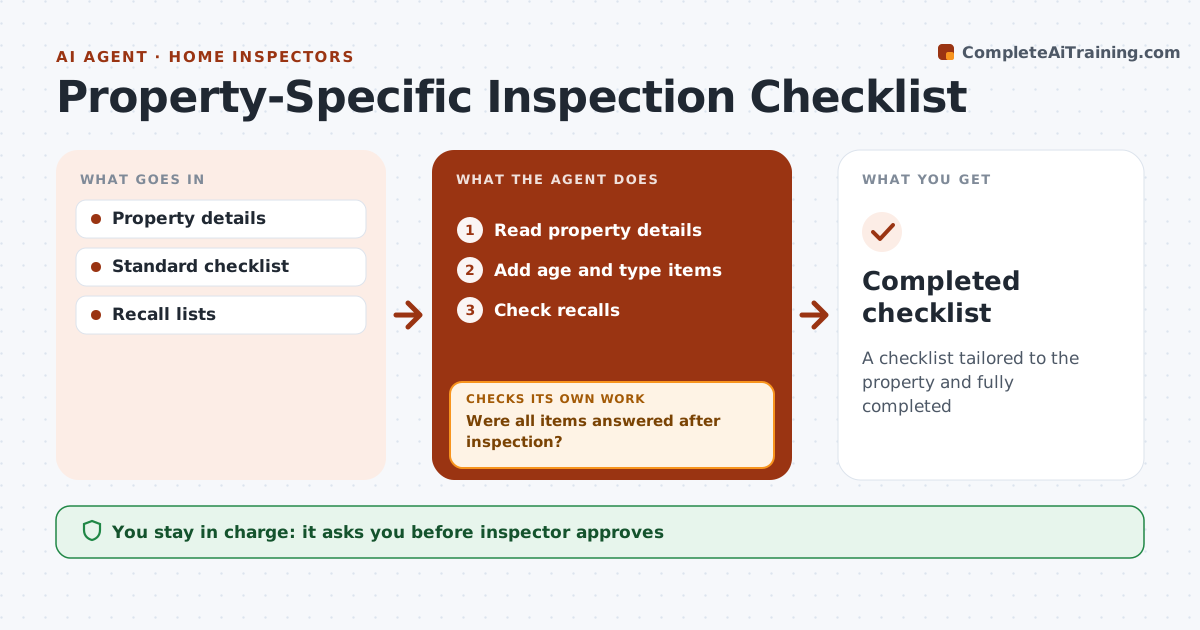
Homes of different ages and types have typical problems, such as old wiring in 1950s homes or polybutylene pipes in 1980s homes, and a generic checklist can miss them. Before the inspection, this agent reads the property details, adds age- and type-specific items to the standard checklist, and lists known recalls for listed equipment. The inspector approves the tailored checklist the day before. After the inspection, it checks that each added item was answered in the inspector's notes. Unanswered items are flagged before the report is finished, so nothing on the list is silently skipped. The inspector answers them or notes why they could not be inspected. Edge case: for condos, items outside the unit, such as the roof or shared systems, are limited to what the inspection agreement covers.
How it works
Follow the arrows from top to bottom. The orange dashed arrow is the loop: when a check fails, the agent goes back and tries again.
Read the steps as a list
- Day before
- Read property details
- Add age and type items
- Check recalls
- Inspector approves checklistThe agent waits here for your OK.
- Were all items answered after inspection?If not: flag unanswered. Back to step 3.
- Completed checklist
How it decides
Age and type add items. All items must be answered.
- Age-based items
- Recalls listed
- Condo scope limited
Make it yours
Every agent is a starting point. You choose these settings for your own situation.
- Age rules
- Recall sources
- Checklist base
- Property types
What keeps you in control
It always asks you first
- Inspector approves
Hard limits
- Never replaces inspector judgment
- Uses public data
It stops when
- Done: checklist complete
- Stop: inspection canceled
Set it up
We guide you through the set-up, step by step
Members get the full set-up guide for this agent. No technical skills needed: you copy, paste and upload.
- One set of instructions to paste into your AI, with the clicks for ChatGPT, Claude, Microsoft 365 Copilot, Gemini and Grok
- The agent then walks you through connecting your own data, one source at a time
- A downloadable copy with the flow chart, the rules and the full guide