AI agent for vacation rental hosts
Property Supplies Restock Agent
Make sure every property is stocked for its next guest.
What it does
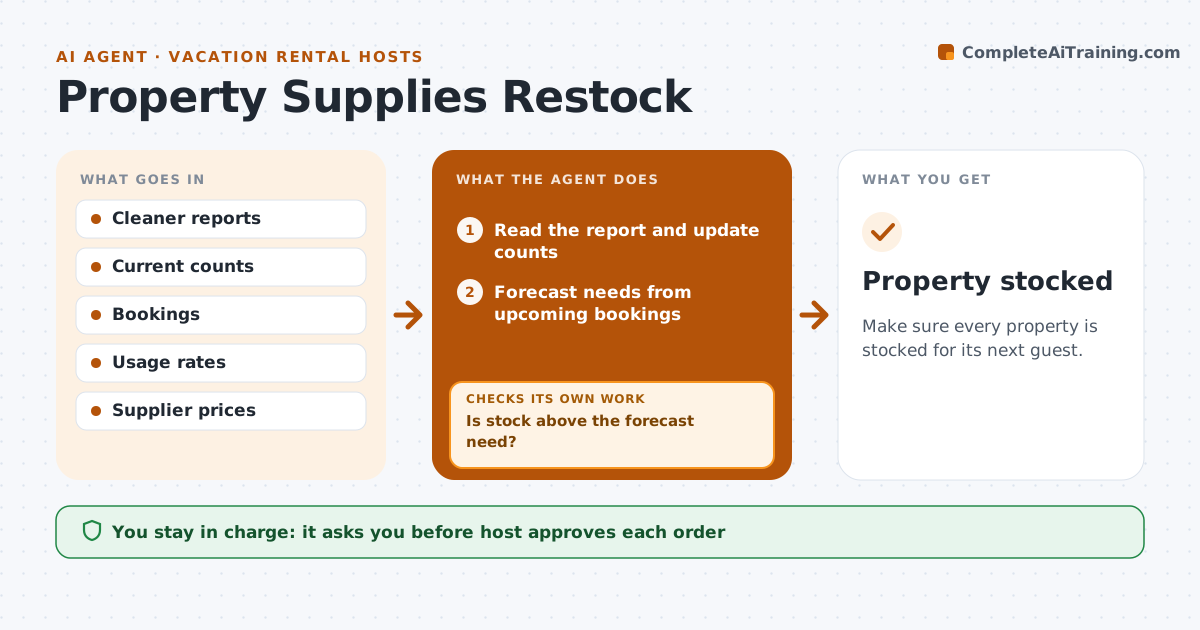
Guests find missing toilet paper or no coffee, and it shows in the review. This agent reads cleaner reports, updates supply counts for each property and forecasts needs from upcoming bookings. It drafts orders when stock is below need. If stock is below the forecast, it adjusts the order and checks again before the next arrival. The host approves orders. It treats each property separately, since a family home and a studio use supplies differently. Prices are compared across two suppliers, and the order is grouped so deliveries arrive between guests and not during a stay. Edge case: a long booking that needs a mid-stay restock is added to the cleaner's task list.
How it works
Follow the arrows from top to bottom. The orange dashed arrow is the loop: when a check fails, the agent goes back and tries again.
Read the steps as a list
- Cleaning report arrives
- Read the report and update counts
- Forecast needs from upcoming bookings
- Is stock above the forecast need?If not: Draft an order for the shortfall. Back to step 2.
- Compare supplier prices and delivery
- Host approves the orderThe agent waits here for your OK.
- Place the order
- Check counts again before the next arrival
- Is stock enough for the arrival?If not: Adjust the order and ask the cleaner to bring a stopgap. Back to step 7.
- Property stocked
How it decides
It orders to cover the forecast with a safety buffer and checks the count again before the arrival.
- Keep a 20 percent buffer
- Forecast by guests and nights
- Compare two suppliers
- Recheck 2 days before arrival
Make it yours
Every agent is a starting point. You choose these settings for your own situation.
- Buffer (default 20 percent)
- Usage per guest
- Suppliers
- Recheck time (default 2 days)
What keeps you in control
It always asks you first
- Host approves each order
Hard limits
- Never place an order without approval
- Never skip the pre-arrival check
It stops when
- Done: stock covers the next arrival
- Stop: no delivery fits and the host buys locally
Set it up
We guide you through the set-up, step by step
Members get the full set-up guide for this agent. No technical skills needed: you copy, paste and upload.
- One set of instructions to paste into your AI, with the clicks for ChatGPT, Claude, Microsoft 365 Copilot, Gemini and Grok
- The agent then walks you through connecting your own data, one source at a time
- A downloadable copy with the flow chart, the rules and the full guide