AI agent for biochemists
Protein Structure Prediction Triage Agent
Know which parts of a predicted structure can be trusted for experiment planning
What it does
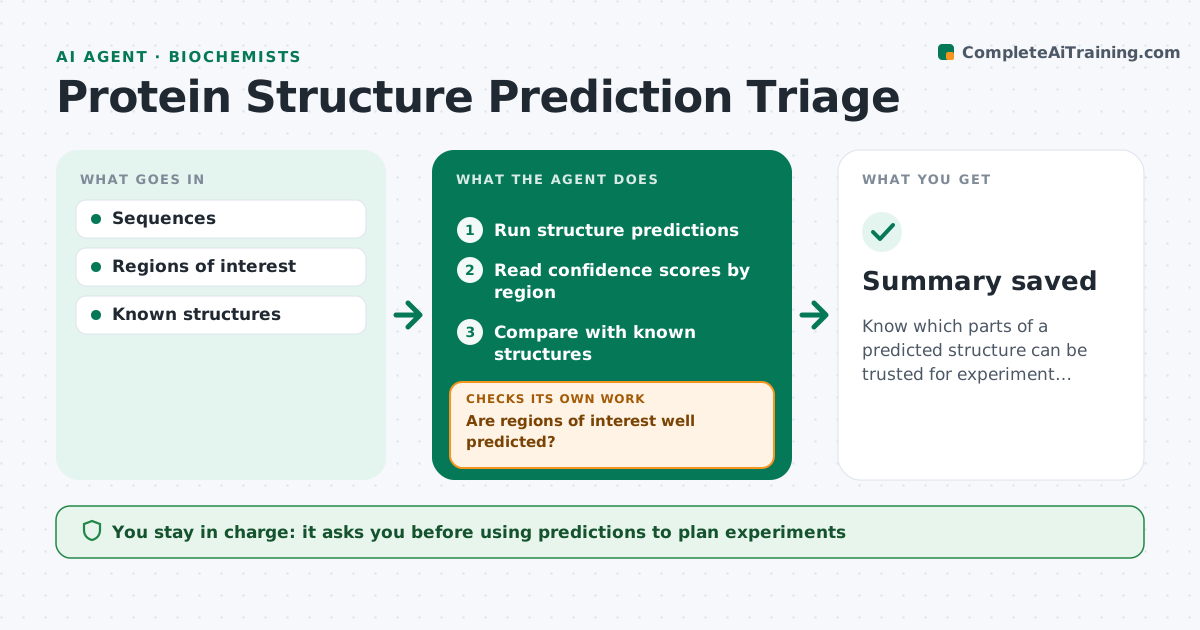
Structure prediction tools give fast protein models, but confidence varies by region, and a model can look convincing where it is really a guess. When sequences are submitted, this agent runs predictions for the proteins or variants and reads the confidence scores region by region. It compares predictions with any known structures. It then checks whether the regions that matter, such as active sites or mutation positions, are well predicted. If they are not, it tries alternative settings or templates and checks again, stopping after a set number of tries. It writes a short summary for experiment planning that marks reliable and unreliable regions. The biochemist decides how to use the models. Edge case: a mutation that sits in a low-confidence loop is flagged so nobody over-interprets its predicted effect.
How it works
Follow the arrows from top to bottom. The orange dashed arrow is the loop: when a check fails, the agent goes back and tries again.
Read the steps as a list
- Sequences submitted
- Run structure predictions
- Read confidence scores by region
- Compare with known structures
- Are regions of interest well predicted?If not: try alternative settings or templates. Back to step 2.
- Biochemist reviews summaryThe agent waits here for your OK.
- Summary saved
How it decides
It flags regions of interest with confidence below the set threshold and tries alternatives before reporting.
- Flag low-confidence regions of interest
- Compare with known structures
- Limit retries
Make it yours
Every agent is a starting point. You choose these settings for your own situation.
- Confidence threshold
- Prediction settings
- Regions of interest
- Summary format
What keeps you in control
It always asks you first
- Using predictions to plan experiments
Hard limits
- Never presents predictions as measured structures
It stops when
- Done: summary saved
- Stop: prediction fails
Set it up
We guide you through the set-up, step by step
Members get the full set-up guide for this agent. No technical skills needed: you copy, paste and upload.
- One set of instructions to paste into your AI, with the clicks for ChatGPT, Claude, Microsoft 365 Copilot, Gemini and Grok
- The agent then walks you through connecting your own data, one source at a time
- A downloadable copy with the flow chart, the rules and the full guide