AI agent for mechanical engineers
Prototype Build Request Tracking Agent
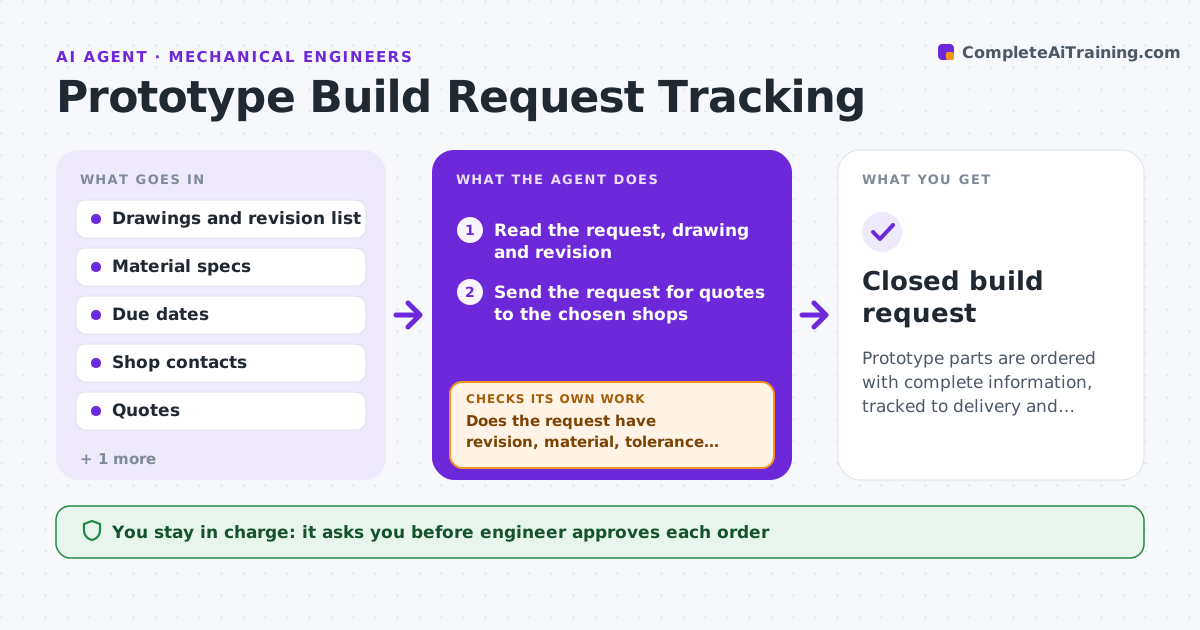
Prototype parts are ordered with complete information, tracked to delivery and checked against the drawing.
What it does
You email a drawing to the shop, a call changes the material, and three weeks later the wrong part arrives. This agent keeps each request in one place. It checks that each request has a drawing with the right revision, material, finish, tolerance and due date, and sends clarification questions when something is missing. It tracks quotes and status, and when parts arrive, it checks the received parts against the drawing using your inspection measurements. If parts fail, it drafts a rework or remake request with the failed items listed. You approve orders and acceptance. Edge case: a drawing revision that changed after the order was placed triggers a warning before the shop starts.
How it works
Follow the arrows from top to bottom. The orange dashed arrow is the loop: when a check fails, the agent goes back and tries again.
Read the steps as a list
- Build request created
- Read the request, drawing and revision
- Does the request have revision, material, tolerance, quantity and due date?If not: Draft clarification questions to the engineer or shop. Back to step 2.
- Send the request for quotes to the chosen shops
- Engineer approves the order and shopThe agent waits here for your OK.
- Track status and warn if the drawing revision changes
- On delivery, compare measurements with the drawing tolerances
- Are all critical dimensions within tolerance?If not: Draft a rework or remake request and track the new delivery. Back to step 6.
- Engineer accepts the partsThe agent waits here for your OK.
- Closed build request
How it decides
A request is ready when drawing revision, material, tolerance, quantity and due date are all present and consistent.
- Hold the request until revision and material are confirmed
- Warn if the drawing revision changes after ordering
- Measure only critical dimensions first
- Prefer rework if fewer than 3 dimensions fail
Make it yours
Every agent is a starting point. You choose these settings for your own situation.
- Required request fields
- Critical dimensions rule
- Shops list
- Reminder schedule
What keeps you in control
It always asks you first
- Engineer approves each order
- Engineer accepts or rejects delivered parts
Hard limits
- Never place orders or pay itself
- Never accept parts without measurements
It stops when
- Done: parts accepted
- Stop: shop cannot meet requirements
Set it up
We guide you through the set-up, step by step
Members get the full set-up guide for this agent. No technical skills needed: you copy, paste and upload.
- One set of instructions to paste into your AI, with the clicks for ChatGPT, Claude, Microsoft 365 Copilot, Gemini and Grok
- The agent then walks you through connecting your own data, one source at a time
- A downloadable copy with the flow chart, the rules and the full guide