AI agent for medical practice managers
Provider Privileging and Enrollment Renewal Agent
No provider privilege, enrollment or license lapses and every submitted form is complete
What it does
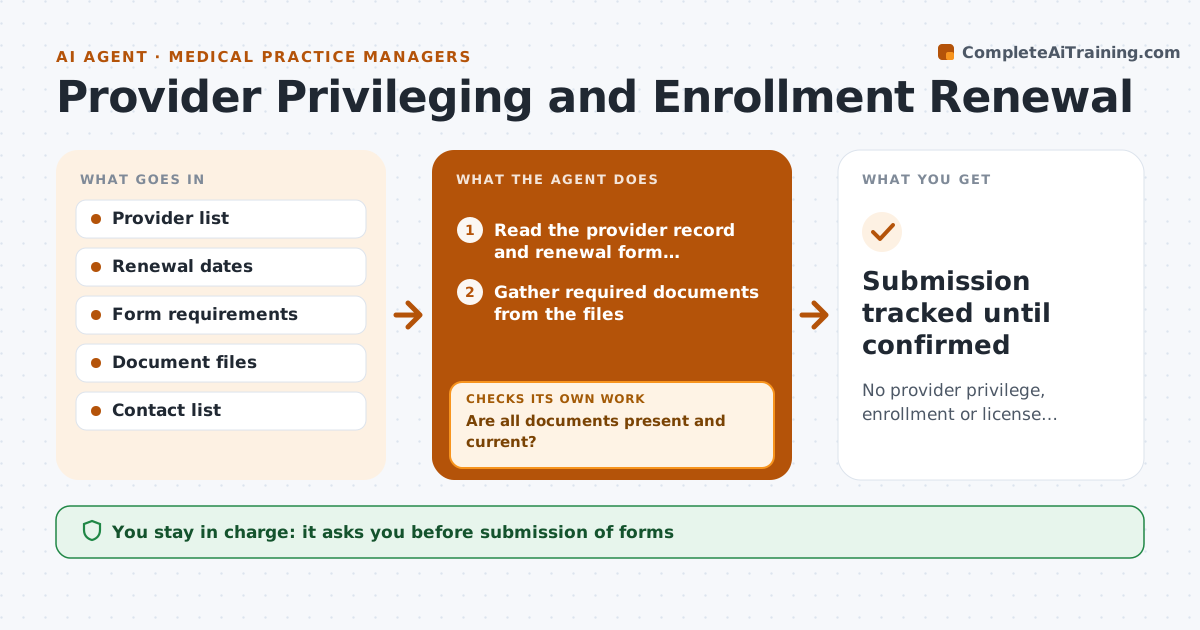
Privileges, payer enrollments and licenses all expire on different cycles, and a lapse can stop billing or care. This agent tracks every renewal date, builds the list of documents each form needs and gathers them from the provider or the files. It checks completeness against each form and sends reminders. When a form is returned, it checks it again for errors, such as a wrong ID or a missing signature. After submission it tracks the payer or board response. The administrator approves each submission. Edge case: a license number changed after a state update, so the agent flags every form that still has the old one.
How it works
Follow the arrows from top to bottom. The orange dashed arrow is the loop: when a check fails, the agent goes back and tries again.
Read the steps as a list
- Renewal is 120 days away
- Read the provider record and renewal form requirements
- Gather required documents from the files
- Are all documents present and current?If not: request missing items from the provider and gather again. Back to step 2.
- Prefill the form from the master record
- Send the form for the provider's signature
- Check the returned form for errors
- Is the form complete and consistent?If not: return it with specific corrections and recheck. Back to step 5.
- Administrator approves submissionThe agent waits here for your OK.
- Submission tracked until confirmed
How it decides
A renewal is ready when every required field and document is present and consistent with the master record. Reminders step up as the date approaches.
- Remind at 120, 90, 60 and 30 days
- Flag IDs that differ from the master record
- Check signatures and dates on every form
- Escalate when 30 days remain and the form is not ready
Make it yours
Every agent is a starting point. You choose these settings for your own situation.
- Look-ahead days (default 120)
- Reminder schedule
- Forms covered
- Escalation contacts
What keeps you in control
It always asks you first
- Submission of forms
Hard limits
- Never submit forms without approval
- Never invent license or ID numbers
It stops when
- Done: renewal confirmed by the payer or board
- Stop: provider is leaving the organization
Set it up
We guide you through the set-up, step by step
Members get the full set-up guide for this agent. No technical skills needed: you copy, paste and upload.
- One set of instructions to paste into your AI, with the clicks for ChatGPT, Claude, Microsoft 365 Copilot, Gemini and Grok
- The agent then walks you through connecting your own data, one source at a time
- A downloadable copy with the flow chart, the rules and the full guide