AI agent for historians
Public Records Request Tracker Agent
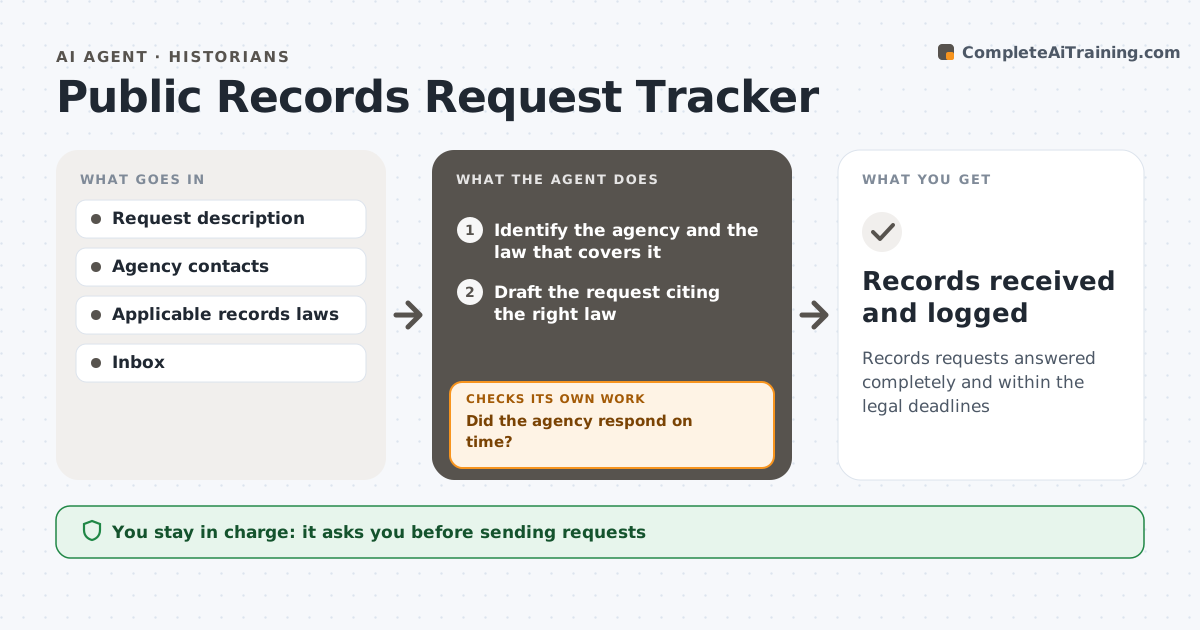
Records requests answered completely and within the legal deadlines
What it does
Public records laws give agencies deadlines to respond, but many requests sit for months because no one follows up. This agent drafts each request from your description, citing the law that covers that agency and asking for records in a usable format. You approve and send it. It then logs the legal deadline and watches your inbox for replies. When records arrive, it compares them with what you asked for and lists what is missing. When a deadline passes, it drafts a follow-up, then an appeal if the follow-up deadline also passes, and logs each new date. If an agency asks for a fee, it pauses and asks you before agreeing to anything. Every outgoing message needs your approval. Edge case: a partial release is logged as partial, and the missing record types become a narrow follow-up.
How it works
Follow the arrows from top to bottom. The orange dashed arrow is the loop: when a check fails, the agent goes back and tries again.
Read the steps as a list
- New request is needed
- Identify the agency and the law that covers it
- Draft the request citing the right law
- Requester approves and sendsThe agent waits here for your OK.
- Log deadline and watch for replies
- Did the agency respond on time?If not: draft a follow-up or appeal and log the new deadline. Back to step 5.
- Compare returned records with the request
- Is the release complete?If not: draft a narrow follow-up for the missing records. Back to step 5.
- Records received and logged
How it decides
It calculates each deadline from the law and the filing date, and drafts follow-ups or appeals when a deadline passes or records are incomplete.
- Use the law that covers each agency
- Draft an appeal after the follow-up deadline passes
- List missing record types after each release
Make it yours
Every agent is a starting point. You choose these settings for your own situation.
- Laws and deadlines per jurisdiction
- Follow-up timing (default 5 days after deadline)
- Request template
- Preferred record format
What keeps you in control
It always asks you first
- Sending requests
- Agreeing to fees
- Filing appeals
Hard limits
- Never sends anything without approval
- Never agrees to fees
It stops when
- Done: all requested records received
- Stop: appeal denied; ask about legal help
Set it up
We guide you through the set-up, step by step
Members get the full set-up guide for this agent. No technical skills needed: you copy, paste and upload.
- One set of instructions to paste into your AI, with the clicks for ChatGPT, Claude, Microsoft 365 Copilot, Gemini and Grok
- The agent then walks you through connecting your own data, one source at a time
- A downloadable copy with the flow chart, the rules and the full guide